ServiceM8 review
Evidence status
16 tasks tested · 5 documented
How we assess evidenceRecord dates
- Price checked
- · re-checked monthly
- Last tested
- Last edited
Platforms: web, ios, android
Price context
Premium Plus · flat · billed monthly · US / USD
Recorded prices in the tested plan’s family, selected by user capacity. Other user tiers are not separate protocol tests.
Documented price conditions
- Free: US pricing page and the in-app plan chooser (account region United States) showed the same figure. Priced by job credits, not per user; SMS capped monthly with an overage fee. Sales tax excluded. Documented
- Growing: US pricing page and the in-app plan chooser (account region United States) showed the same figure. Priced by job credits, not per user; SMS capped monthly with an overage fee. Sales tax excluded. Documented
- Premium: US pricing page and the in-app plan chooser (account region United States) showed the same figure. Priced by job credits, not per user; SMS capped monthly with an overage fee. Sales tax excluded. Documented
- Premium Plus: US pricing page and the in-app plan chooser (account region United States) showed the same figure. Priced by job credits, not per user; SMS capped monthly with an overage fee. Sales tax excluded. Documented
- Starter: US pricing page and the in-app plan chooser (account region United States) showed the same figure. Priced by job credits, not per user; SMS capped monthly with an overage fee. Sales tax excluded. Documented
Task results and evidence
T-01: From signup to the first job scheduled, including importing the 25 customers from CSV · partial
Tested in a trial exposing Premium Plus features
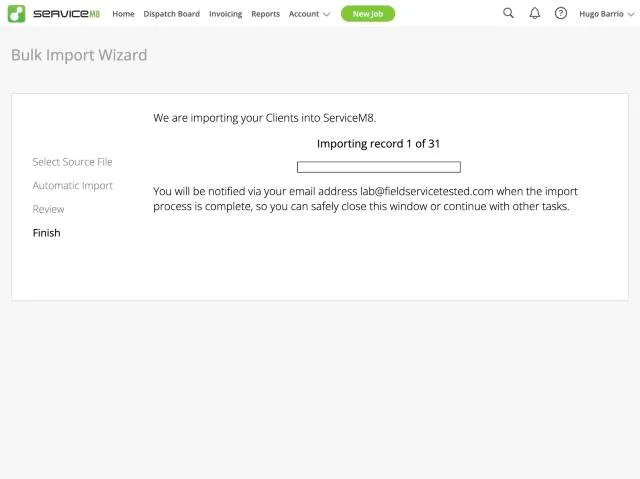
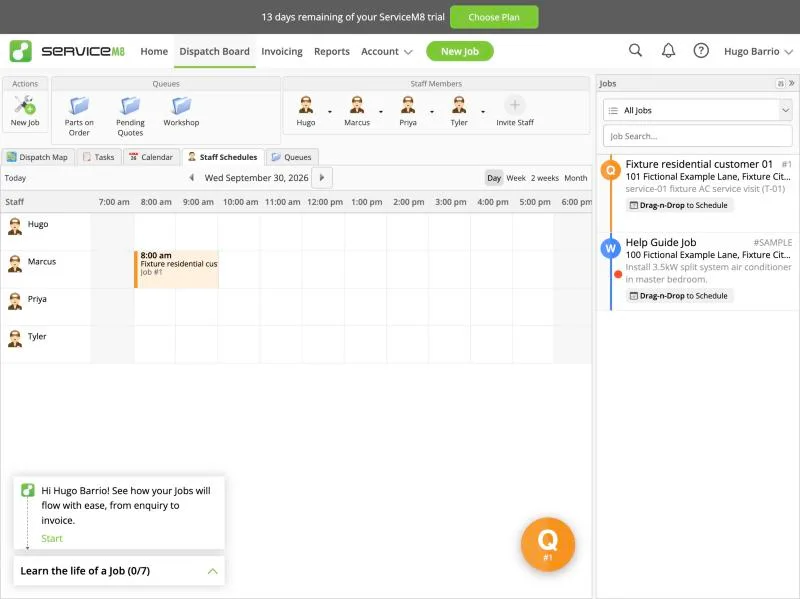
Clients > Bulk Import Wizard accepts a CSV; the sample template has only Name, Contact First, Contact Last, Email Address. Our 31-row fixture file (customers-servicem8.csv: name, contact, email, phone, one-line address, notes) auto-mapped Name, Contact First/Last, Email, Phone (Telephone Number) and Address (Billing Address). Available target fields: company/billing address (also split street/city/state/postcode/country), billing contact, mobile, tax rate, payment terms; there is no notes field and no separate service/site address, so the Notes column (Ridgeline ids) could not be imported. Validation and import ran in the background ('You will be notified via [the account email] when the import process is complete'); about 2 minutes for 31 rows. Result: 25 active clients, not 31. Rows sharing a client name (Fixture commercial customer 02 and 03, three units each; landlords 01 and 02, two properties each) were merged into one client each without warning, and the client kept only the last row's address (e.g. commercial customer 02 = 121 Fictional Example Lane; units at 119 and 120 lost). Staff: Dispatch Board > Invite Staff (name, email, optional mobile) adds each staff member at once and emails a username and temporary password; Marcus, Priya and Tyler added with fictional @example.com addresses in about 1 minute each. First job: New Job creates Job #1 immediately as a Quote; client picked by type-ahead (fills contact name, email, phone) but the job address stayed empty and had to be typed (the imported billing address is not proposed as the job site). Schedule > Add Booking (staff, duration, date, time, with a list of suggested free slots) booked Marcus on Wed Sep 30 2026, 8:00-10:00; it shows on the Dispatch Board staff schedule. Result partial: import and staff setup are quick, but same-name rows are merged silently with address loss, notes cannot be imported and the job site must be retyped.
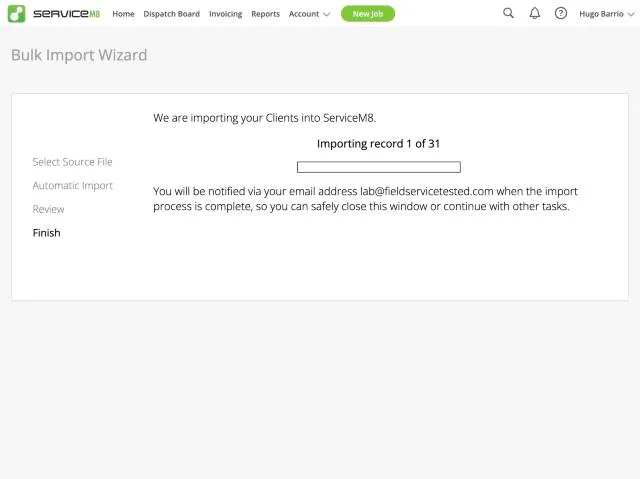
ServiceM8, T-01 (from signup to the first job scheduled, including importing the 25 customers from CSV): importing. Own capture from the test account, fictional Ridgeline fixture data.
- Task
- T-01 — From signup to the first job scheduled, including importing the 25 customers from CSV
- Plan
- Premium Plus
- Device
- MacBook Air M3 24 GB
- App version
- ServiceM8 web app (go.servicem8.com), 2026-09-29, trial day 2; region English (United States)
- Captured
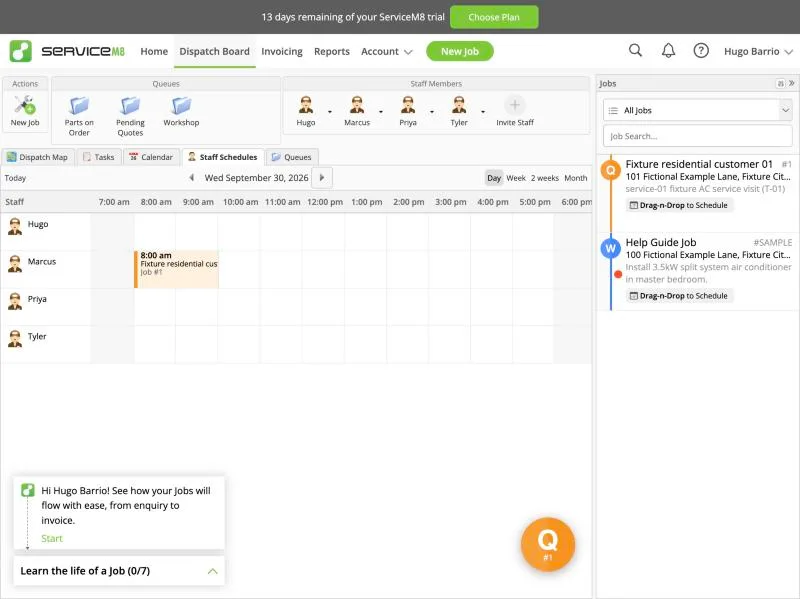
ServiceM8, T-01 (from signup to the first job scheduled, including importing the 25 customers from CSV): job scheduled. Own capture from the test account, fictional Ridgeline fixture data.
- Task
- T-01 — From signup to the first job scheduled, including importing the 25 customers from CSV
- Plan
- Premium Plus
- Device
- MacBook Air M3 24 GB
- App version
- ServiceM8 web app (go.servicem8.com), 2026-09-29, trial day 2; region English (United States)
- Captured
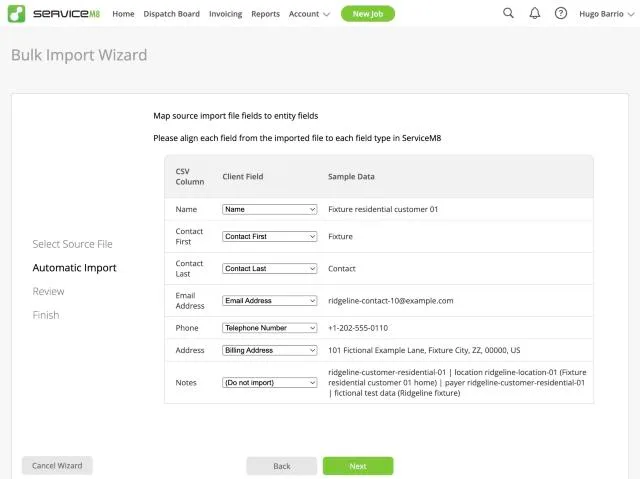
ServiceM8, T-01 (from signup to the first job scheduled, including importing the 25 customers from CSV): mapping. Own capture from the test account, fictional Ridgeline fixture data.
- Task
- T-01 — From signup to the first job scheduled, including importing the 25 customers from CSV
- Plan
- Premium Plus
- Device
- MacBook Air M3 24 GB
- App version
- ServiceM8 web app (go.servicem8.com), 2026-09-29, trial day 2; region English (United States)
- Captured
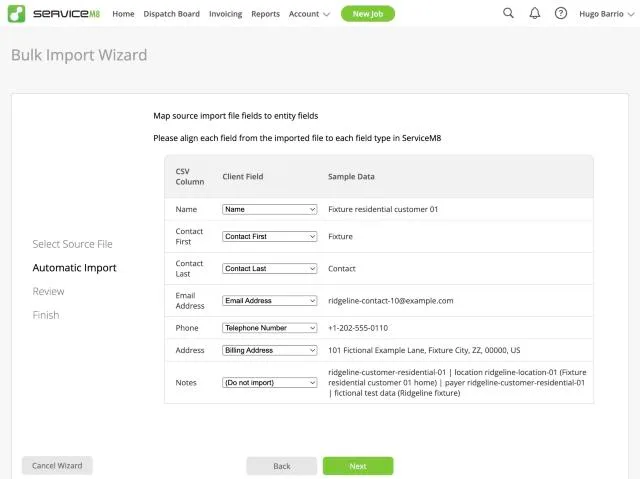
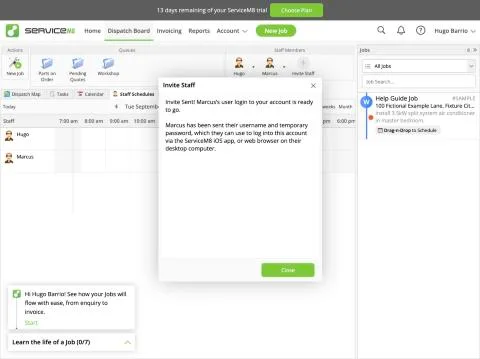
ServiceM8, T-01 (from signup to the first job scheduled, including importing the 25 customers from CSV): staff invite. Own capture from the test account, fictional Ridgeline fixture data.
- Task
- T-01 — From signup to the first job scheduled, including importing the 25 customers from CSV
- Plan
- Premium Plus
- Device
- MacBook Air M3 24 GB
- App version
- ServiceM8 web app (go.servicem8.com), 2026-09-29, trial day 2; region English (United States)
- Captured
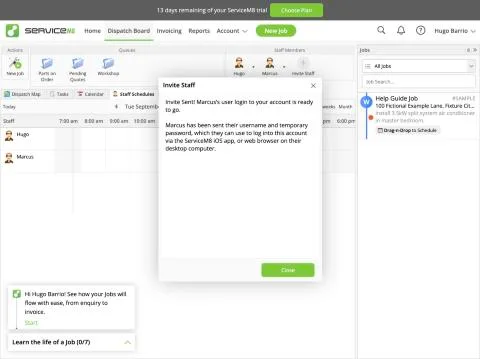
T-02: Import the 30-item price book from CSV, including options · partial
Tested in a trial exposing Premium Plus features
Materials & Services > Bulk Import. The sample CSV has Item Number, Name, Purchase Cost, Price. Our 30-item fixture (items-servicem8.csv: item number, name, description, price, cost) was auto-detected ('Item Number -> Item Number', 'Name', 'Price', 'Cost -> Purchase Cost') with the notice 'Imported materials will use your default tax rate (TAX). Prices will be imported as tax inclusive.' Choosing 'No, adjust settings' shows the mappable fields: item number, name, purchase cost, quantity in stock, price, price includes taxes, tax rate, item is inventoried, barcode. Description cannot be imported (although materials have a description field), there is no category and no good/better/best option structure; replacement packages came in at the good price. All 30 items plus the default 'Labour' ($80) were active within about a minute (background import). Prices are stored as tax-inclusive by default; the account's default 'TAX' rate is 0% after switching the region to United States, so amounts are unaffected in our lab, but a US contractor would need to map a 'Price Includes Taxes' column or edit items afterwards. Result partial: fast and clean for codes and prices; descriptions, categories and option tiers are lost.
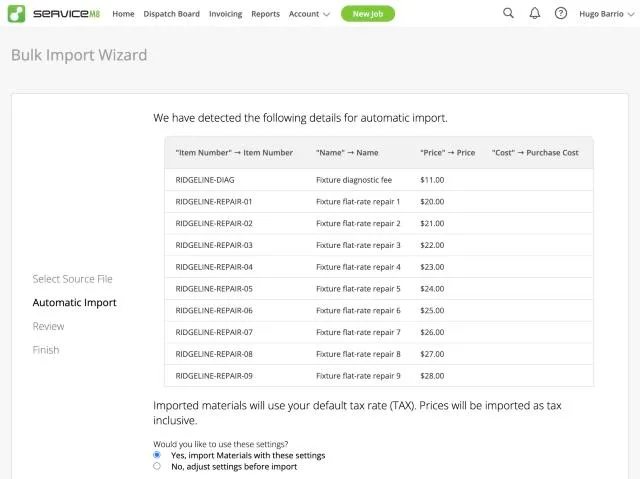
ServiceM8, T-02 (import the 30-item price book from CSV, including options): auto mapping. Own capture from the test account, fictional Ridgeline fixture data.
- Task
- T-02 — Import the 30-item price book from CSV, including options
- Plan
- Premium Plus
- Device
- MacBook Air M3 24 GB
- App version
- ServiceM8 web app (go.servicem8.com), 2026-09-29, trial day 2; region English (United States)
- Captured
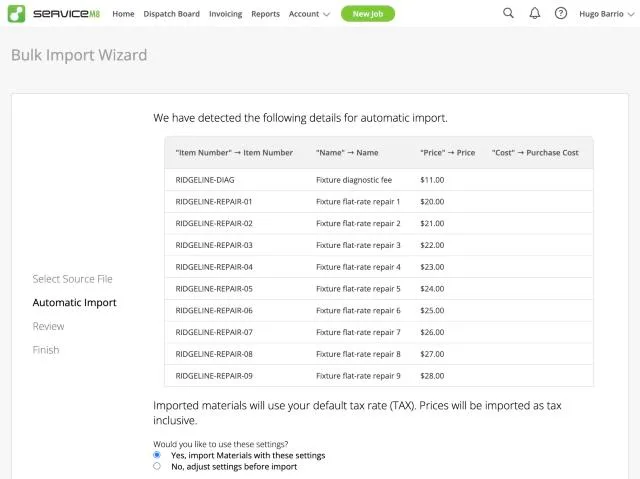
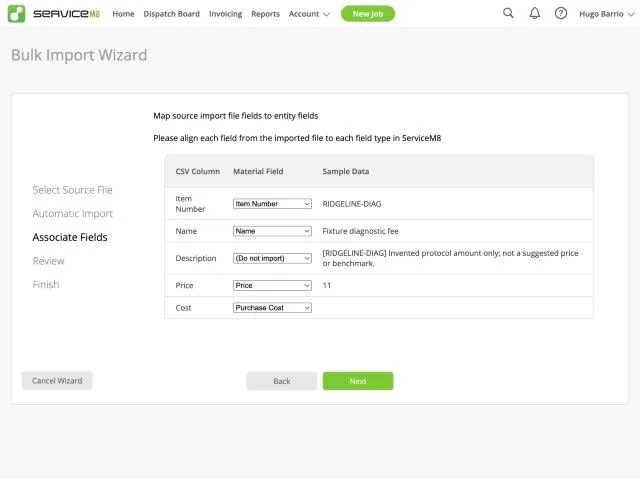
ServiceM8, T-02 (import the 30-item price book from CSV, including options): field options. Own capture from the test account, fictional Ridgeline fixture data.
- Task
- T-02 — Import the 30-item price book from CSV, including options
- Plan
- Premium Plus
- Device
- MacBook Air M3 24 GB
- App version
- ServiceM8 web app (go.servicem8.com), 2026-09-29, trial day 2; region English (United States)
- Captured
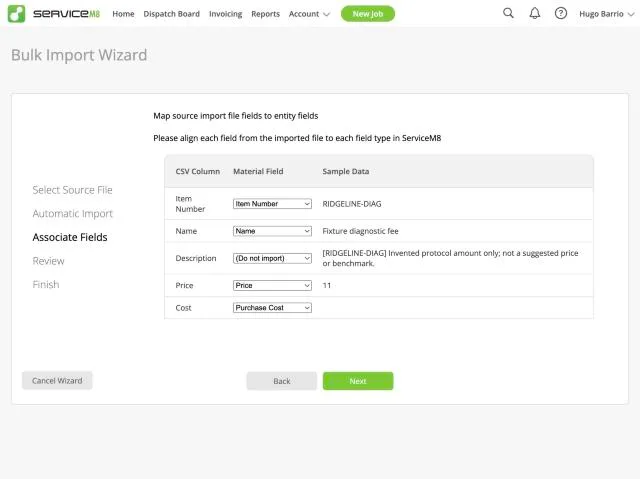
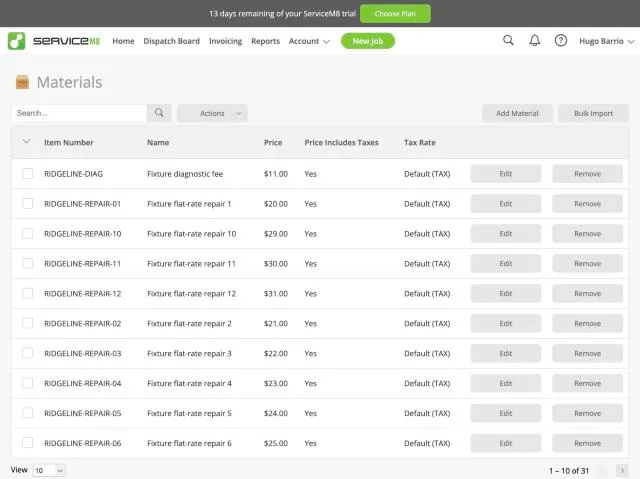
ServiceM8, T-02 (import the 30-item price book from CSV, including options): materials. Own capture from the test account, fictional Ridgeline fixture data.
- Task
- T-02 — Import the 30-item price book from CSV, including options
- Plan
- Premium Plus
- Device
- MacBook Air M3 24 GB
- App version
- ServiceM8 web app (go.servicem8.com), 2026-09-29, trial day 2; region English (United States)
- Captured
T-03: Commercial customer with 3 locations and a separate payer (Cedar Lane) · partial
Tested in a trial exposing Premium Plus features
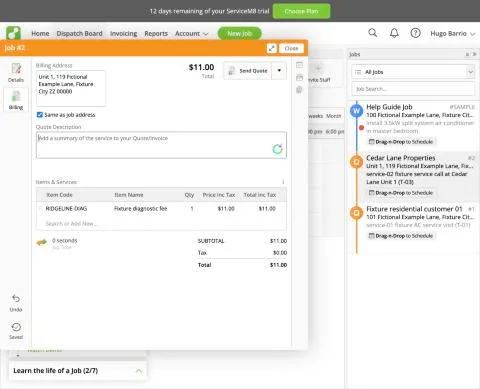
ServiceM8 has no sites/properties list and no parent-child client link: the client card has Client Details (name, address, contacts with roles such as Billing Contact), Billing Details (billing address, tax rate, payment terms) and Jobs. The payer/location split is handled per job: each job has a free-text Job Address, and the billing side has its own Billing Address with a 'Same as job address' box ticked by default. Test: New Job for client Cedar Lane Properties (the payer), Job Address typed as 'Unit 1, 119 Fictional Example Lane ...', description service-02; Billing tab: item RIDGELINE-DIAG ($11), quote accepted (Work Order). The invoice draft ('Send Invoice', not sent) is addressed to Cedar Lane's Billing Contact with subject 'Invoice RE: Unit 1, 119 Fictional Example Lane ... / Job # 2', so the manager is billed for work at the unit. But the six units are not stored anywhere under Cedar Lane: every job needs the unit address retyped, the billing address defaults to the job (unit) address unless the box is unticked and the payer's address typed, and our import had already merged same-name unit rows (T-01). Result partial: payer billing works per job, but there is no reusable list of service locations under one payer.
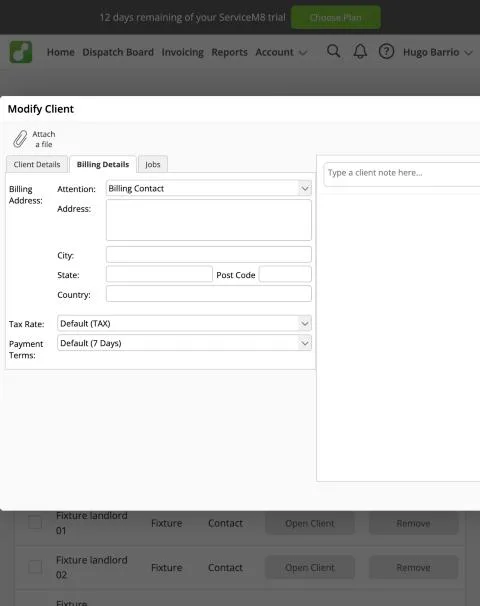
ServiceM8, T-03 (commercial customer with 3 locations and a separate payer (Cedar Lane)): client billing. Own capture from the test account, fictional Ridgeline fixture data.
- Task
- T-03 — Commercial customer with 3 locations and a separate payer (Cedar Lane)
- Plan
- Premium Plus
- Device
- MacBook Air M3 24 GB
- App version
- ServiceM8 web app (go.servicem8.com), 2026-09-29, trial day 2; region English (United States)
- Captured
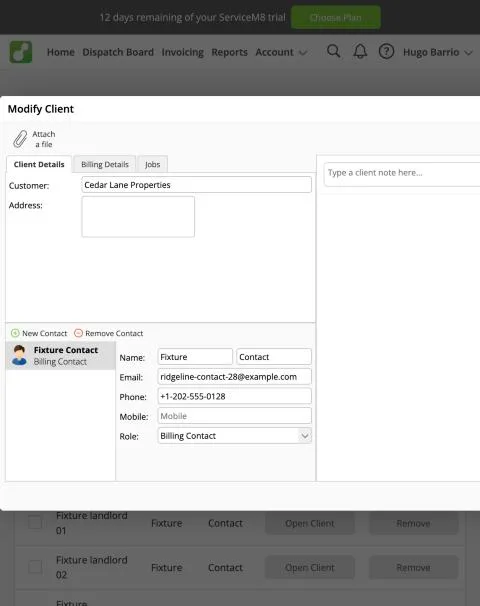
ServiceM8, T-03 (commercial customer with 3 locations and a separate payer (Cedar Lane)): client details. Own capture from the test account, fictional Ridgeline fixture data.
- Task
- T-03 — Commercial customer with 3 locations and a separate payer (Cedar Lane)
- Plan
- Premium Plus
- Device
- MacBook Air M3 24 GB
- App version
- ServiceM8 web app (go.servicem8.com), 2026-09-29, trial day 2; region English (United States)
- Captured
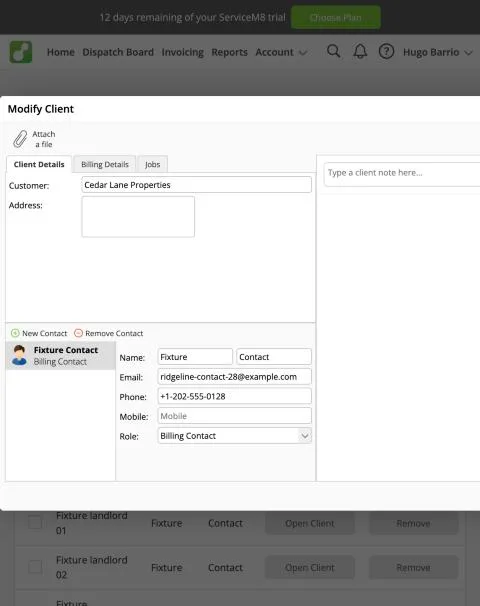
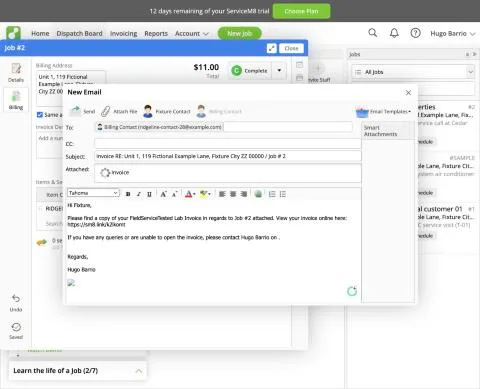
ServiceM8, T-03 (commercial customer with 3 locations and a separate payer (Cedar Lane)): invoice email draft. Own capture from the test account, fictional Ridgeline fixture data.
- Task
- T-03 — Commercial customer with 3 locations and a separate payer (Cedar Lane)
- Plan
- Premium Plus
- Device
- MacBook Air M3 24 GB
- App version
- ServiceM8 web app (go.servicem8.com), 2026-09-29, trial day 2; region English (United States)
- Captured
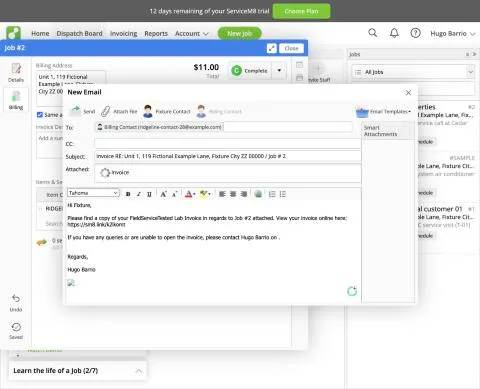
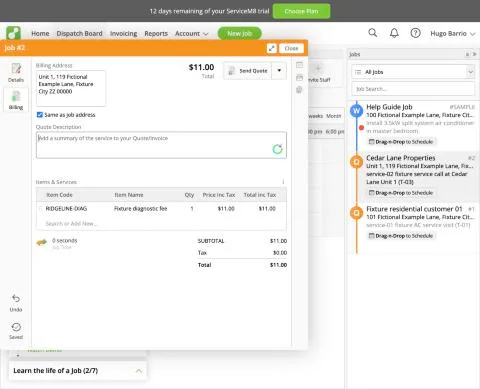
ServiceM8, T-03 (commercial customer with 3 locations and a separate payer (Cedar Lane)): job billing. Own capture from the test account, fictional Ridgeline fixture data.
- Task
- T-03 — Commercial customer with 3 locations and a separate payer (Cedar Lane)
- Plan
- Premium Plus
- Device
- MacBook Air M3 24 GB
- App version
- ServiceM8 web app (go.servicem8.com), 2026-09-29, trial day 2; region English (United States)
- Captured
T-04: Equipment history: see every visit for one rooftop unit · partial
Tested in a trial exposing Premium Plus features
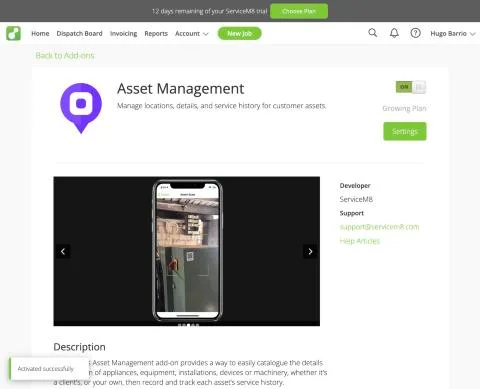
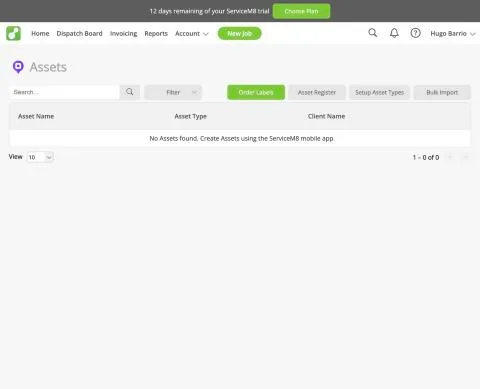
Equipment tracking is the 'Asset Management' add-on (Add-on Directory label: Growing Plan); switched on in the trial ('Activated successfully'). Setup: Asset Types (name, badge, custom fields) - created 'AC condenser' with Serial Number and Model. The Assets list on the web says 'No Assets found. Create Assets using the ServiceM8 mobile app'; the web only offers Bulk Import, one client and one asset type at a time, and warns that each imported asset still needs a ServiceM8 QR code label applied and the setup completed on site before forms (inspection/service) can be recorded against it. Imported one asset for Fixture residential customer 01 ('Fixture AC condenser (res-01)', serial FX-SN-0001, model 'Fixture model A'); the API shows it attached to the client with no location (lat/lng 0). Recording service history against the asset (scan label, attach job/form) is done in the mobile app and is pending for the mobile day (T-09/T-10, 5 Oct). Result partial for now: an equipment register with custom fields exists on the Growing plan, but creation and history are mobile/QR-label driven; per-asset history not yet observed.
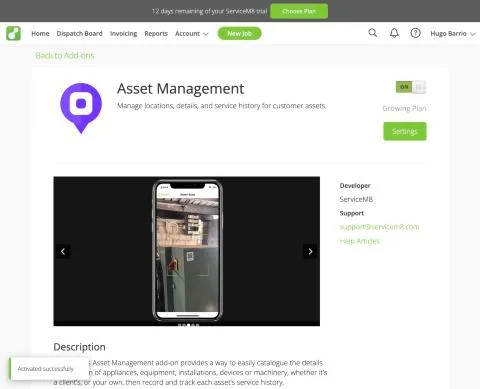
ServiceM8, T-04 (equipment history: see every visit for one rooftop unit): addon activated. Own capture from the test account, fictional Ridgeline fixture data.
- Task
- T-04 — Equipment history: see every visit for one rooftop unit
- Plan
- Premium Plus
- Device
- MacBook Air M3 24 GB
- App version
- ServiceM8 web app (go.servicem8.com), 2026-09-29, trial day 2; region English (United States)
- Captured
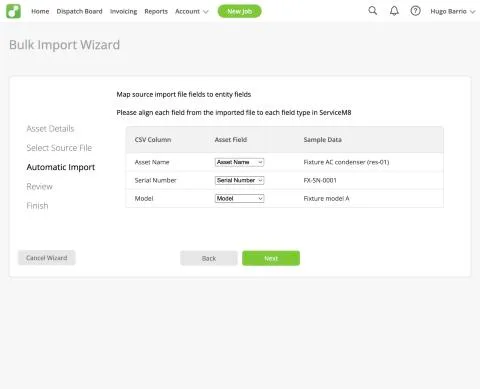
ServiceM8, T-04 (equipment history: see every visit for one rooftop unit): asset import mapping. Own capture from the test account, fictional Ridgeline fixture data.
- Task
- T-04 — Equipment history: see every visit for one rooftop unit
- Plan
- Premium Plus
- Device
- MacBook Air M3 24 GB
- App version
- ServiceM8 web app (go.servicem8.com), 2026-09-29, trial day 2; region English (United States)
- Captured
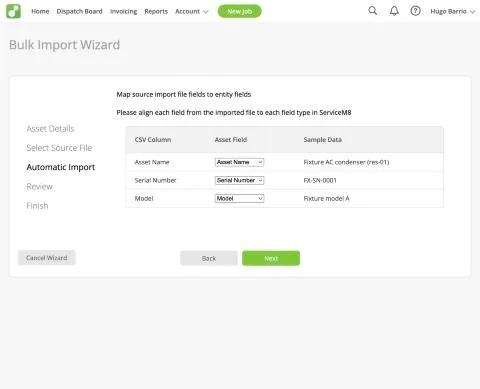
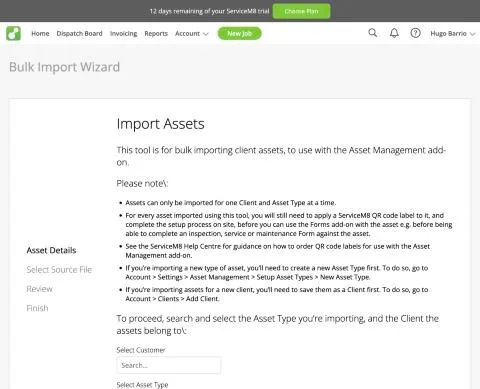
ServiceM8, T-04 (equipment history: see every visit for one rooftop unit): asset import rules. Own capture from the test account, fictional Ridgeline fixture data.
- Task
- T-04 — Equipment history: see every visit for one rooftop unit
- Plan
- Premium Plus
- Device
- MacBook Air M3 24 GB
- App version
- ServiceM8 web app (go.servicem8.com), 2026-09-29, trial day 2; region English (United States)
- Captured
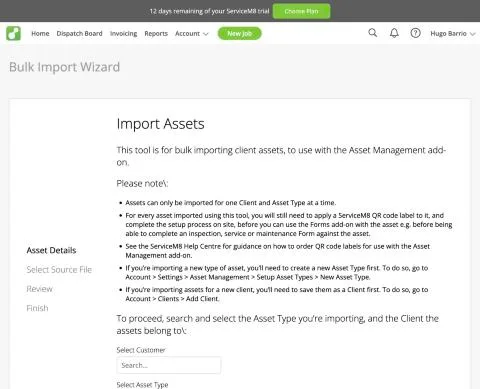
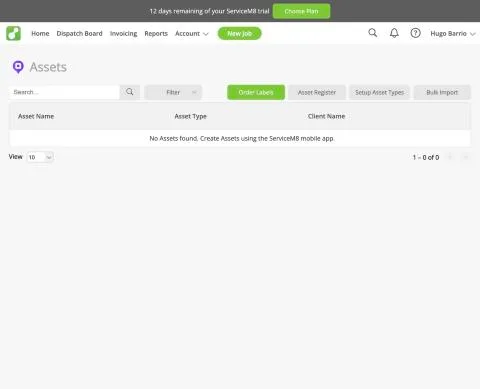
ServiceM8, T-04 (equipment history: see every visit for one rooftop unit): assets mobile only. Own capture from the test account, fictional Ridgeline fixture data.
- Task
- T-04 — Equipment history: see every visit for one rooftop unit
- Plan
- Premium Plus
- Device
- MacBook Air M3 24 GB
- App version
- ServiceM8 web app (go.servicem8.com), 2026-09-29, trial day 2; region English (United States)
- Captured
T-04: Equipment history: see every visit for one rooftop unit · partial
Tested in a trial exposing Premium Plus features
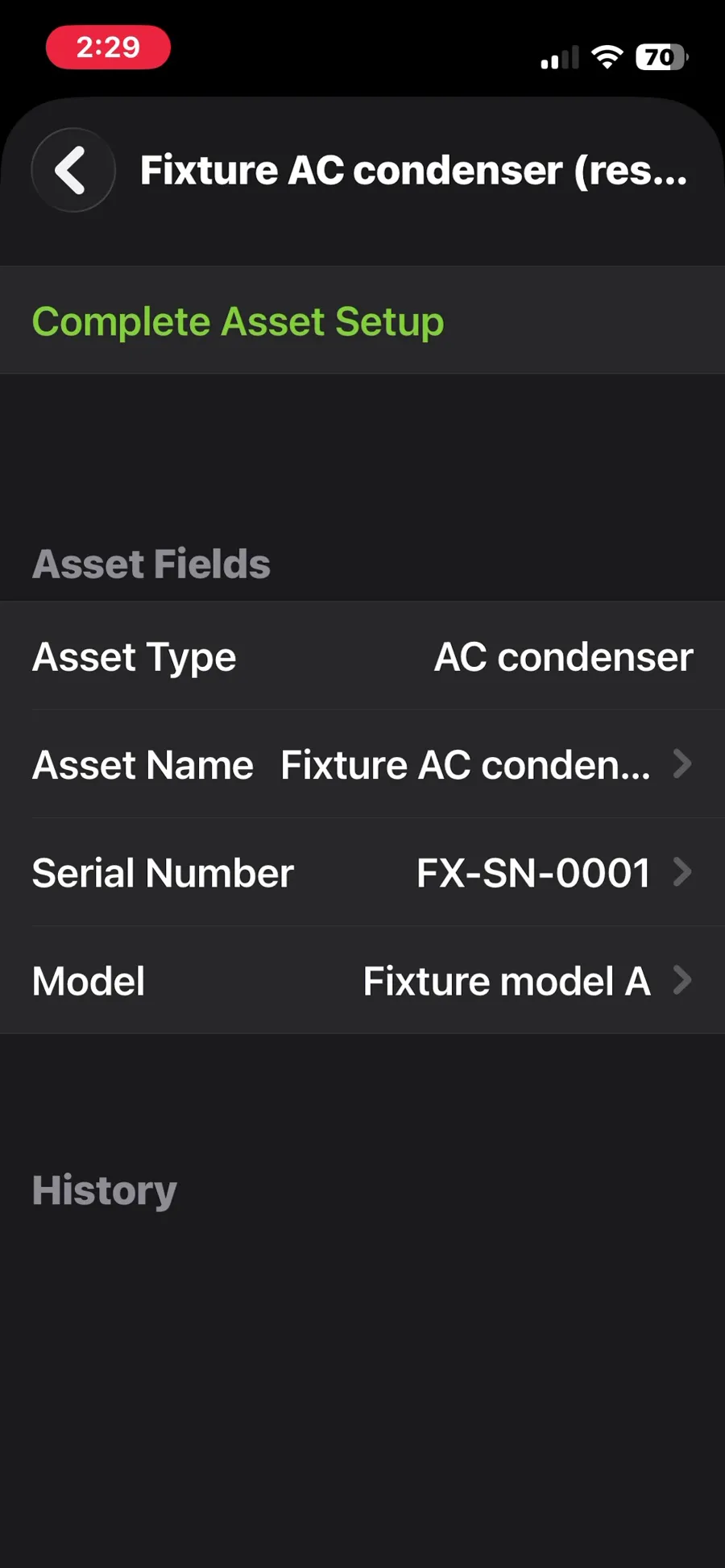
Mobile follow-up to exe-servicem8-t-04-20260930-1. On the phone, Client > Client Assets for Fixture residential customer 01 lists the imported asset 'Fixture AC condenser (res-01)' with its type, serial FX-SN-0001 and model; its history is empty. 'Complete Asset Setup' opens the camera to scan a ServiceM8 QR label, which is required before inspection or service forms can be recorded against the asset; no label was available, so no per-asset history could be built. Result partial (final): an equipment register with custom fields exists on the Growing plan add-on, but per-unit history depends on physical QR labels and on-site setup.
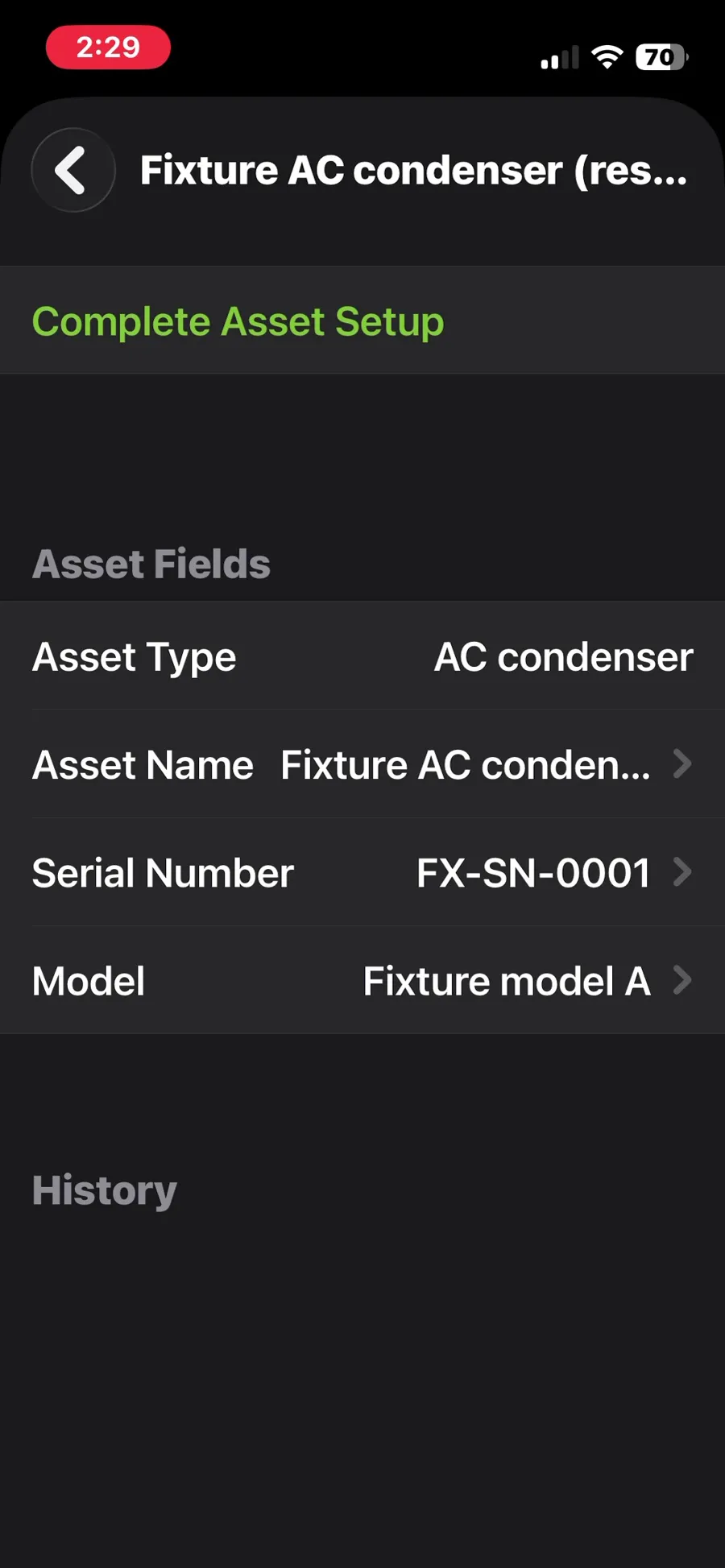
ServiceM8, T-04 (equipment history: see every visit for one rooftop unit): asset on the phone with an empty history. Own capture from the test account, fictional Ridgeline fixture data.
- Task
- T-04 — Equipment history: see every visit for one rooftop unit
- Plan
- Premium Plus
- Device
- iPhone 13 mini (MLJC3VC/A)
- App version
- ServiceM8 iOS app (App Store, installed for the test), 2026-10-02, trial; region English (United States)
- Captured
T-05: 3-option quote (AC replacement); the customer approves one option online · pass
Tested in a trial exposing Premium Plus features
Multi-option quotes use the 'Proposals' add-on (Add-on Directory label: Growing Plan), switched on in the trial. Job #3 for Fixture residential customer 02 (job address typed; client contact email set to a lab customer mailbox). Proposal button on the job card > Blank Proposal > title 'AC replacement options'; the items section has a type menu (Fixed Items, Fixed Items (Subtotal Only), Multiple Choice, Optional); set to Multiple Choice ('Choose one system') with Fixture replacement packages 1, 2 and 3 ($100/$200/$300) picked from the imported catalogue. Email from the proposal opens a prefilled message to the billing contact (the lab customer mailbox) with an sm8.link 'View and accept your estimate online' link; sent at 02:34 UTC. The customer page shows the three options as radio buttons ('NOT SELECTED' on the others) and a total that follows the choice; package 2 chosen, Accept > 'I accept the price and terms of the quote' > 'Proposal Accepted - Thanks for choosing FieldServiceTested Lab!'. Office side: in-app toast 'Customer accepted Proposal for Job #3 online', diary 'Quote Approved - Customer accepted Proposal online', job status changed from Quote to Work Order, and Billing holds only the chosen line (RIDGELINE-REPLACE-02, $200). The owner received a 'Proposal Accepted for Job #3' email from ServiceM8 at 02:36 UTC (saved). The quote email to the customer mailbox was not produced as evidence (not in the operator's mailbox at the time of saving). The quote was sent and accepted from the same browser. Whole flow about 5 minutes (video 4:31). Result pass.
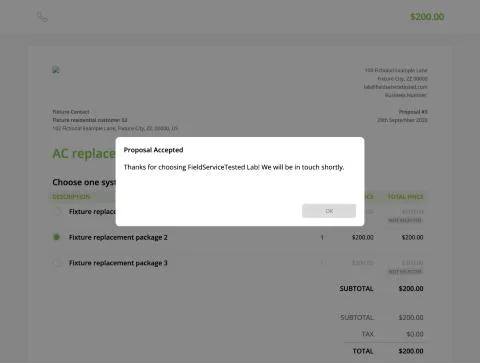
ServiceM8, T-05 (3-option quote (AC replacement); the customer approves one option online): accepted. Own capture from the test account, fictional Ridgeline fixture data.
- Task
- T-05 — 3-option quote (AC replacement); the customer approves one option online
- Plan
- Premium Plus
- Device
- MacBook Air M3 24 GB
- App version
- ServiceM8 web app (go.servicem8.com), 2026-09-29, trial day 2; region English (United States)
- Captured
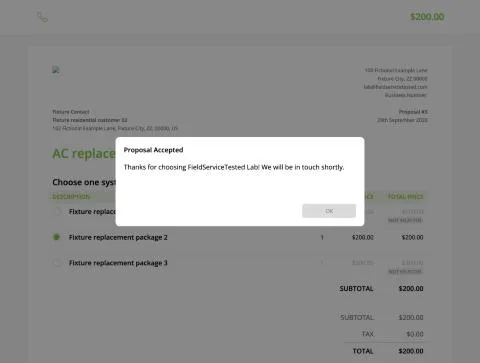
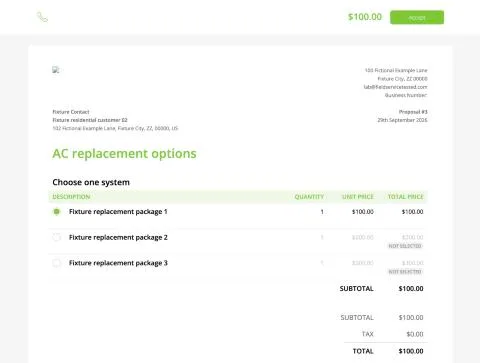
ServiceM8, T-05 (3-option quote (AC replacement); the customer approves one option online): customer view. Own capture from the test account, fictional Ridgeline fixture data.
- Task
- T-05 — 3-option quote (AC replacement); the customer approves one option online
- Plan
- Premium Plus
- Device
- MacBook Air M3 24 GB
- App version
- ServiceM8 web app (go.servicem8.com), 2026-09-29, trial day 2; region English (United States)
- Captured
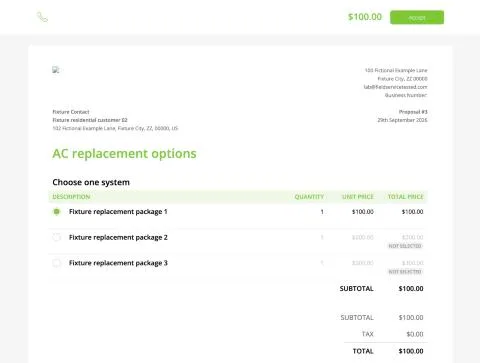
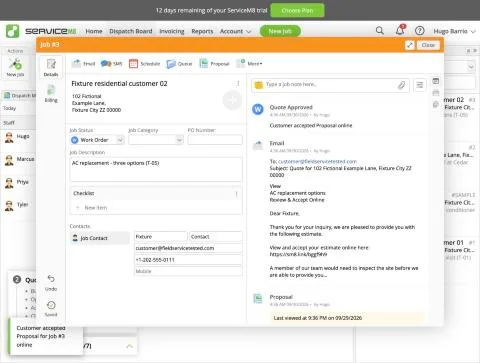
ServiceM8, T-05 (3-option quote (AC replacement); the customer approves one option online): job approved. Own capture from the test account, fictional Ridgeline fixture data.
- Task
- T-05 — 3-option quote (AC replacement); the customer approves one option online
- Plan
- Premium Plus
- Device
- MacBook Air M3 24 GB
- App version
- ServiceM8 web app (go.servicem8.com), 2026-09-29, trial day 2; region English (United States)
- Captured
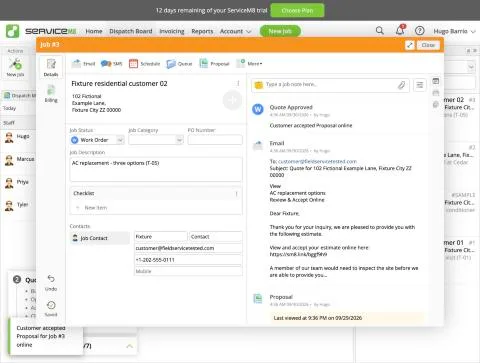
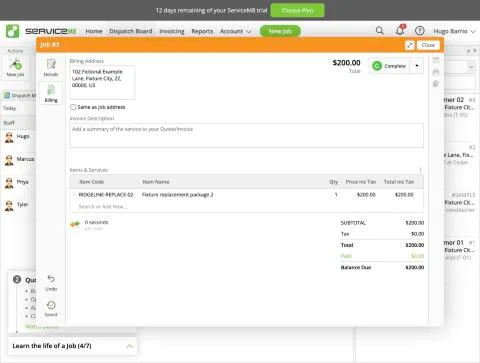
ServiceM8, T-05 (3-option quote (AC replacement); the customer approves one option online): job billing. Own capture from the test account, fictional Ridgeline fixture data.
- Task
- T-05 — 3-option quote (AC replacement); the customer approves one option online
- Plan
- Premium Plus
- Device
- MacBook Air M3 24 GB
- App version
- ServiceM8 web app (go.servicem8.com), 2026-09-29, trial day 2; region English (United States)
- Captured
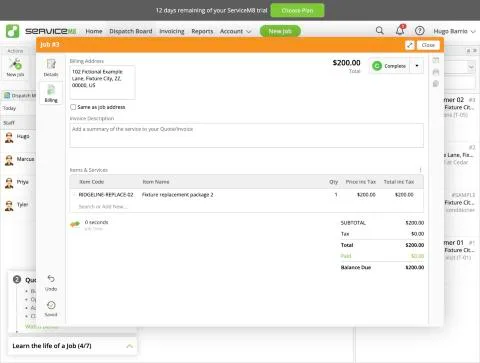
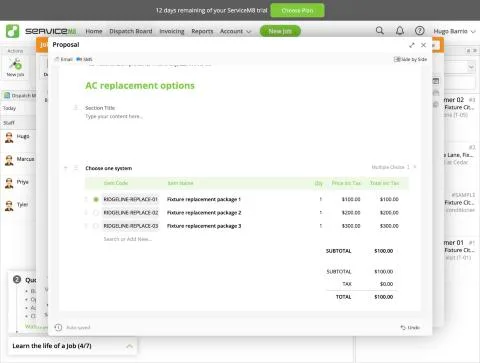
ServiceM8, T-05 (3-option quote (AC replacement); the customer approves one option online): proposal options. Own capture from the test account, fictional Ridgeline fixture data.
- Task
- T-05 — 3-option quote (AC replacement); the customer approves one option online
- Plan
- Premium Plus
- Device
- MacBook Air M3 24 GB
- App version
- ServiceM8 web app (go.servicem8.com), 2026-09-29, trial day 2; region English (United States)
- Captured
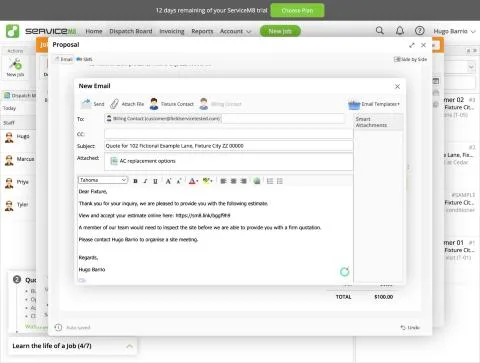
ServiceM8, T-05 (3-option quote (AC replacement); the customer approves one option online): send email. Own capture from the test account, fictional Ridgeline fixture data.
- Task
- T-05 — 3-option quote (AC replacement); the customer approves one option online
- Plan
- Premium Plus
- Device
- MacBook Air M3 24 GB
- App version
- ServiceM8 web app (go.servicem8.com), 2026-09-29, trial day 2; region English (United States)
- Captured
T-06: Quote → job → invoice; the tech adds a part in the field · pass
Tested in a trial exposing Premium Plus features
Technician Priya (fixture employee, security role Staff, default permissions) logged in on the web app in the built-in browser. Setup friction: the admin sets the staff password on Settings > Staff > Edit (operator typed it); first login from a new device asks for an emailed verification code, so the staff login email had to be a routed lab mailbox (changed from the fixture example.com address to a routed lab mailbox with operator approval). Priya found her job #7 (Fixture residential customer 04, booked Oct 1 10:00) through Search, opened Billing and added the catalogue part RIDGELINE-PART-01 'Fixture part 1, "example"' ($1.00) via the Item Code 'Search or Add New' field (typing in Item Name instead starts a new free-text item). Totals refreshed immediately (no reload). She then pressed Complete: job turned Completed with an invoice of $1.00 containing the field-added part; no office retyping. Notes: with default Staff permissions the technician can edit billing, complete the job and sees 'Send Invoice' (could email the invoice herself; not used). The item search also listed a duplicate 'Fixture part 1, "example"' entry pulled back from the shared QBO company after T-13 (lab confound). Result pass.
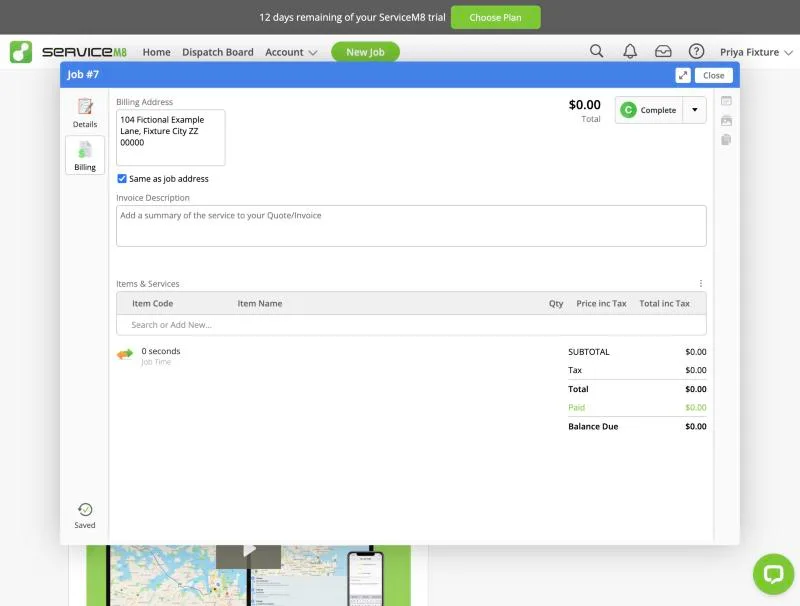
ServiceM8, T-06 (quote → job → invoice; the tech adds a part in the field): billing empty. Own capture from the test account, fictional Ridgeline fixture data.
- Task
- T-06 — Quote → job → invoice; the tech adds a part in the field
- Plan
- Premium Plus
- Device
- MacBook Air M3 24 GB
- App version
- ServiceM8 web app (go.servicem8.com), 2026-09-29, trial day 2; region English (United States)
- Captured
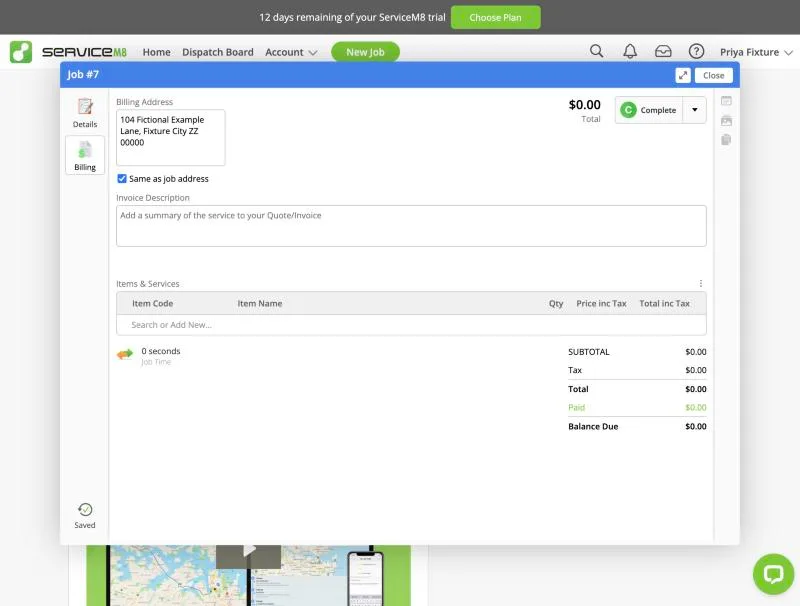
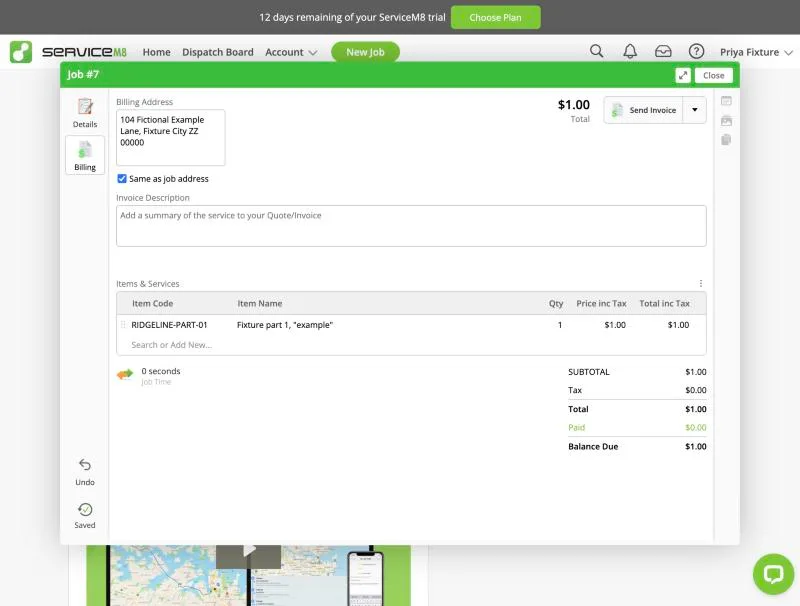
ServiceM8, T-06 (quote → job → invoice; the tech adds a part in the field): completed. Own capture from the test account, fictional Ridgeline fixture data.
- Task
- T-06 — Quote → job → invoice; the tech adds a part in the field
- Plan
- Premium Plus
- Device
- MacBook Air M3 24 GB
- App version
- ServiceM8 web app (go.servicem8.com), 2026-09-29, trial day 2; region English (United States)
- Captured
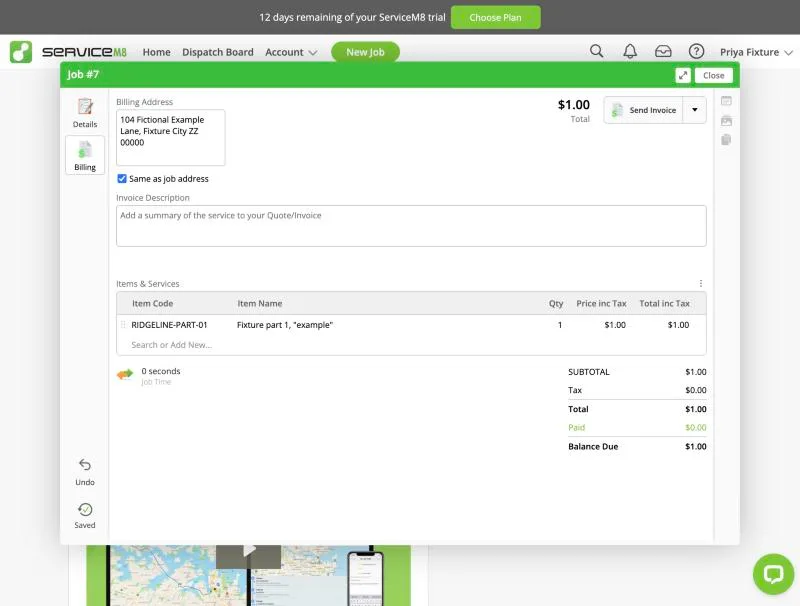
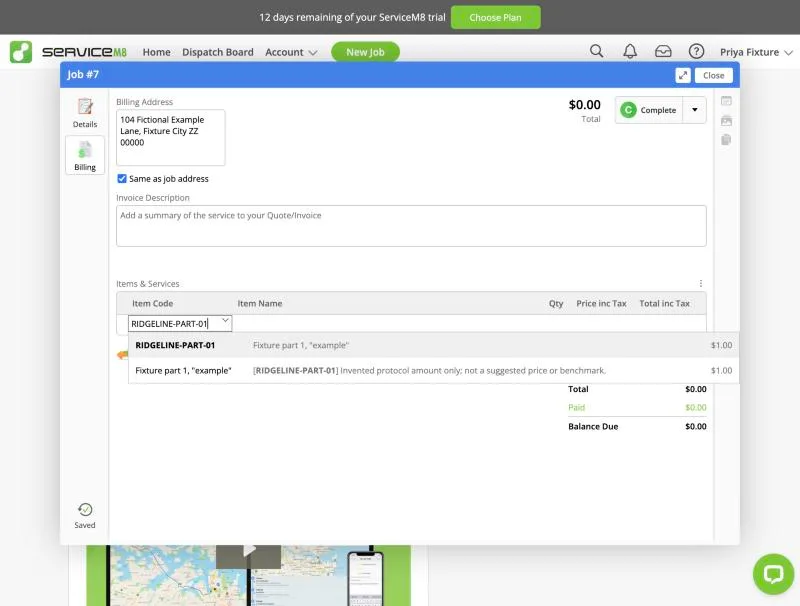
ServiceM8, T-06 (quote → job → invoice; the tech adds a part in the field): item search. Own capture from the test account, fictional Ridgeline fixture data.
- Task
- T-06 — Quote → job → invoice; the tech adds a part in the field
- Plan
- Premium Plus
- Device
- MacBook Air M3 24 GB
- App version
- ServiceM8 web app (go.servicem8.com), 2026-09-29, trial day 2; region English (United States)
- Captured
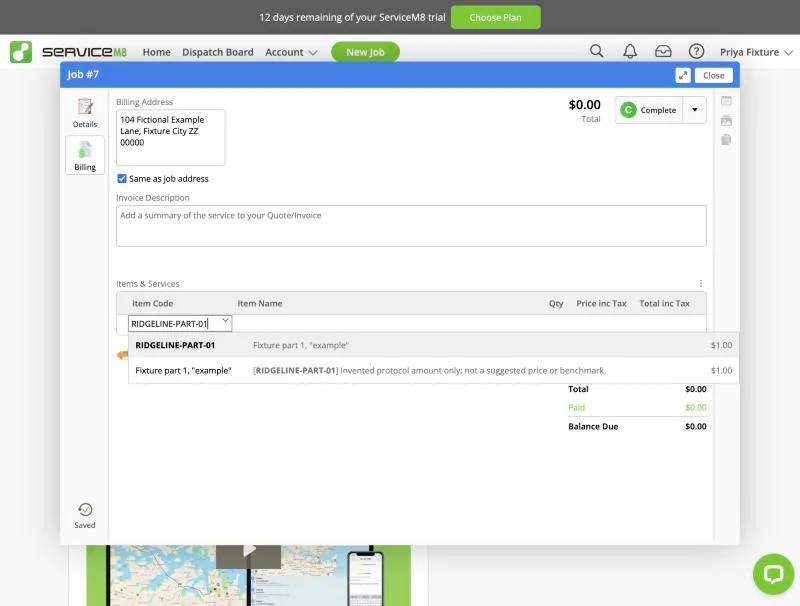
T-07: Schedule 8 jobs across 3 techs; an emergency call bumps one · partial
Tested in a trial exposing Premium Plus features
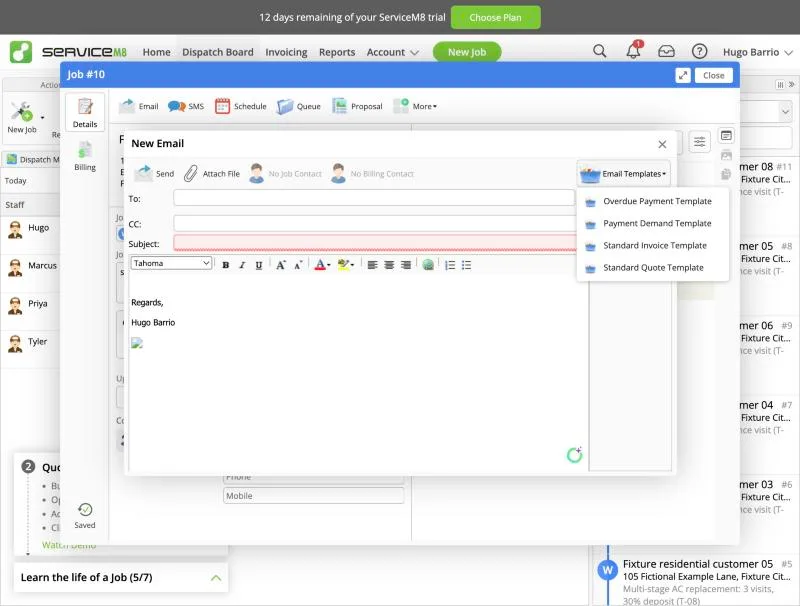
Setup (API, before recording): eight fixture jobs #6-#13 (service-03..10, Fixture residential customers 03-10) booked on Thu Oct 1 2026 in 2-hour slots: Priya 8-10/10-12/1-3, Tyler 8-10/10-12/1-3, Marcus 1-3/3-5 (Marcus also holds job #5 8-12). Dispatch Board > Staff Schedules day view showed the 'before' state per technician. Emergency: New Job #14 for Fixture residential customer 11 ('EMERGENCY - no cooling...'), status Work Order, Schedule > Add Booking. The booking dialog lists suggested slots ('Earliest') per staff member and only proposes free slots (for Tyler on Oct 1 it offered 3:00 pm). Forcing Tyler 10:00 AM, 2 hrs flagged 'Conflicted Booking' in red and showed both events side by side in the dialog calendar, but saving was allowed. On the Staff Schedules day view the two overlapping bookings are stacked: only #14 is visible in Tyler's 10:00 slot and the displaced job #10 is hidden (no conflict marker). The displaced job was moved from its job card (Upcoming Bookings > Edit Booking > time 3:00 PM > Save Booking); the dialog showed the conflict cleared. Job diary logs 'Booking - Scheduled for Tyler on 10/1/2026 3:00 PM'. Client notification: nothing sent automatically on booking or reschedule; the job card offers manual Email/SMS; default Email Templates are Overdue Payment, Payment Demand, Standard Invoice, Standard Quote (no reschedule or on-the-way template). Note: the eight setup jobs had no job contact, so a contact-level automation could not have fired for them anyway. Dispatch Map: fictional addresses not geocoded; the map centred on the operator's real area, so that segment was cut from the video for privacy and route context was not judged. Result partial: emergency insertion is quick and conflicts are flagged at booking time, but the day view hides the displaced job and the client must be informed manually.
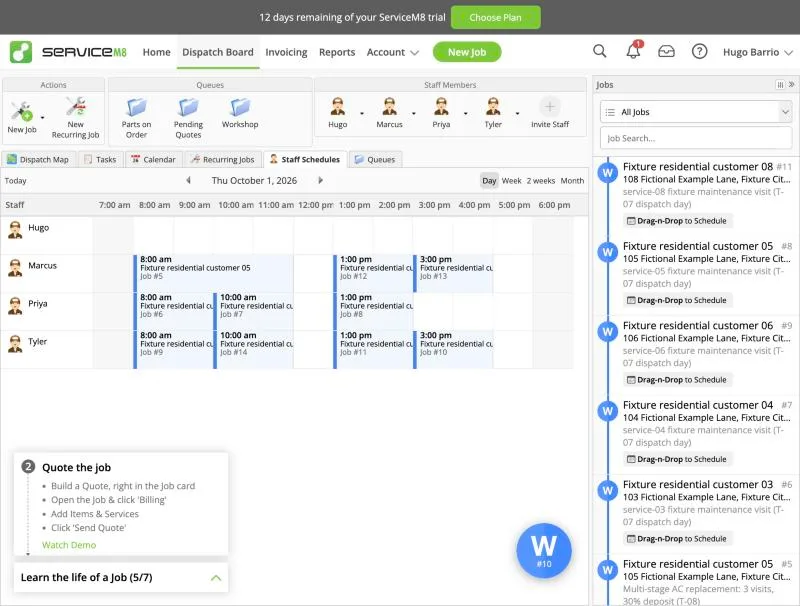
ServiceM8, T-07 (schedule 8 jobs across 3 techs; an emergency call bumps one): after. Own capture from the test account, fictional Ridgeline fixture data.
- Task
- T-07 — Schedule 8 jobs across 3 techs; an emergency call bumps one
- Plan
- Premium Plus
- Device
- MacBook Air M3 24 GB
- App version
- ServiceM8 web app (go.servicem8.com), 2026-09-29, trial day 2; region English (United States)
- Captured
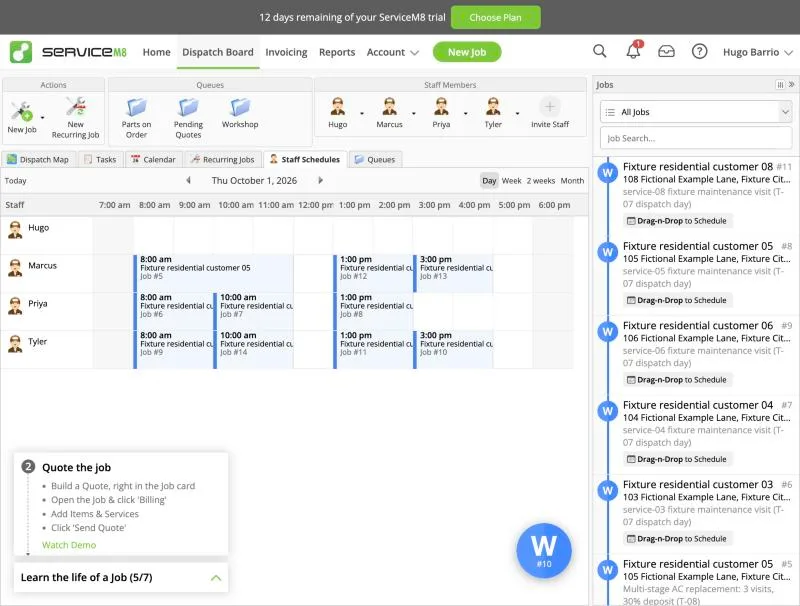
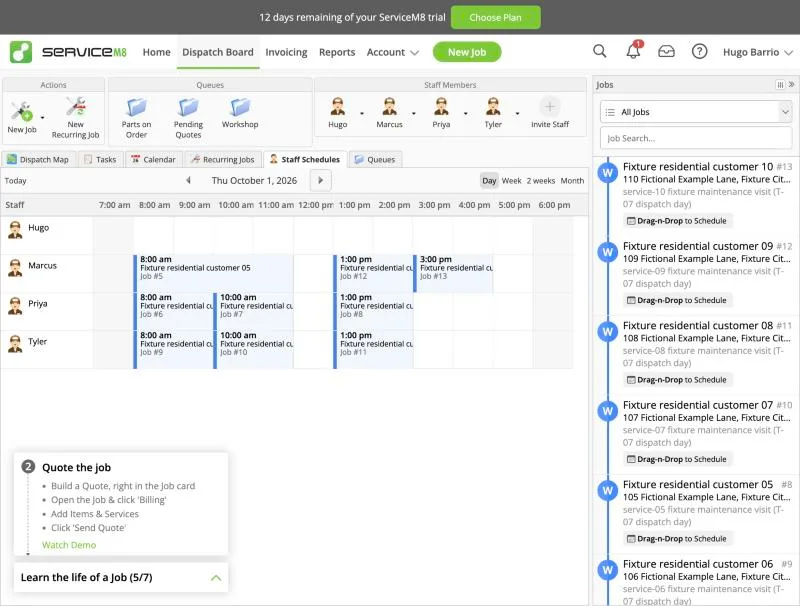
ServiceM8, T-07 (schedule 8 jobs across 3 techs; an emergency call bumps one): before. Own capture from the test account, fictional Ridgeline fixture data.
- Task
- T-07 — Schedule 8 jobs across 3 techs; an emergency call bumps one
- Plan
- Premium Plus
- Device
- MacBook Air M3 24 GB
- App version
- ServiceM8 web app (go.servicem8.com), 2026-09-29, trial day 2; region English (United States)
- Captured
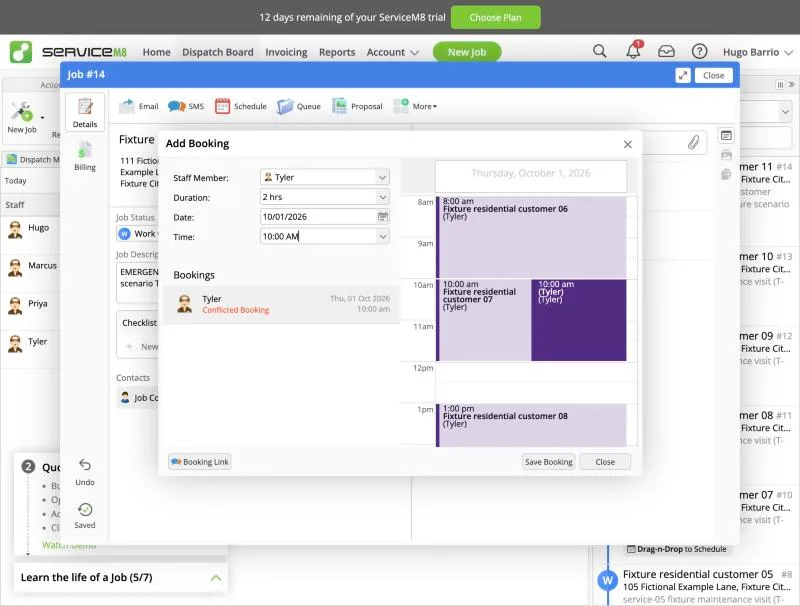
ServiceM8, T-07 (schedule 8 jobs across 3 techs; an emergency call bumps one): conflict. Own capture from the test account, fictional Ridgeline fixture data.
- Task
- T-07 — Schedule 8 jobs across 3 techs; an emergency call bumps one
- Plan
- Premium Plus
- Device
- MacBook Air M3 24 GB
- App version
- ServiceM8 web app (go.servicem8.com), 2026-09-29, trial day 2; region English (United States)
- Captured
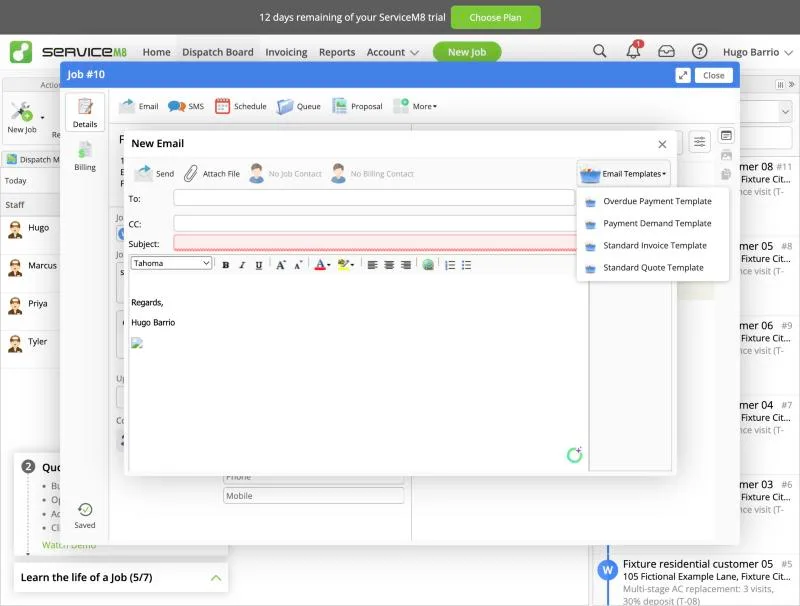
ServiceM8, T-07 (schedule 8 jobs across 3 techs; an emergency call bumps one): email templates. Own capture from the test account, fictional Ridgeline fixture data.
- Task
- T-07 — Schedule 8 jobs across 3 techs; an emergency call bumps one
- Plan
- Premium Plus
- Device
- MacBook Air M3 24 GB
- App version
- ServiceM8 web app (go.servicem8.com), 2026-09-29, trial day 2; region English (United States)
- Captured
T-08: Multi-stage replacement over 3 visits · pass
Tested in a trial exposing Premium Plus features
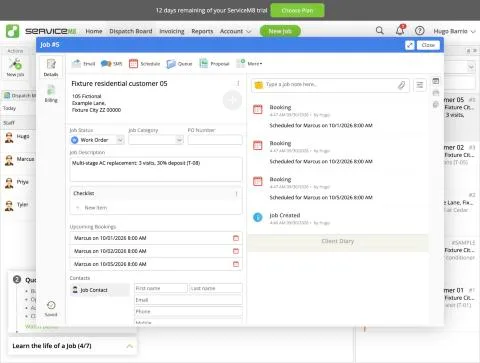
Multi-visit job with deposit. Deposits/progress invoices need the 'Partial/Progress Invoicing' add-on (Add-on Directory label: Starter Plan); activated in the trial, followed by an explanatory email to the owner. Setup (done through the account's REST API from the logged-in session to save time; the web job card offers the same fields): Job #5 for Fixture residential customer 05, Work Order, one line RIDGELINE-REPLACE-02 $200, three bookings for Marcus (Oct 1, Oct 2, Oct 5, 8:00-12:00), which the job card lists under 'Upcoming Bookings' and in the diary. Deposit: Billing > status button menu > 'Partial Invoice - Create a Partial or Progress Invoice for this job'. The dialog lists the job's lines with tick boxes plus 'Add Material/Service'; there is no percentage option, so a 30% deposit is a new line priced by hand ($60). Confirming failed first with 'All items must have a valid item code before confirming the partial invoice' until the line was given a catalogue code (we created FIXTURE-DEPOSIT, $0). Then 'Invoice Created Successfully': a separate completed job/invoice #5A for $60 opens in the viewer, and the original job #5 gets a negative 'Partial invoice #5A' line so its balance drops from $200 to $140. Payment received was left as 'No payment received' (deposit invoiced, not paid). Result pass: several visits on one job and a deposit invoice that reduces the remaining balance, with friction (manual amount, item code required, add-on on Starter plan or higher).
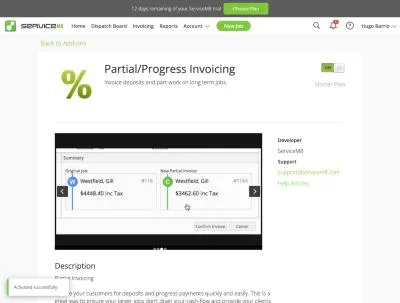
ServiceM8, T-08 (multi-stage replacement over 3 visits): addon progress. Own capture from the test account, fictional Ridgeline fixture data.
- Task
- T-08 — Multi-stage replacement over 3 visits
- Plan
- Premium Plus
- Device
- MacBook Air M3 24 GB
- App version
- ServiceM8 web app (go.servicem8.com), 2026-09-29, trial day 2; region English (United States)
- Captured
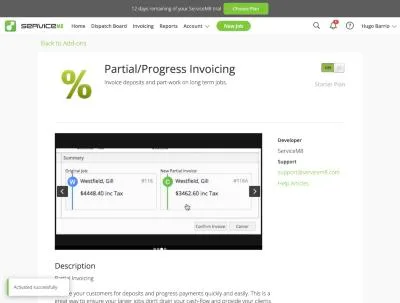
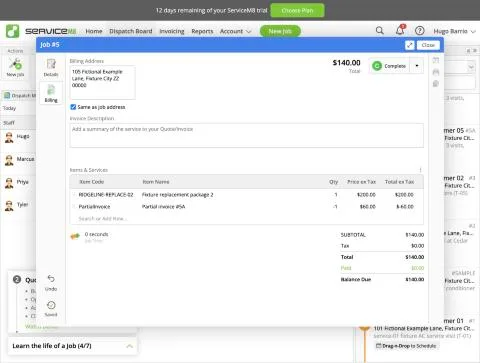
ServiceM8, T-08 (multi-stage replacement over 3 visits): balance. Own capture from the test account, fictional Ridgeline fixture data.
- Task
- T-08 — Multi-stage replacement over 3 visits
- Plan
- Premium Plus
- Device
- MacBook Air M3 24 GB
- App version
- ServiceM8 web app (go.servicem8.com), 2026-09-29, trial day 2; region English (United States)
- Captured
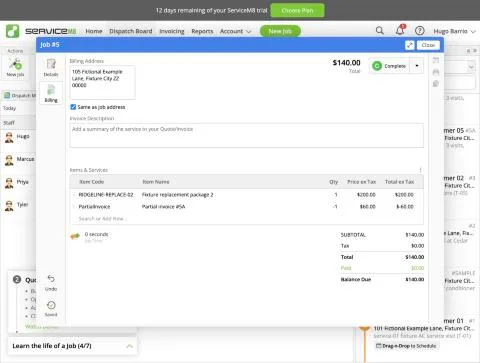
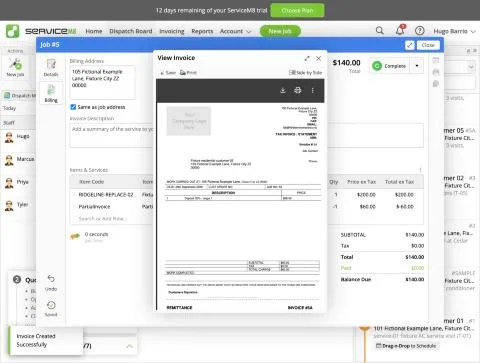
ServiceM8, T-08 (multi-stage replacement over 3 visits): invoice 5a. Own capture from the test account, fictional Ridgeline fixture data.
- Task
- T-08 — Multi-stage replacement over 3 visits
- Plan
- Premium Plus
- Device
- MacBook Air M3 24 GB
- App version
- ServiceM8 web app (go.servicem8.com), 2026-09-29, trial day 2; region English (United States)
- Captured
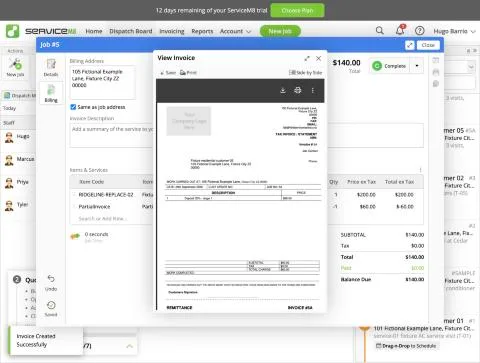
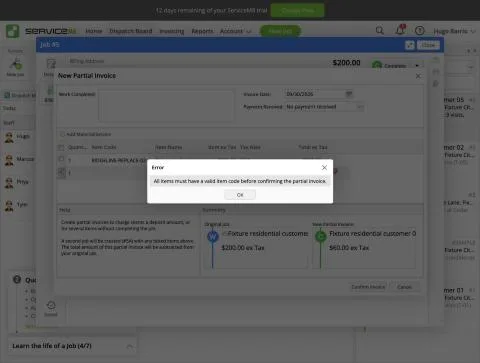
ServiceM8, T-08 (multi-stage replacement over 3 visits): item code required. Own capture from the test account, fictional Ridgeline fixture data.
- Task
- T-08 — Multi-stage replacement over 3 visits
- Plan
- Premium Plus
- Device
- MacBook Air M3 24 GB
- App version
- ServiceM8 web app (go.servicem8.com), 2026-09-29, trial day 2; region English (United States)
- Captured
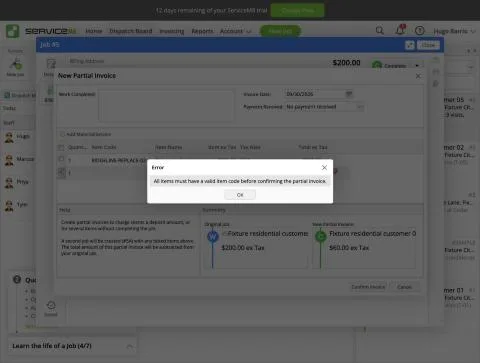
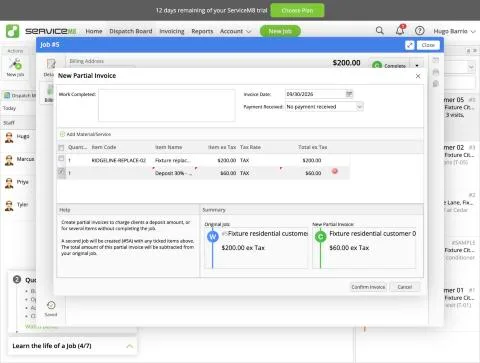
ServiceM8, T-08 (multi-stage replacement over 3 visits): partial invoice. Own capture from the test account, fictional Ridgeline fixture data.
- Task
- T-08 — Multi-stage replacement over 3 visits
- Plan
- Premium Plus
- Device
- MacBook Air M3 24 GB
- App version
- ServiceM8 web app (go.servicem8.com), 2026-09-29, trial day 2; region English (United States)
- Captured
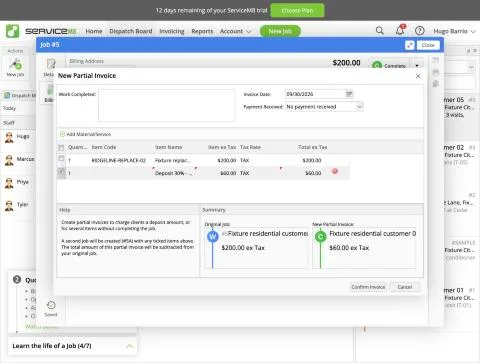
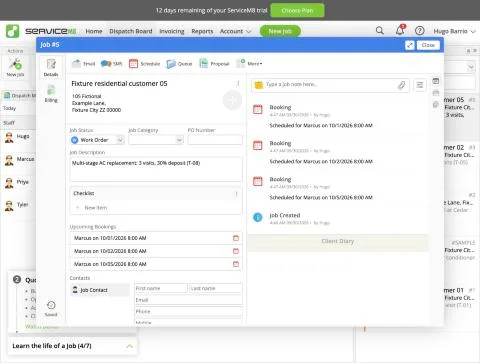
ServiceM8, T-08 (multi-stage replacement over 3 visits): three visits. Own capture from the test account, fictional Ridgeline fixture data.
- Task
- T-08 — Multi-stage replacement over 3 visits
- Plan
- Premium Plus
- Device
- MacBook Air M3 24 GB
- App version
- ServiceM8 web app (go.servicem8.com), 2026-09-29, trial day 2; region English (United States)
- Captured
T-09: On a phone: open the job, see equipment history, add photos, notes and a checklist, capture a signature; repeat offline · partial
Tested in a trial exposing Premium Plus features
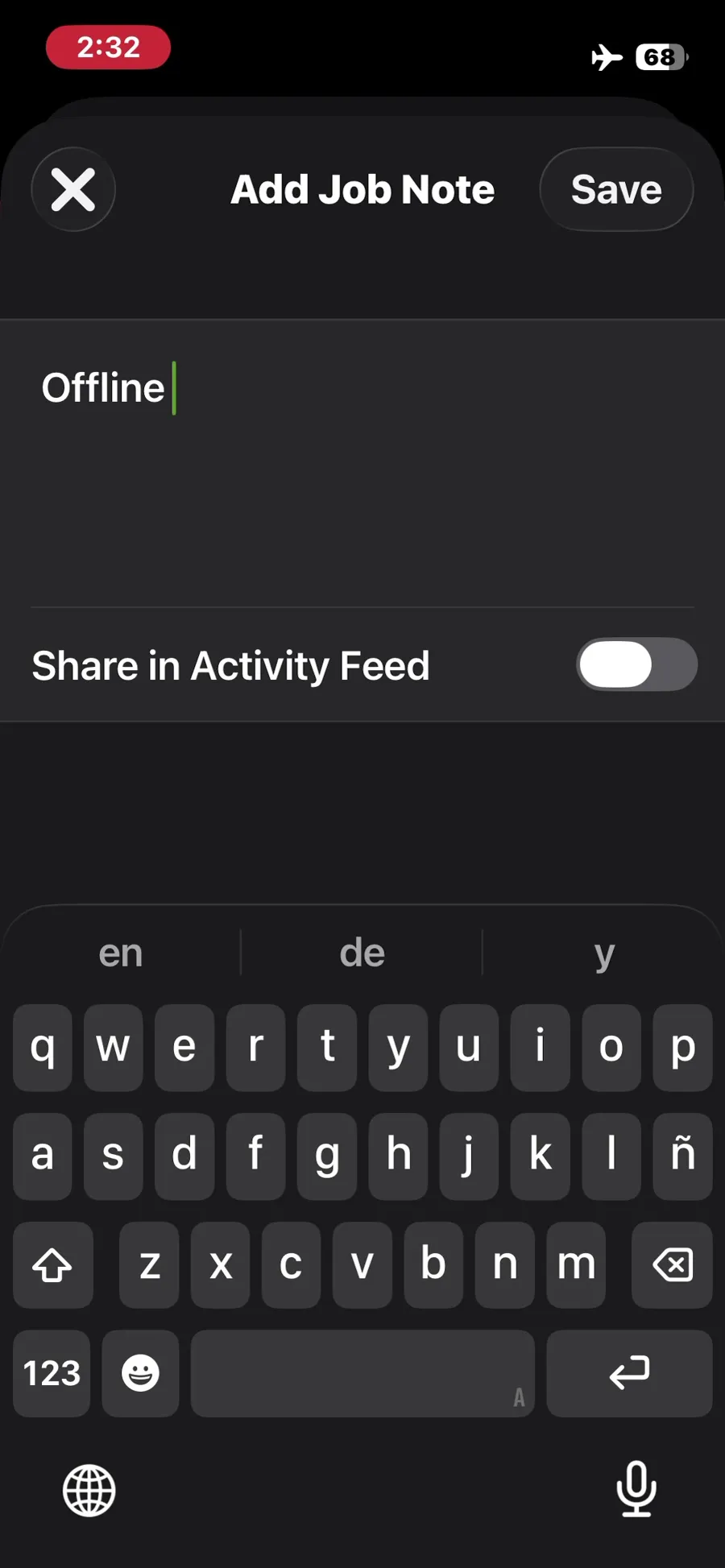
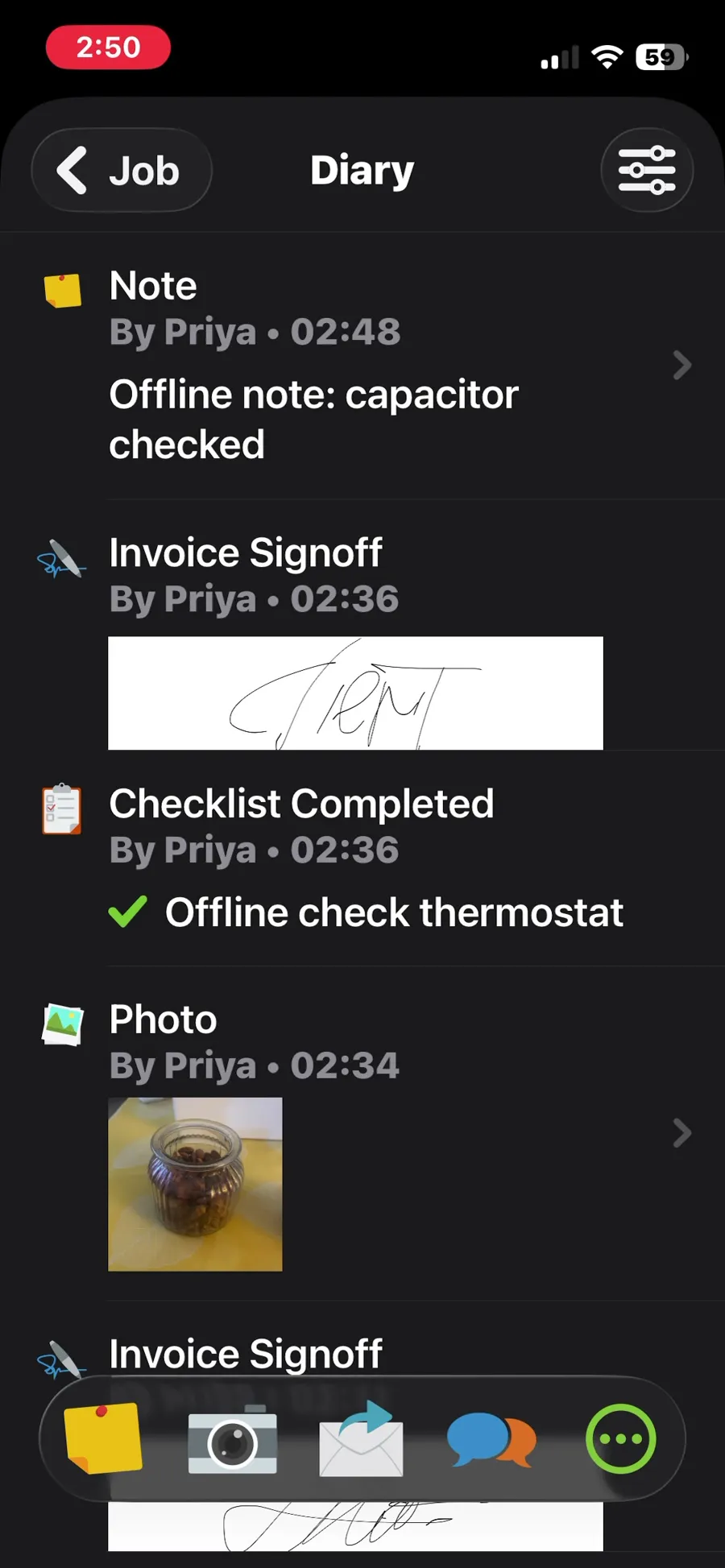
Technician Priya (fixture employee, signed in with a routed lab mailbox) on the phone, Job #16 for Fixture residential customer 01. Online: check-in, a checklist with two items, a note, a photo and a client signature (Client Signoff, stored as 'Invoice Signoff'); all visible on reopening and through the office API. Equipment history: the asset imported in T-04 is visible under Client > Client Assets with type, serial and model, but its history is empty (no visits recorded against it without the QR label setup). Offline (airplane mode): the app stayed usable; added a note, a photo, a checklist item 'Offline check thermostat' and a second signoff, each saved on the phone without errors. On reconnecting, nothing synchronised automatically for about 10 minutes; the offline note and checklist item did not even appear in the phone's own job diary. After force-closing and reopening the app, everything uploaded, with no data loss or duplicates. Timestamps: the offline note carries its upload time (19:48 account time), while the photo and signoff keep their original capture times. Result partial: no data was lost, but synchronisation needed a manual app restart, so a technician who waits for the app to sync would see offline work missing; equipment history is empty.
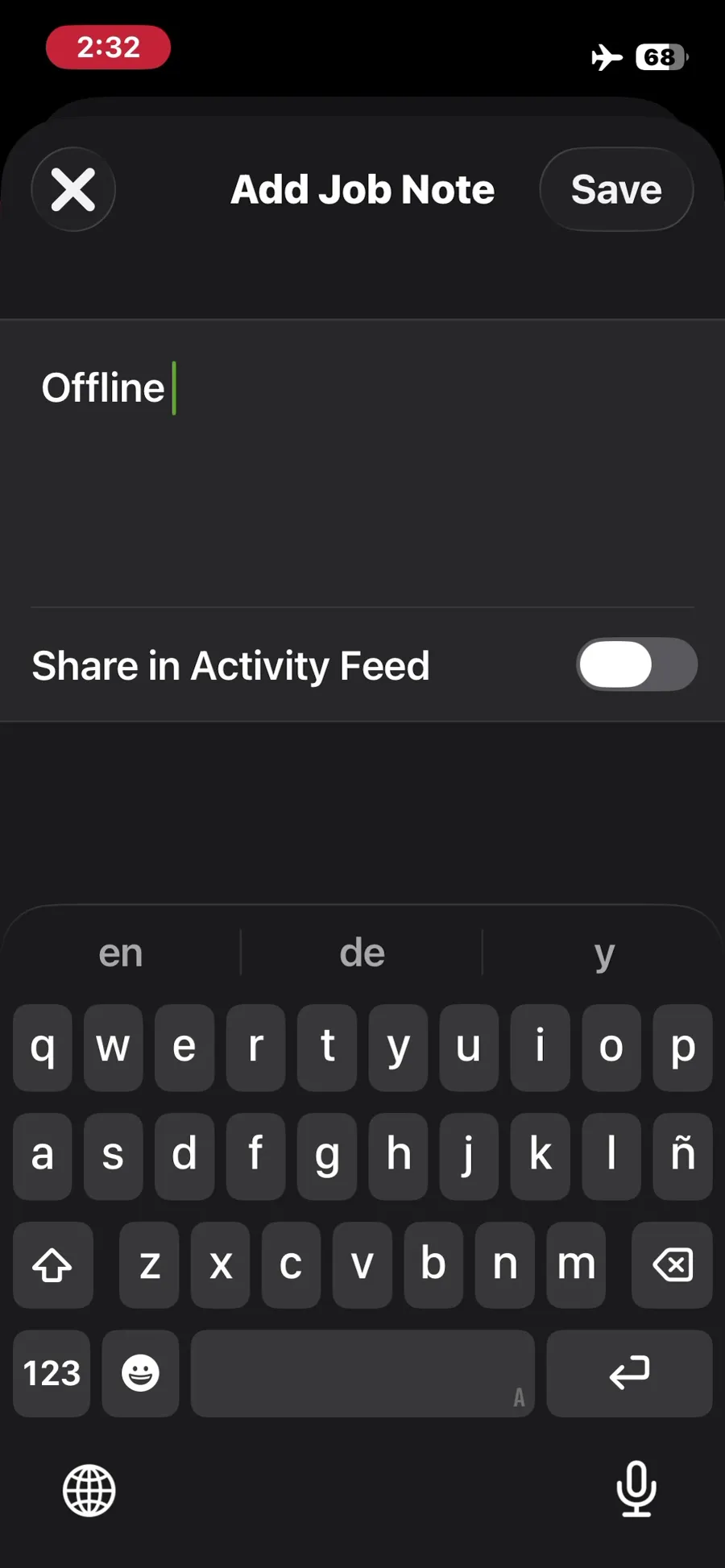
ServiceM8, T-09 (on a phone: open the job, see equipment history, add photos, notes and a checklist, capture a signature; repeat offline): note added in airplane mode. Own capture from the test account, fictional Ridgeline fixture data.
- Task
- T-09 — On a phone: open the job, see equipment history, add photos, notes and a checklist, capture a signature; repeat offline
- Plan
- Premium Plus
- Device
- iPhone 13 mini (MLJC3VC/A)
- App version
- ServiceM8 iOS app (App Store, installed for the test), 2026-10-02, trial; region English (United States)
- Captured
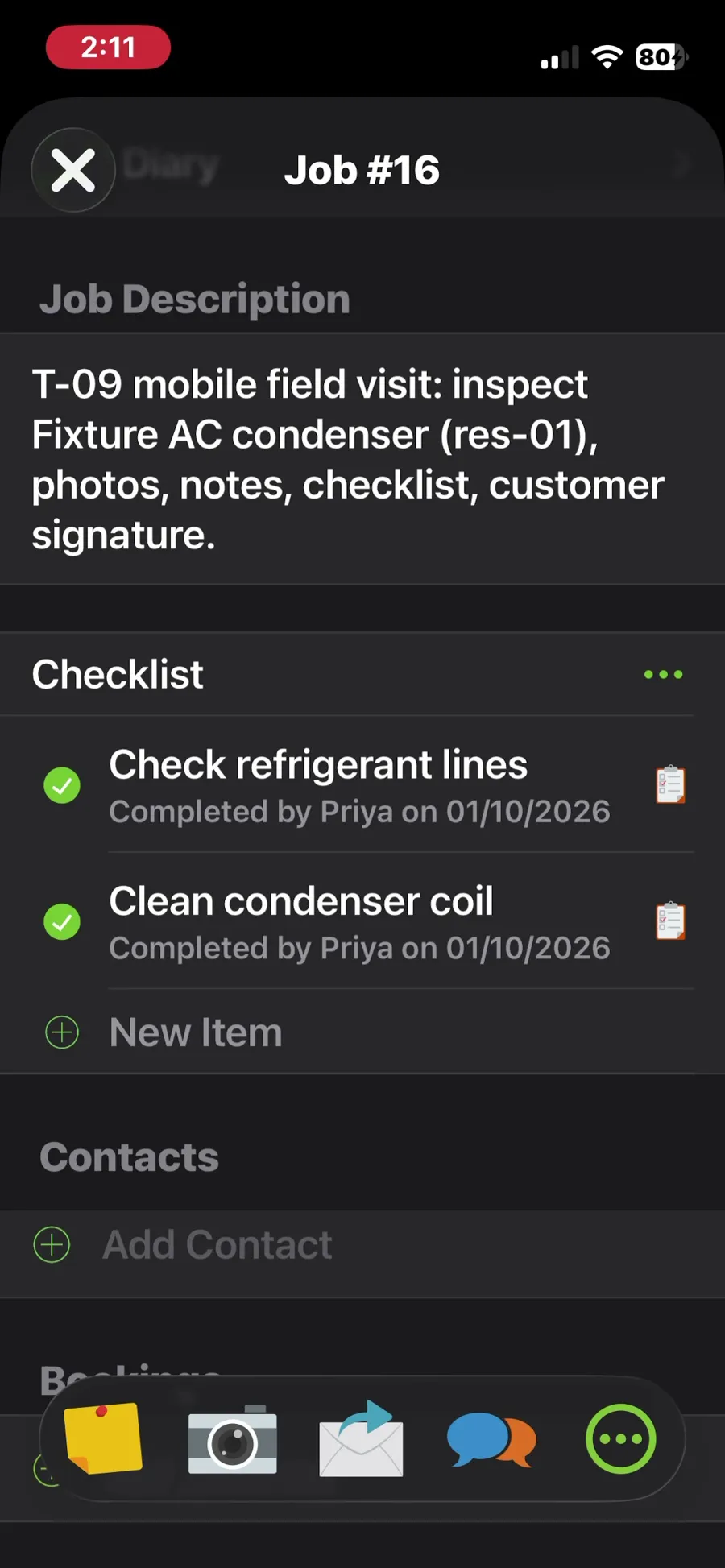
ServiceM8, T-09 (on a phone: open the job, see equipment history, add photos, notes and a checklist, capture a signature; repeat offline): checklist completed online. Own capture from the test account, fictional Ridgeline fixture data.
- Task
- T-09 — On a phone: open the job, see equipment history, add photos, notes and a checklist, capture a signature; repeat offline
- Plan
- Premium Plus
- Device
- iPhone 13 mini (MLJC3VC/A)
- App version
- ServiceM8 iOS app (App Store, installed for the test), 2026-10-02, trial; region English (United States)
- Captured
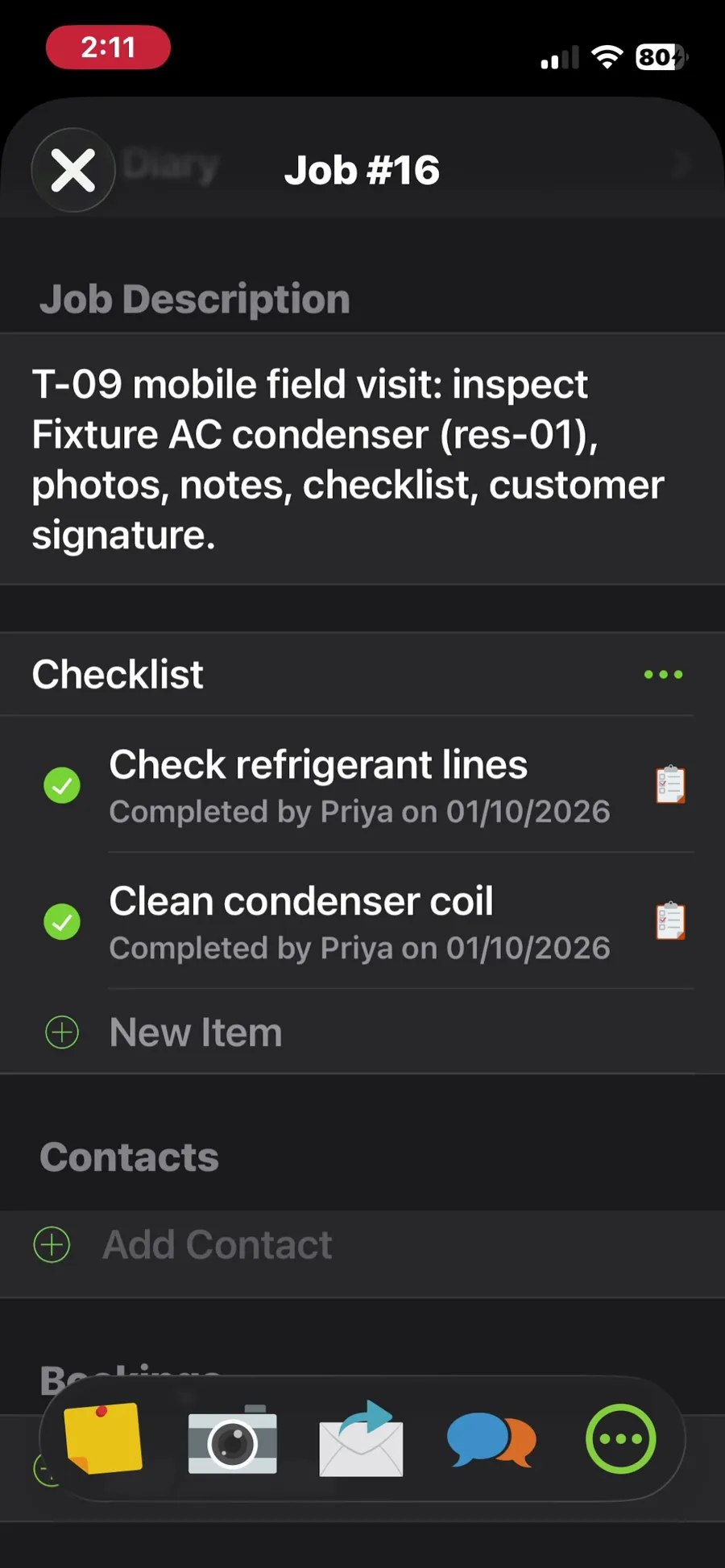
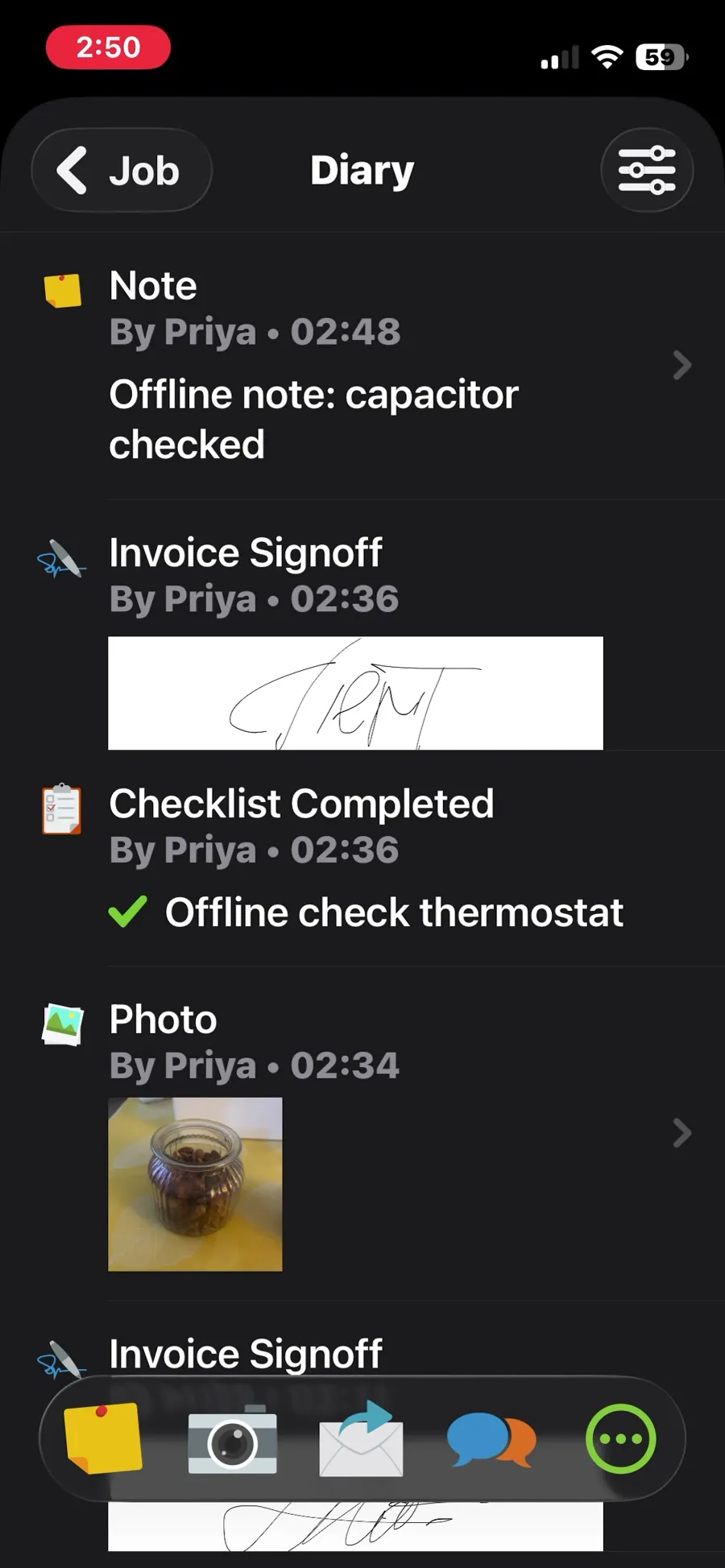
ServiceM8, T-09 (on a phone: open the job, see equipment history, add photos, notes and a checklist, capture a signature; repeat offline): job diary after reopening the app, with the offline note, checklist item, photo and signoff. Own capture from the test account, fictional Ridgeline fixture data.
- Task
- T-09 — On a phone: open the job, see equipment history, add photos, notes and a checklist, capture a signature; repeat offline
- Plan
- Premium Plus
- Device
- iPhone 13 mini (MLJC3VC/A)
- App version
- ServiceM8 iOS app (App Store, installed for the test), 2026-10-02, trial; region English (United States)
- Captured
T-10: Take a payment (test mode) or send a payment link · partial
Tested in a trial exposing Premium Plus features
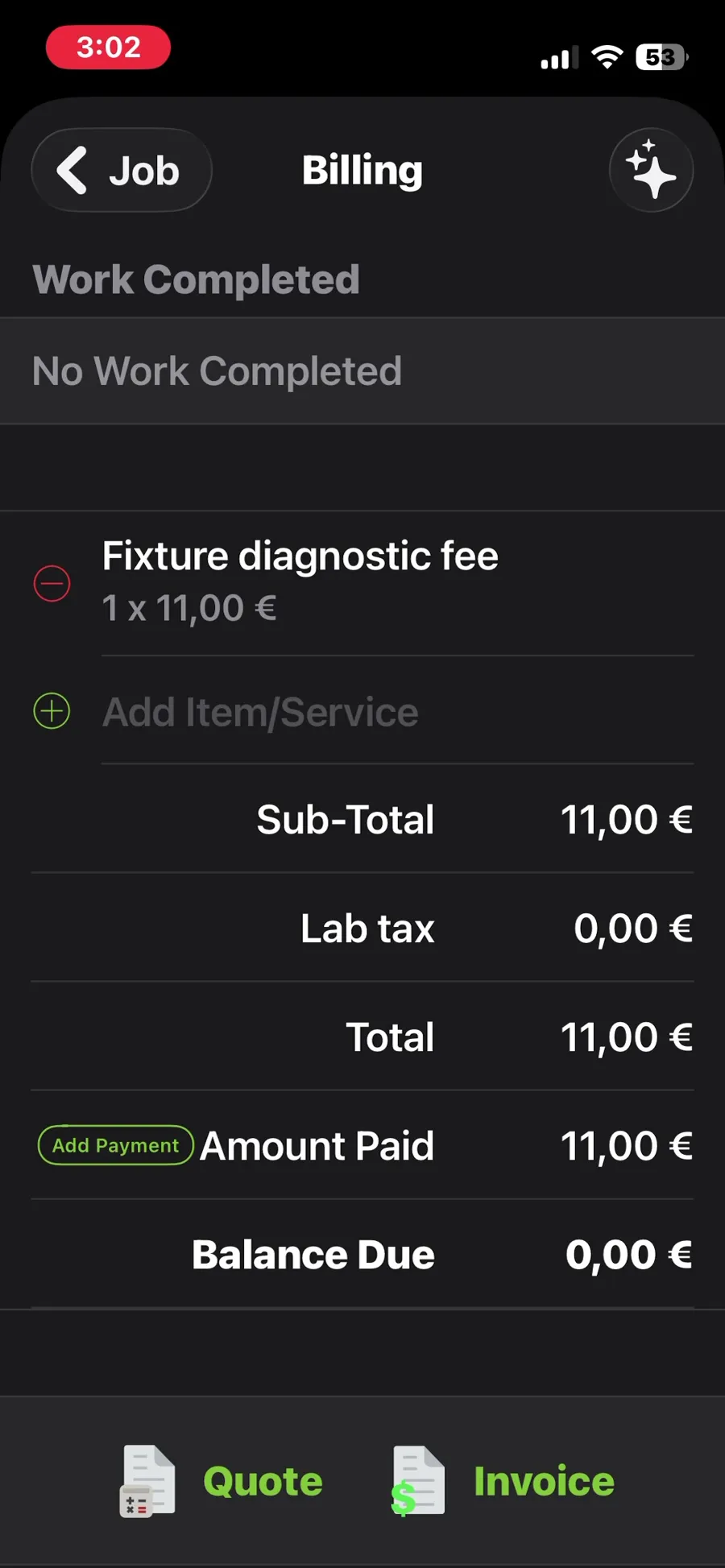
On Job #16 (after T-09), Priya opened Add Payment on the phone. Test mode: no payment gateway is active in the trial, so there is no card processing, no Tap to Pay and no test-mode flow; the app only records a payment manually (method Card or Cash, with an optional photo of a receipt). No real card was used. Recorded $11.00 'Card' by Priya; the job moved to Completed and the invoice to PAID, with the signature attached. Findings: the phone shows amounts in € (device locale) and the invoice template is Australian (ABN, BSB fields) although the account region is English (United States). Result partial: the payment is recorded against the invoice, but only as a manual record; a sandbox card payment or payment link could not be exercised without activating a gateway.
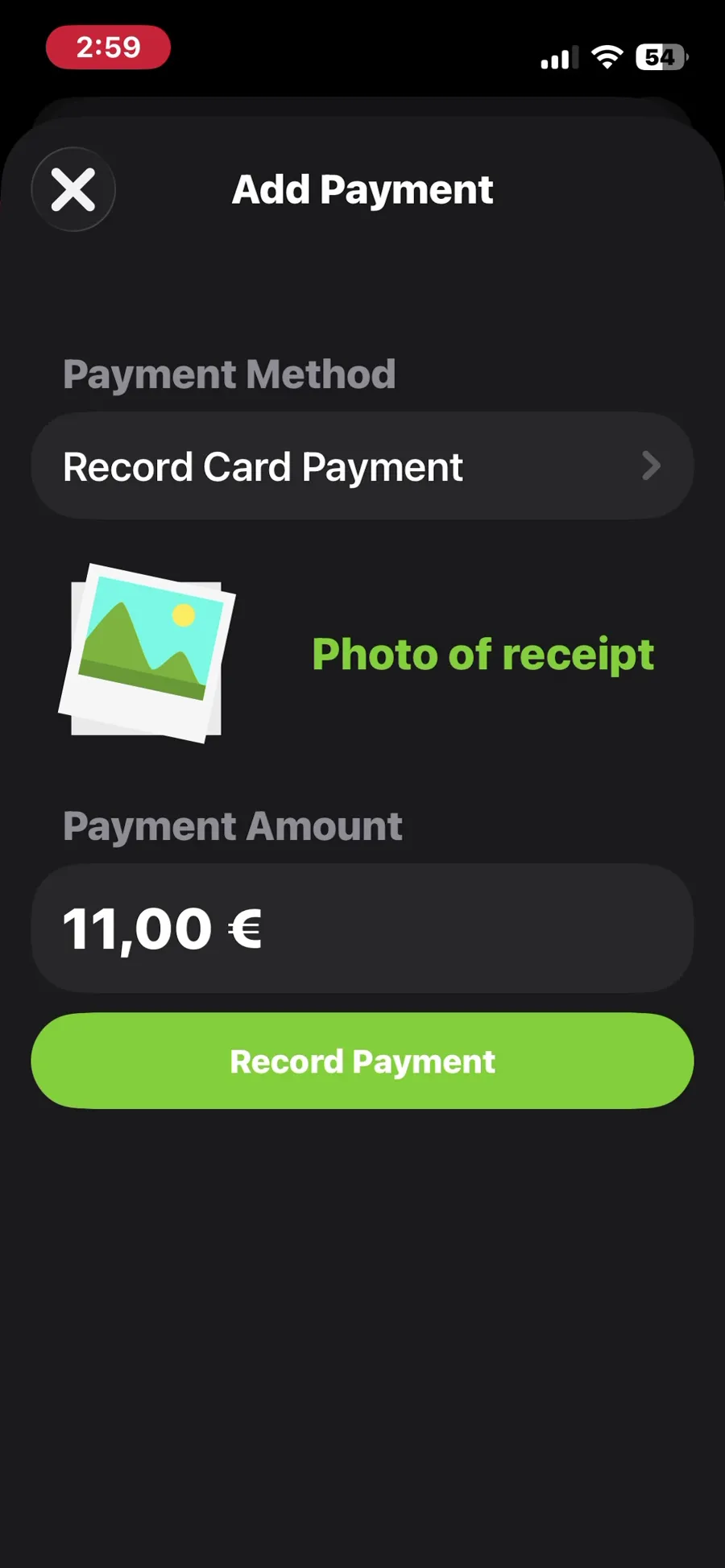
ServiceM8, T-10 (take a payment in test mode or send a payment link): manual payment record, amount shown in the phone's currency. Own capture from the test account, fictional Ridgeline fixture data.
- Task
- T-10 — Take a payment (test mode) or send a payment link
- Plan
- Premium Plus
- Device
- iPhone 13 mini (MLJC3VC/A)
- App version
- ServiceM8 iOS app (App Store, installed for the test), 2026-10-02, trial; region English (United States)
- Captured
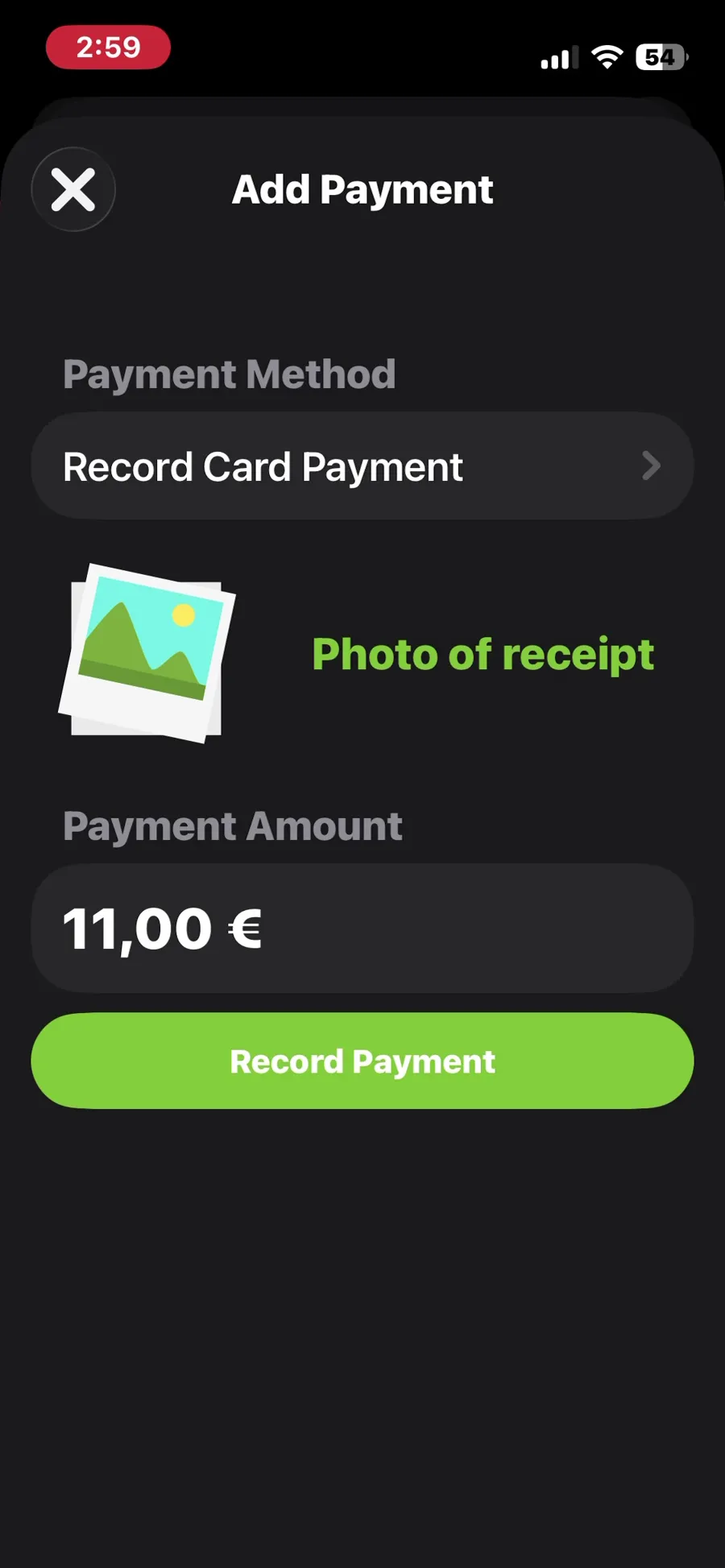
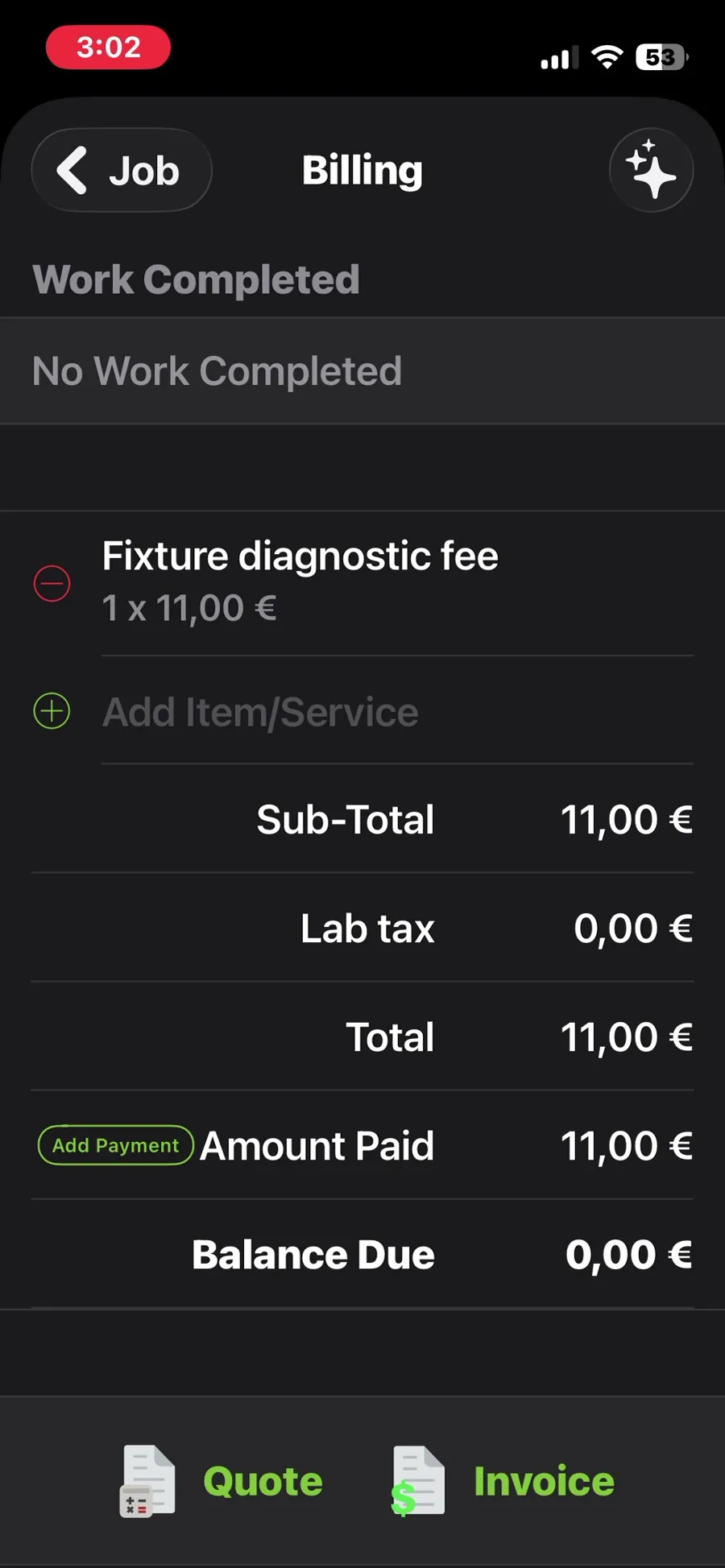
ServiceM8, T-10 (take a payment in test mode or send a payment link): billing with the amount paid and no balance due. Own capture from the test account, fictional Ridgeline fixture data.
- Task
- T-10 — Take a payment (test mode) or send a payment link
- Plan
- Premium Plus
- Device
- iPhone 13 mini (MLJC3VC/A)
- App version
- ServiceM8 iOS app (App Store, installed for the test), 2026-10-02, trial; region English (United States)
- Captured
T-11: Maintenance plan with 2 visits a year and recurring billing · pass
Tested in a trial exposing Premium Plus features
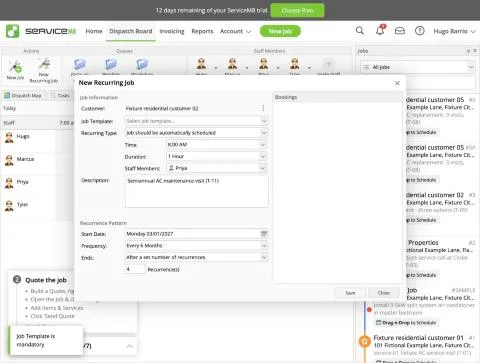
Recurring maintenance needs the 'Recurring Jobs + Reminders' add-on (Add-on Directory label: Starter Plan; a separate free 'Simple Recurring Jobs' add-on also exists). After activation a 'New Recurring Job' action and a 'Recurring Jobs' tab appear on the Dispatch Board. The New Recurring Job form: customer, Job Template (mandatory - saving without one fails with 'Job Template is mandatory', and a new account has none, so we first created the template 'Fixture maintenance visit' with the RIDGELINE-MAINT line, $12, in the Job Templates add-on), recurring type ('Job should be automatically scheduled' or 'Reminder should arrive in the Inbox'), time, duration, staff, description, start date, frequency (every weekday, 1-4/6/8 weeks, 3/6/12/24 months, custom) and end (never, after N recurrences, by date). Setup: Fixture residential customer 02, every 6 months from Mon 1 Mar 2027, 4 recurrences, 8:00 for 1 hour, Priya. The form previews the future bookings (1 Mar 2027, 1 Sep 2027, 1 Mar 2028...) before saving; the Recurring Jobs tab then lists the series ('Every 6 Months on the 1st', next 03/01/2027, end 09/01/2028). Individual jobs are not created yet (none in the job list today), i.e. they are generated ahead of each date rather than all at once. Result pass: a real recurring series with preview, end rule and template, but it needs a Starter-plan add-on and a job template first.
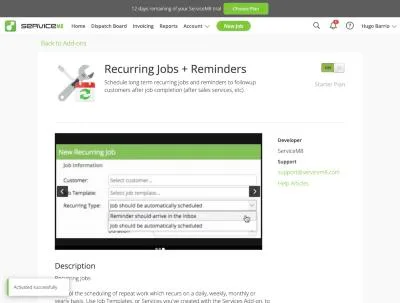
ServiceM8, T-11 (maintenance plan with 2 visits a year and recurring billing): addon. Own capture from the test account, fictional Ridgeline fixture data.
- Task
- T-11 — Maintenance plan with 2 visits a year and recurring billing
- Plan
- Premium Plus
- Device
- MacBook Air M3 24 GB
- App version
- ServiceM8 web app (go.servicem8.com), 2026-09-29, trial day 2; region English (United States)
- Captured
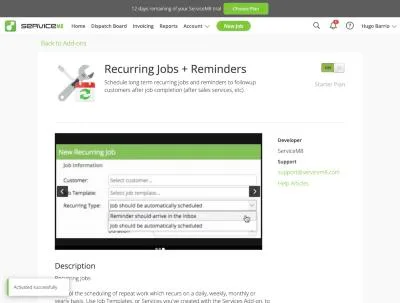
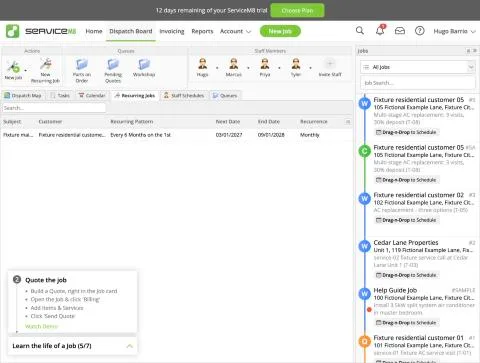
ServiceM8, T-11 (maintenance plan with 2 visits a year and recurring billing): series list. Own capture from the test account, fictional Ridgeline fixture data.
- Task
- T-11 — Maintenance plan with 2 visits a year and recurring billing
- Plan
- Premium Plus
- Device
- MacBook Air M3 24 GB
- App version
- ServiceM8 web app (go.servicem8.com), 2026-09-29, trial day 2; region English (United States)
- Captured
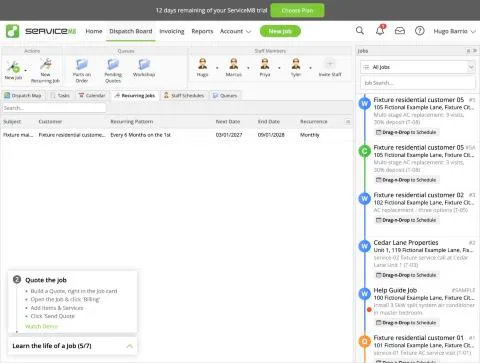
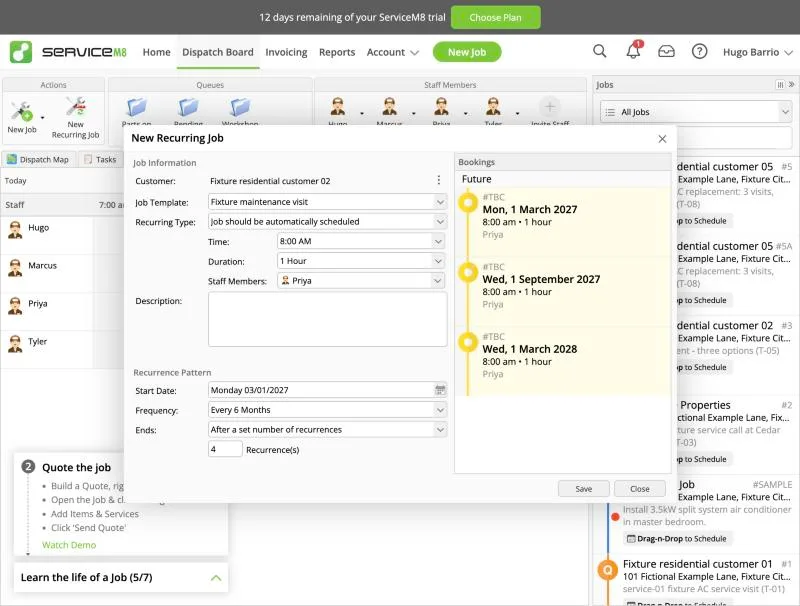
ServiceM8, T-11 (maintenance plan with 2 visits a year and recurring billing): setup. Own capture from the test account, fictional Ridgeline fixture data.
- Task
- T-11 — Maintenance plan with 2 visits a year and recurring billing
- Plan
- Premium Plus
- Device
- MacBook Air M3 24 GB
- App version
- ServiceM8 web app (go.servicem8.com), 2026-09-29, trial day 2; region English (United States)
- Captured
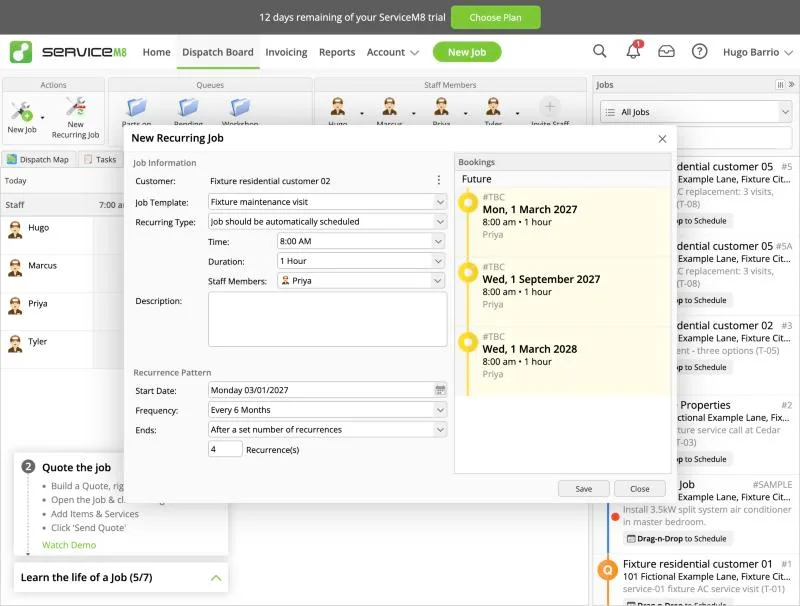
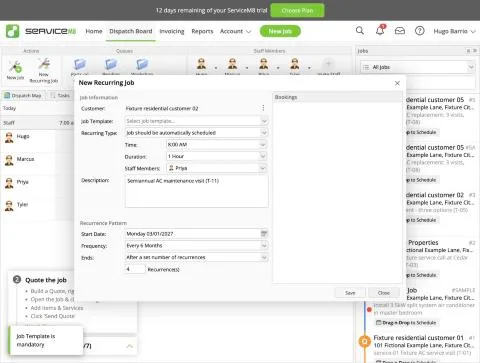
ServiceM8, T-11 (maintenance plan with 2 visits a year and recurring billing): template mandatory. Own capture from the test account, fictional Ridgeline fixture data.
- Task
- T-11 — Maintenance plan with 2 visits a year and recurring billing
- Plan
- Premium Plus
- Device
- MacBook Air M3 24 GB
- App version
- ServiceM8 web app (go.servicem8.com), 2026-09-29, trial day 2; region English (United States)
- Captured
T-12: Job costing for the multi-stage job · pass
Tested in a trial exposing Premium Plus features
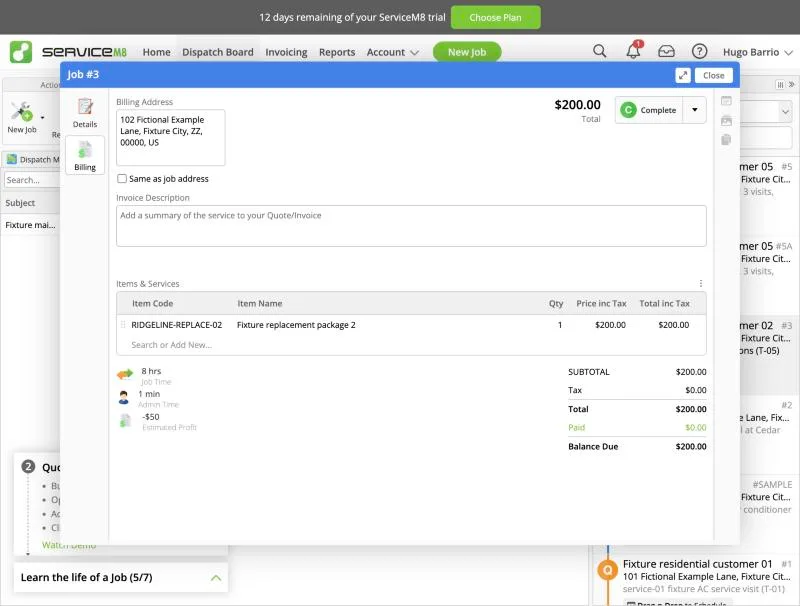
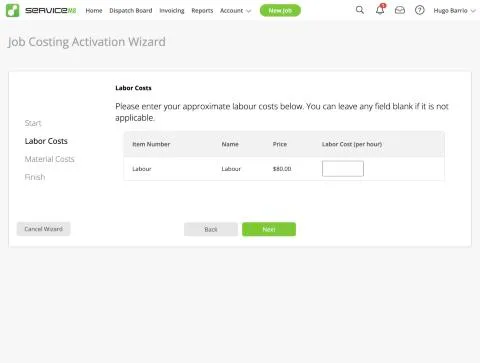
Job costing is the 'Job Costing' add-on (Premium Plan label), switched on through a short activation wizard: labour cost per hour for the 'Labour' item (we entered $25, an invented protocol amount) and material purchase costs (entered manually or by bulk import when no accounting package is connected). Test on Job #3 (Fixture residential customer 02, sale $200, RIDGELINE-REPLACE-02): purchase cost of the item set to $50 (the job line picked it up), and 8 hours of recorded work for Marcus added as a time entry (created through the session API because time is normally recorded by check-in/out in the mobile app). The job's Billing tab then shows Job Time '8 hrs', Admin Time '1 min' and 'Estimated Profit -$50' = $200 sale - $50 material - 8 h x $25 labour, i.e. labour is costed from tracked time and the job shows a loss. Result pass: materials and labour roll into a live per-job profit figure; requires Premium ($149/mo) and a labour cost rate set up front. Time capture in the field to be seen on the mobile day.
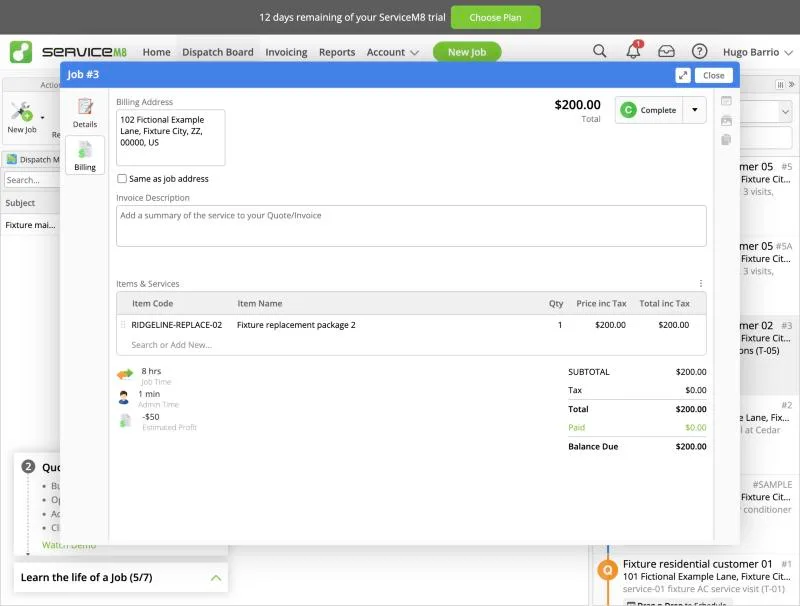
ServiceM8, T-12 (job costing for the multi-stage job): estimated profit. Own capture from the test account, fictional Ridgeline fixture data.
- Task
- T-12 — Job costing for the multi-stage job
- Plan
- Premium Plus
- Device
- MacBook Air M3 24 GB
- App version
- ServiceM8 web app (go.servicem8.com), 2026-09-29, trial day 2; region English (United States)
- Captured
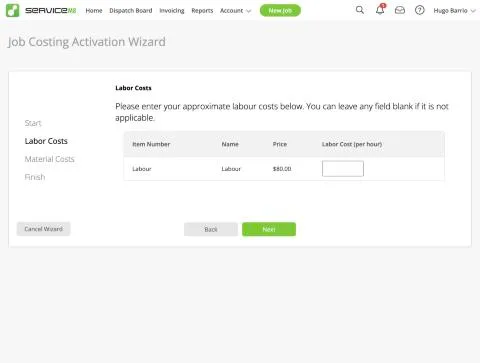
ServiceM8, T-12 (job costing for the multi-stage job): labor cost setup. Own capture from the test account, fictional Ridgeline fixture data.
- Task
- T-12 — Job costing for the multi-stage job
- Plan
- Premium Plus
- Device
- MacBook Air M3 24 GB
- App version
- ServiceM8 web app (go.servicem8.com), 2026-09-29, trial day 2; region English (United States)
- Captured
T-13: QuickBooks Online sync of an invoice and a payment (sandbox) · pass
Tested in a trial exposing Premium Plus features
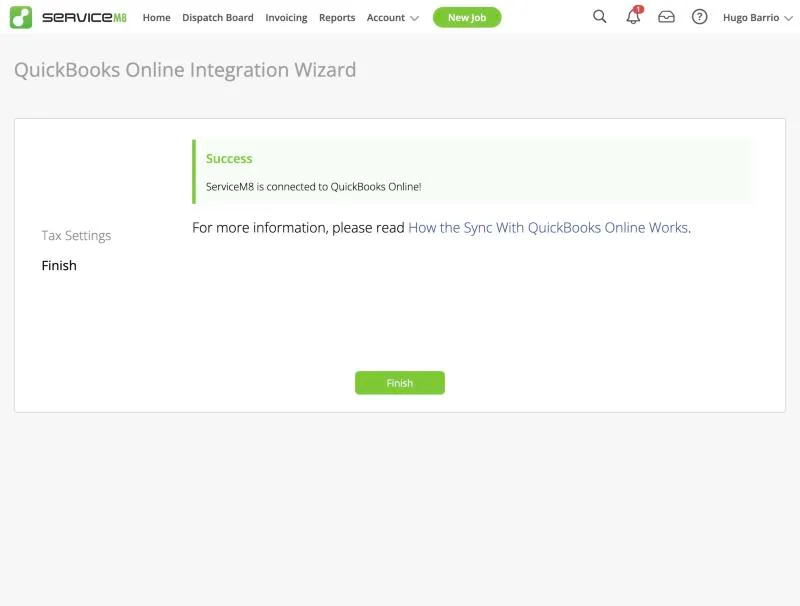
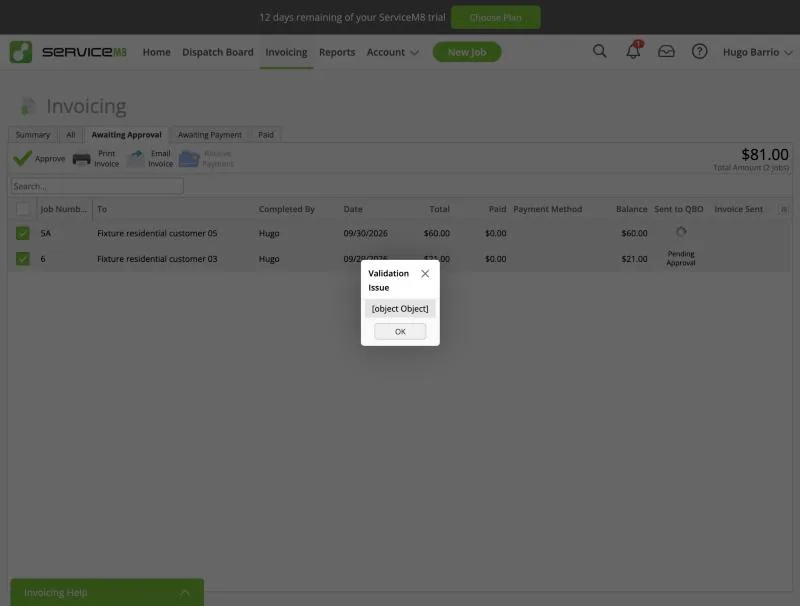
Lab QBO company is the shared Global es-ES/EUR edition (decision 25-09); another field service app from a separate evaluation was still connected to it, idle (no approvals or syncs) - declared confound. Connection: Add-ons > 'QuickBooks Online Integration' (Free) > Connect > wizard Connect to QuickBooks > Intuit consent (operator) > Tax Settings maps each ServiceM8 tax rate to a QBO rate (all to 'Lab tax 0%') > 'ServiceM8 is connected to QuickBooks Online!'. No plan gate shown. Invoices go to QBO only after approval: Invoicing > Awaiting Approval with a 'Sent to QBO' column (Pending Approval). On approve, ServiceM8 asks to allocate an income account to each new material before sending (set to 'Services'). Job 5A (T-08 progress invoice, $60, deposit item FIXTURE-DEPOSIT) synced: status Pending Payment with QBO icon; QBO shows invoice 5A EUR 60 against the existing 'Fixture residential customer 05' (matched by name, no duplicate customer); item created as FIXTURE-DEPOSIT. Job #6 (catalogue items 'Fixture flat-rate repair 1' and 'Fixture part 1, "example"', $21) failed twice with a dialog 'Validation Issue [object Object]' (server reply success:false, empty message); adding job/billing contacts did not help. Control job #15 with a brand-new item (Fixture sync check service, $5) synced at once and appears in QBO as invoice 15. Likely cause: items with the same names already exist in the shared QBO company (created by earlier tests in the same company) - a lab confound, but the error text gives the office nothing to act on. Currency shows as EUR in QBO because of the lab edition. Invoice dates from API-completed jobs show 9/29 (account timezone). Result pass with notes: connection and invoice sync work with approval control and income-account prompt; the unreadable validation error is a finding.
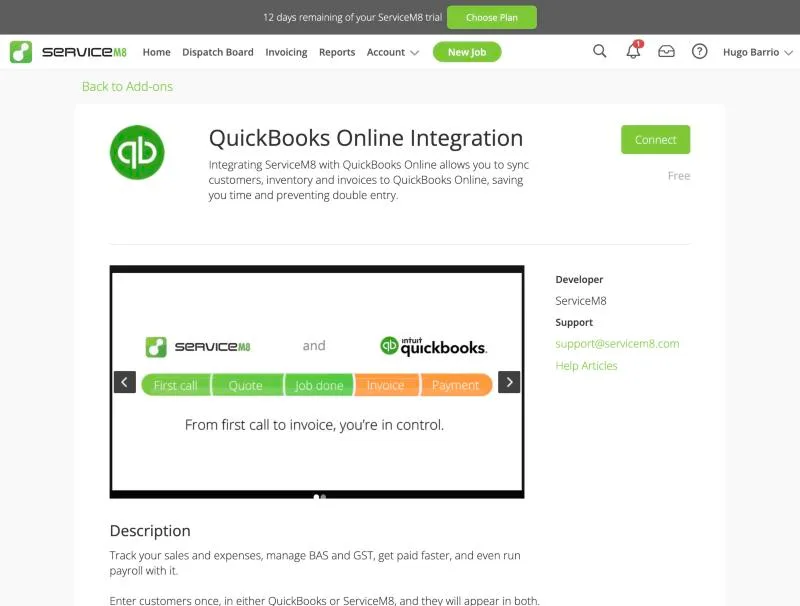
ServiceM8, T-13 (quickBooks Online sync of an invoice and a payment (sandbox)): addon. Own capture from the test account, fictional Ridgeline fixture data.
- Task
- T-13 — QuickBooks Online sync of an invoice and a payment (sandbox)
- Plan
- Premium Plus
- Device
- MacBook Air M3 24 GB
- App version
- ServiceM8 web app (go.servicem8.com), 2026-09-29, trial day 2; region English (United States)
- Captured
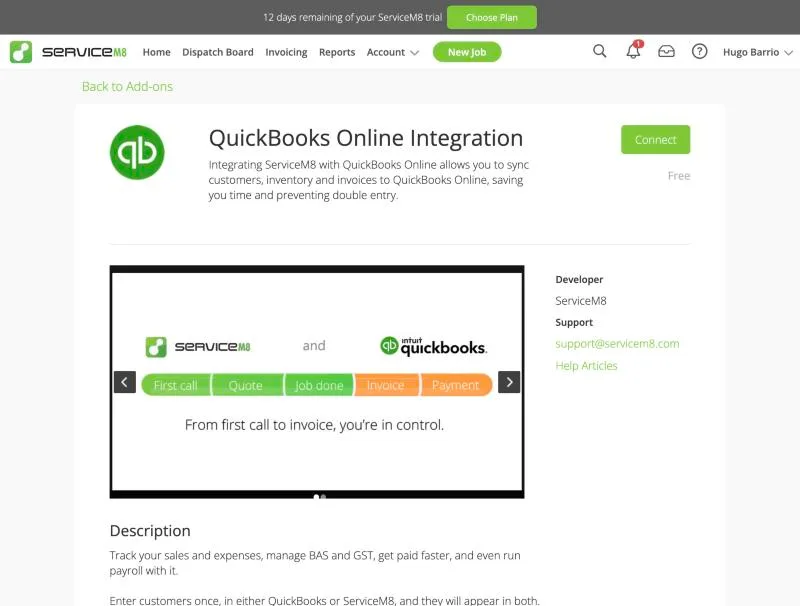
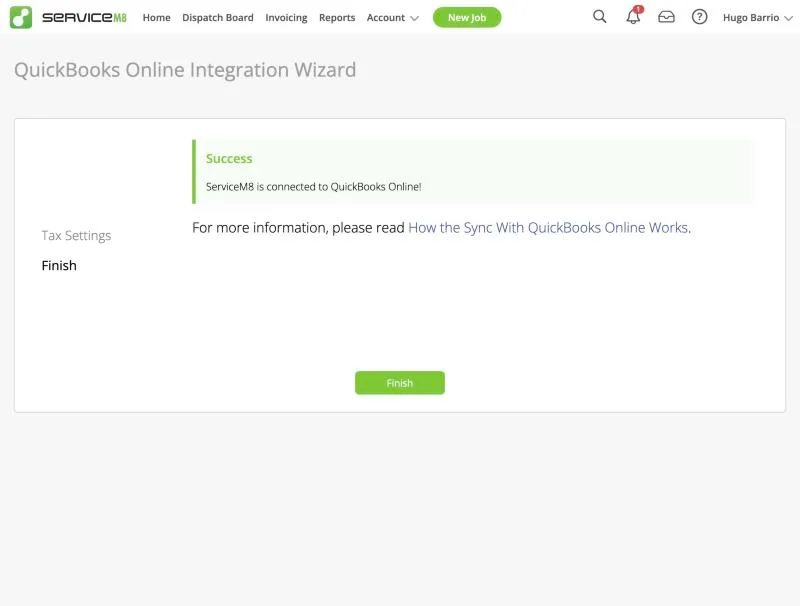
ServiceM8, T-13 (quickBooks Online sync of an invoice and a payment (sandbox)): connected. Own capture from the test account, fictional Ridgeline fixture data.
- Task
- T-13 — QuickBooks Online sync of an invoice and a payment (sandbox)
- Plan
- Premium Plus
- Device
- MacBook Air M3 24 GB
- App version
- ServiceM8 web app (go.servicem8.com), 2026-09-29, trial day 2; region English (United States)
- Captured
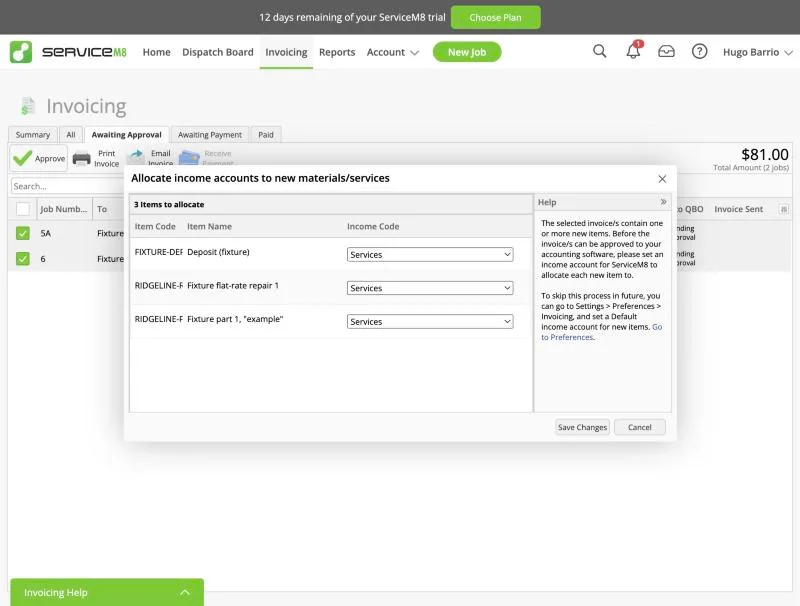
ServiceM8, T-13 (quickBooks Online sync of an invoice and a payment (sandbox)): income accounts. Own capture from the test account, fictional Ridgeline fixture data.
- Task
- T-13 — QuickBooks Online sync of an invoice and a payment (sandbox)
- Plan
- Premium Plus
- Device
- MacBook Air M3 24 GB
- App version
- ServiceM8 web app (go.servicem8.com), 2026-09-29, trial day 2; region English (United States)
- Captured
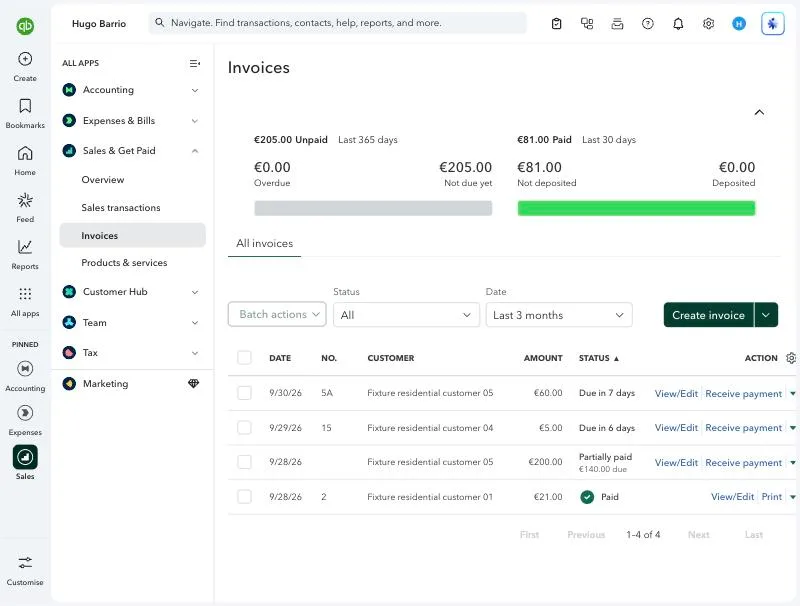
ServiceM8, T-13 (quickBooks Online sync of an invoice and a payment (sandbox)): qbo invoices. Own capture from the test account, fictional Ridgeline fixture data.
- Task
- T-13 — QuickBooks Online sync of an invoice and a payment (sandbox)
- Plan
- Premium Plus
- Device
- MacBook Air M3 24 GB
- App version
- ServiceM8 web app (go.servicem8.com), 2026-09-29, trial day 2; region English (United States)
- Captured
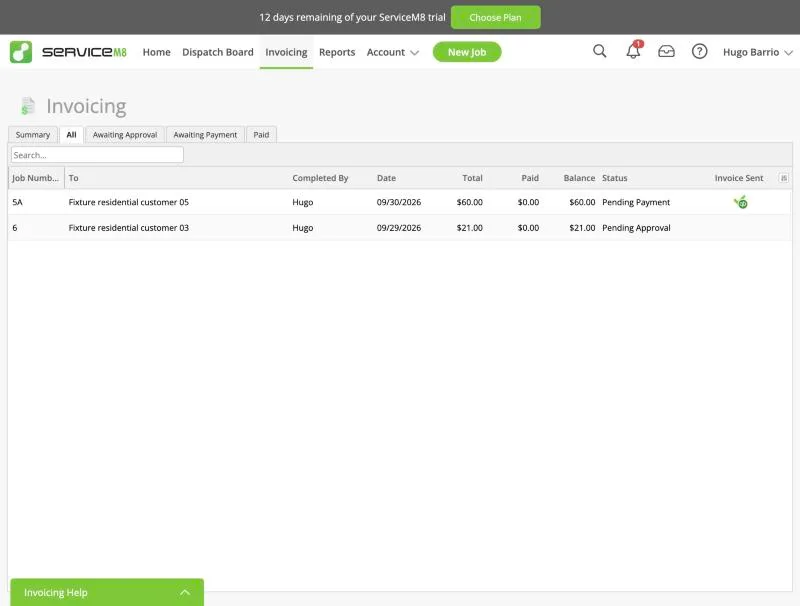
ServiceM8, T-13 (quickBooks Online sync of an invoice and a payment (sandbox)): sm8 status. Own capture from the test account, fictional Ridgeline fixture data.
- Task
- T-13 — QuickBooks Online sync of an invoice and a payment (sandbox)
- Plan
- Premium Plus
- Device
- MacBook Air M3 24 GB
- App version
- ServiceM8 web app (go.servicem8.com), 2026-09-29, trial day 2; region English (United States)
- Captured
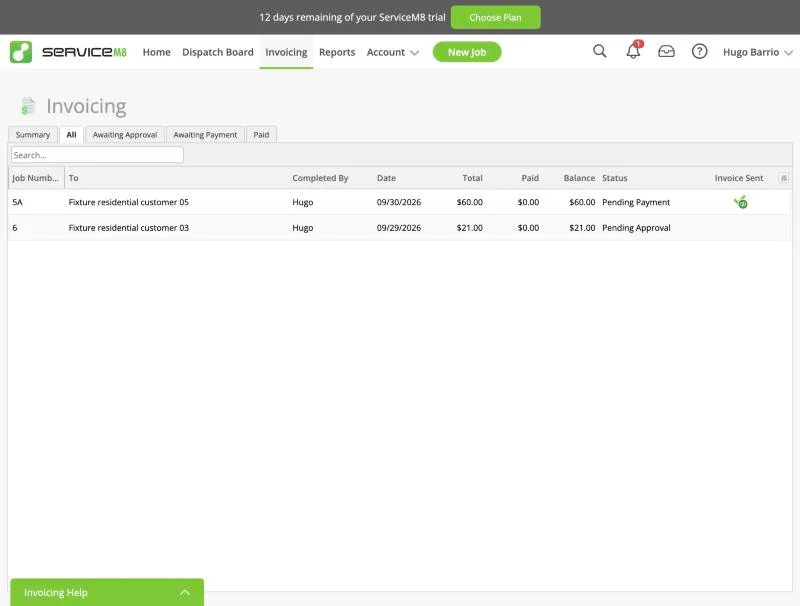
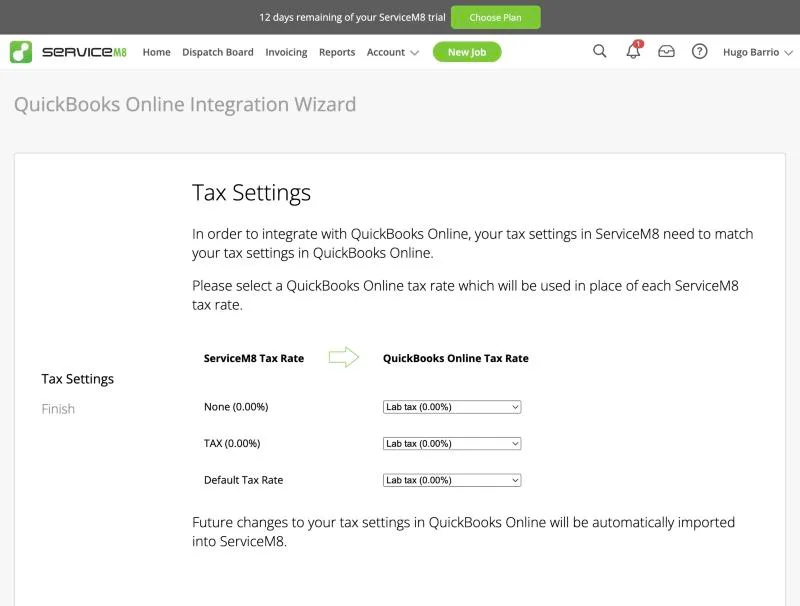
ServiceM8, T-13 (quickBooks Online sync of an invoice and a payment (sandbox)): tax mapping. Own capture from the test account, fictional Ridgeline fixture data.
- Task
- T-13 — QuickBooks Online sync of an invoice and a payment (sandbox)
- Plan
- Premium Plus
- Device
- MacBook Air M3 24 GB
- App version
- ServiceM8 web app (go.servicem8.com), 2026-09-29, trial day 2; region English (United States)
- Captured
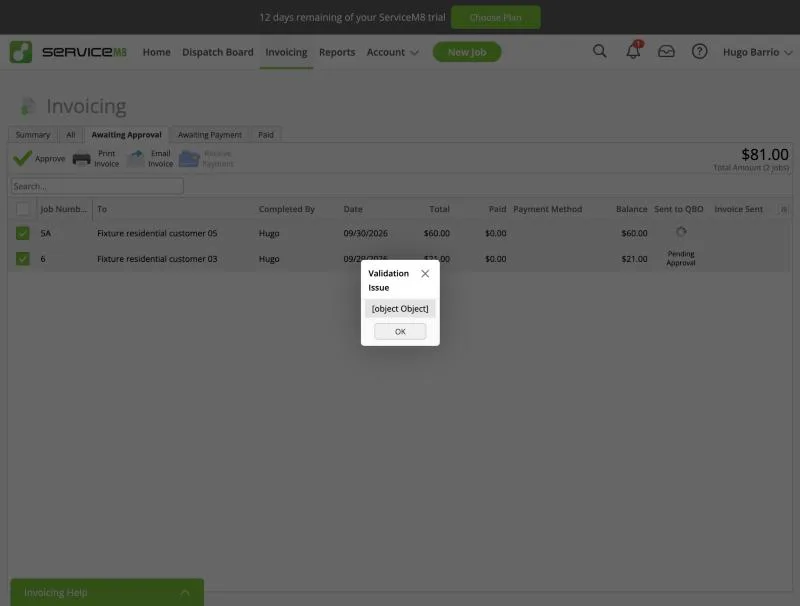
ServiceM8, T-13 (quickBooks Online sync of an invoice and a payment (sandbox)): validation object. Own capture from the test account, fictional Ridgeline fixture data.
- Task
- T-13 — QuickBooks Online sync of an invoice and a payment (sandbox)
- Plan
- Premium Plus
- Device
- MacBook Air M3 24 GB
- App version
- ServiceM8 web app (go.servicem8.com), 2026-09-29, trial day 2; region English (United States)
- Captured
T-14: Export and leave: customers, jobs, invoices, attachments; check the phone-number port-out policy · partial
Tested in a trial exposing Premium Plus features
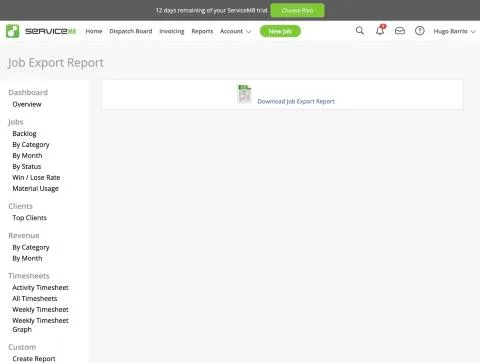
Self-service exports come with the free 'Advanced Reporting Pack' add-on ('exportable job and client lists for MS Excel'; description: 'Bulk Export - Download all your jobs, clients or materials'). After activation, Reports shows an Export section: Client List, Job List, Recurring Job List. Client List and Job List links go through a re-authentication step (PluginTwoStepAuthentication_Reauthenticate) before the export page; with a fresh login it passed straight through. Client export ('Download Mailing List', CSV): payment terms, company address, billing address and its split fields, billing contact, name, contact first/last, tax rate, email, billing email, phones - one row per client (24 rows here; merged-unit problem from T-01 persists, no notes, no site list). Job export ('Download Job Export Report', CSV, 13 lines for 7 jobs incl. the sample and partial invoice #5A): job number, date, status, company, contact, job address, quote/work order/invoice dates, payment received and amount, total invoice amount, total cost, billing address, description, work completed, invoice number, completion staff/date, badges, billing contact - no line items. Line items/materials: the add-on promises a materials export and a 'Material Usage' report exists; not exported in this run. Materials catalogue has a bulk import; the REST API (used for verification) also exposes everything to a developer. Attachments/photos: separate free add-ons 'Attachment Download' and 'Download Client Assets' exist (not activated); third-party 'ZIP Attachments' costs $8.99/mo. We read the CSVs in the browser to verify their content rather than downloading files to the operator's machine. Port-out/support answer: T-15. Result partial: client and job lists export as CSV at no extra cost, but invoice lines and documents need further add-ons or one-by-one download.
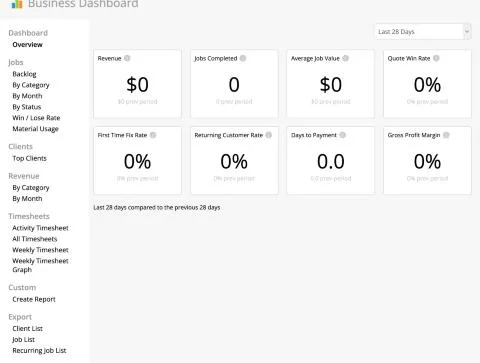
ServiceM8, T-14 (export and leave: customers, jobs, invoices, attachments; check the phone-number port-out policy): export menu. Own capture from the test account, fictional Ridgeline fixture data.
- Task
- T-14 — Export and leave: customers, jobs, invoices, attachments; check the phone-number port-out policy
- Plan
- Premium Plus
- Device
- MacBook Air M3 24 GB
- App version
- ServiceM8 web app (go.servicem8.com), 2026-09-29, trial day 2; region English (United States)
- Captured
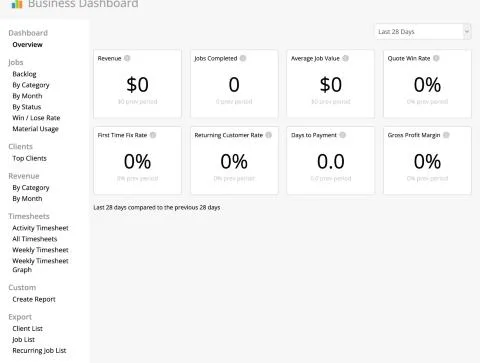
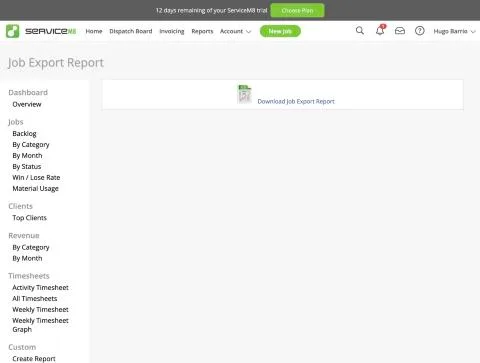
ServiceM8, T-14 (export and leave: customers, jobs, invoices, attachments; check the phone-number port-out policy): job export. Own capture from the test account, fictional Ridgeline fixture data.
- Task
- T-14 — Export and leave: customers, jobs, invoices, attachments; check the phone-number port-out policy
- Plan
- Premium Plus
- Device
- MacBook Air M3 24 GB
- App version
- ServiceM8 web app (go.servicem8.com), 2026-09-29, trial day 2; region English (United States)
- Captured
T-15: Support: 2 standard questions via chat or email · pass
Tested in a trial exposing Premium Plus features
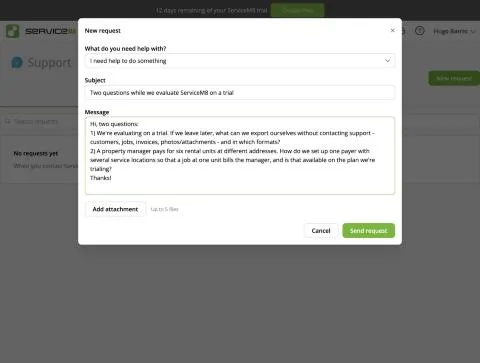
Same two questions sent to every product tested in this campaign: (1) what can be exported without contacting support (customers, jobs, invoices, photos/attachments) and in which formats; (2) how to set up one payer (a property manager) with six service locations so a job at one unit bills the manager, and whether that is on the trialed plan. Channel: Help > Contact Support > New request; sent 2026-09-30 03:26 UTC; the reply arrived by email to the lab mailbox at 05:50 UTC, 2 h 24 min later, from a named agent (name redacted). Q1: lists each record type with its format (Client List and Job List CSV, invoices as individual PDFs with no bulk download, attachments one by one or in a full account backup ZIP with CSV/JSON data and original files) and says the CSV exports need the Advanced Reporting Pack add-on, activable in the trial; consistent with our T-14 observations (the full backup was not tested): quality 3. Q2: use the free Client Sites add-on, with the manager as head-office client and each unit as a site; jobs stay on the site while quotes and invoices use the head office's billing details; gives steps to convert existing clients and confirms it is available in the trial for free: quality 3. Time to first useful answer: 2 h 24 min (asynchronous). Result pass.
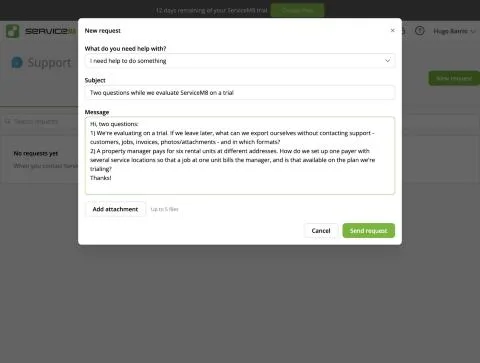
ServiceM8, T-15 (support: 2 standard questions via chat or email): support request with the two questions. Own capture from the test account, fictional Ridgeline fixture data.
- Task
- T-15 — Support: 2 standard questions via chat or email
- Plan
- Premium Plus
- Device
- MacBook Air M3 24 GB
- App version
- ServiceM8 web app (go.servicem8.com), 2026-09-29, trial day 2; region English (United States)
- Captured
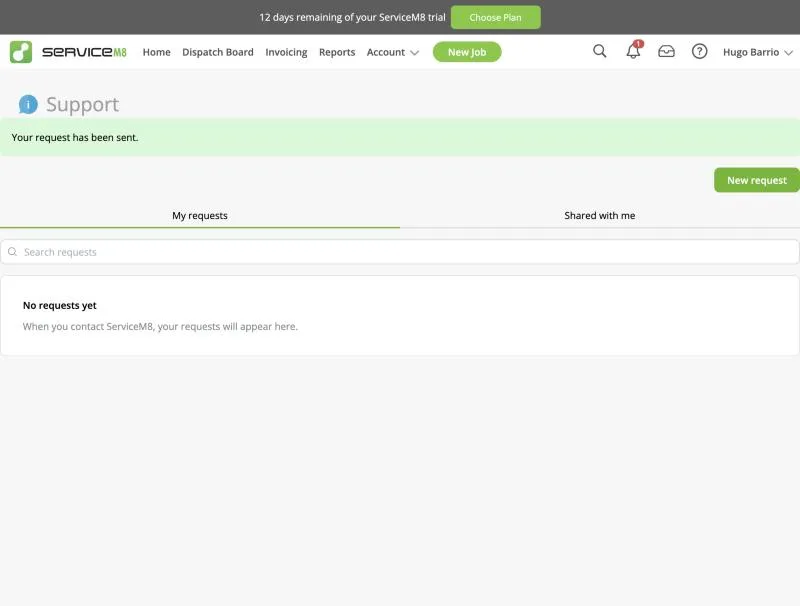
ServiceM8, T-15 (support: 2 standard questions via chat or email): request sent confirmation. Own capture from the test account, fictional Ridgeline fixture data.
- Task
- T-15 — Support: 2 standard questions via chat or email
- Plan
- Premium Plus
- Device
- MacBook Air M3 24 GB
- App version
- ServiceM8 web app (go.servicem8.com), 2026-09-29, trial day 2; region English (United States)
- Captured
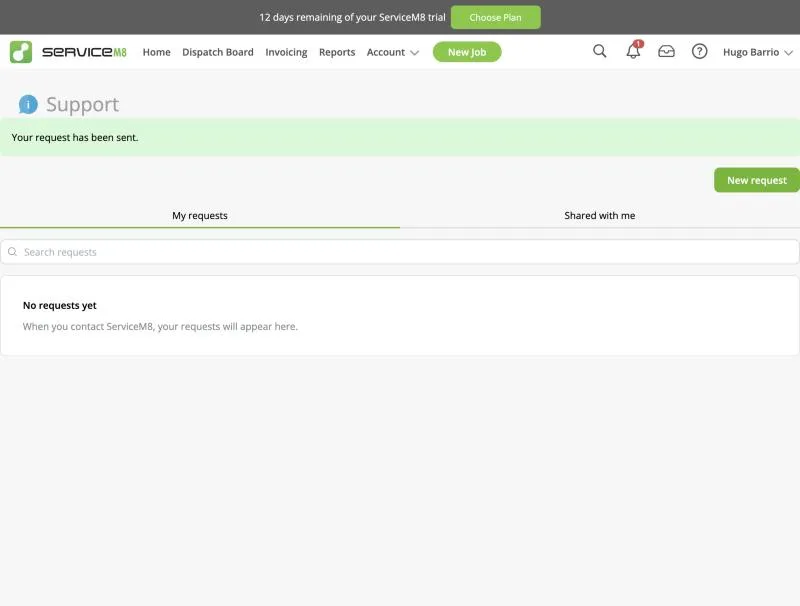
ServiceM8, T-15 (support: 2 standard questions via chat or email): question and support reply, redacted transcript. Email addresses, links and the agent's name removed.
ServiceM8, T-15 (support: 2 standard questions via chat or email): question and support reply, redacted transcript. Email addresses, links and the agent's name removed.
- Task
- T-15 — Support: 2 standard questions via chat or email
- Plan
- Premium Plus
- Device
- MacBook Air M3 24 GB
- App version
- ServiceM8 web app (go.servicem8.com), 2026-09-29, trial day 2; region English (United States)
- Captured
T-16: Real cost for 1, 3 and 8 techs, including every add-on needed to pass T-01 to T-15 · pass
Tested in a trial exposing Premium Plus features
Public US pricing page (servicem8.com/us/pricing, read 30 Sep 2026) and the in-app 'Choose a pricing plan' page (account region United States) show the same USD monthly prices: Free $0 (1 user, 30 jobs/month), Starter $29 (unlimited users, 50 jobs/month), Growing $79 (150 jobs), Premium $149 (500 jobs), Premium Plus $349 (1,500+ jobs). Pricing is by 'job credits' (each new job card uses one; a quote accepted into a work order does not use another), not per user; SMS have a monthly cap with an overage fee; going over the job credits allows 7 more days before an upgrade prompt; no lock-in, 14-day trial without card, 'full access to all features during your free trial'. Plan gates relevant to our protocol: Partial/Progress invoices (deposits) Starter+; Asset Management, Forms builder, Proposals (multi-option quotes), Bundles, Inbox Growing+; Job Costing, Markup Billing, Knowledge Premium+. Discrepancy: the public page lists 'Recurring Jobs' as 'Available in All Plans' (and in the Free column), while the in-app plan table and the Add-on Directory label 'Recurring Jobs + Reminders' as Starter Plan (a separate free 'Simple Recurring Jobs' add-on exists). Protocol needs (multi-option quotes, equipment, deposits, recurring, job costing) put a contractor on Premium ($149/mo) if job costing is required, otherwise Growing ($79/mo). The full-featured app is iOS; Android users get 'ServiceM8 Lite' (relevant for the mobile day). Add-on list with plan labels saved as addons-gates-20260930.txt.
ServiceM8, T-16 (real cost for 1, 3 and 8 techs, including every add-on needed to pass T-01 to T-15): addons gates 20260930. File exported from the test account, fictional Ridgeline fixture data.
ServiceM8, T-16 (real cost for 1, 3 and 8 techs, including every add-on needed to pass T-01 to T-15): addons gates 20260930. File exported from the test account, fictional Ridgeline fixture data.
- Task
- T-16 — Real cost for 1, 3 and 8 techs, including every add-on needed to pass T-01 to T-15
- Plan
- Premium Plus
- Device
- MacBook Air M3 24 GB
- App version
- ServiceM8 web app (go.servicem8.com), 2026-09-29, trial day 2; region English (United States)
- Captured
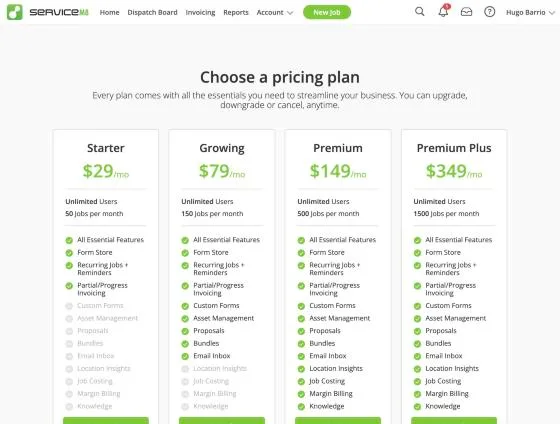
ServiceM8, T-16 (real cost for 1, 3 and 8 techs, including every add-on needed to pass T-01 to T-15): inapp plans. Own capture from the test account, fictional Ridgeline fixture data.
- Task
- T-16 — Real cost for 1, 3 and 8 techs, including every add-on needed to pass T-01 to T-15
- Plan
- Premium Plus
- Device
- MacBook Air M3 24 GB
- App version
- ServiceM8 web app (go.servicem8.com), 2026-09-29, trial day 2; region English (United States)
- Captured
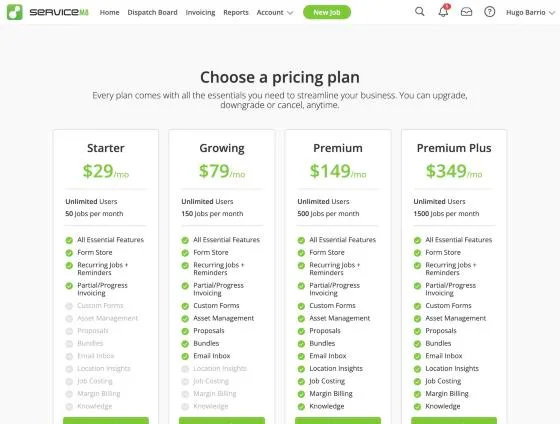
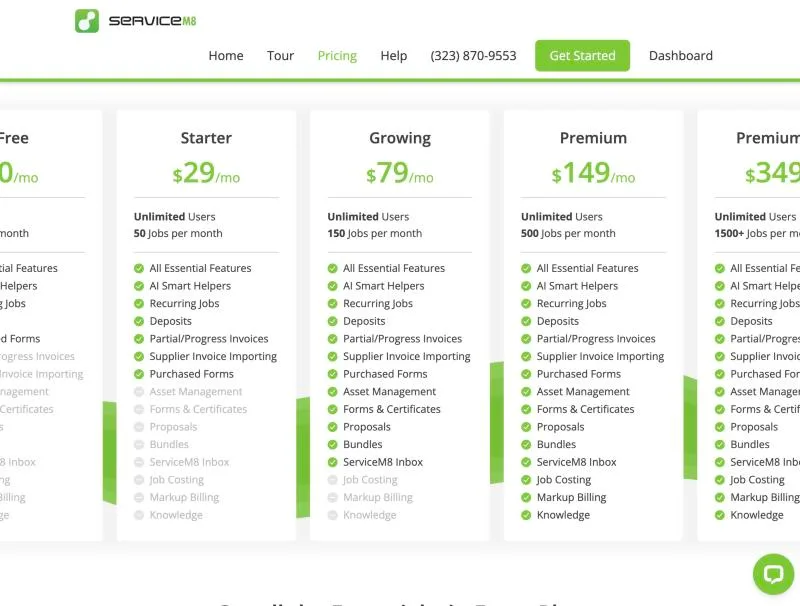
ServiceM8, T-16 (real cost for 1, 3 and 8 techs, including every add-on needed to pass T-01 to T-15): pricing. Own capture from the test account, fictional Ridgeline fixture data.
- Task
- T-16 — Real cost for 1, 3 and 8 techs, including every add-on needed to pass T-01 to T-15
- Plan
- Premium Plus
- Device
- MacBook Air M3 24 GB
- App version
- ServiceM8 web app (go.servicem8.com), 2026-09-29, trial day 2; region English (United States)
- Captured
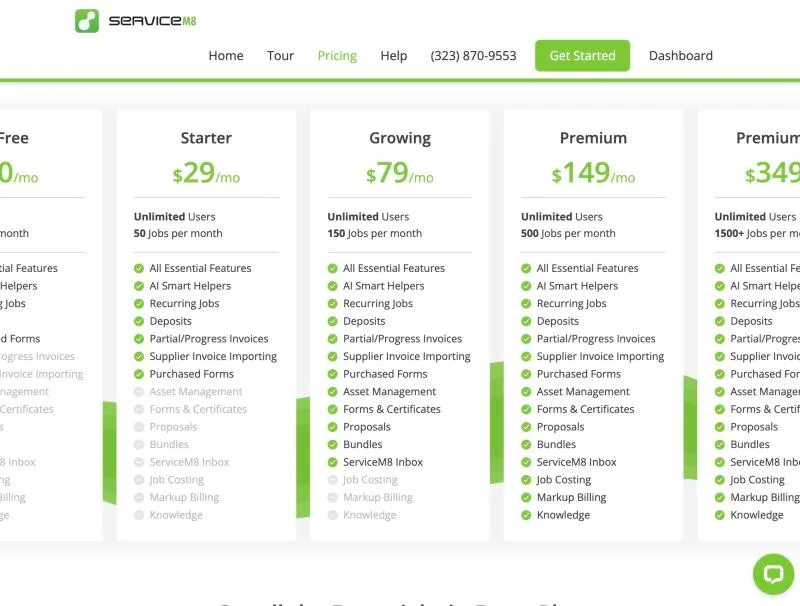
Pricing and add-ons
| Plan | Model | Billing | Renewal price | Promotional price and conditions | Add-ons | Observation date |
|---|---|---|---|---|---|---|
| Free | flat | monthly | $0.00 / per month US pricing page and the in-app plan chooser (account region United States) showed the same figure. Priced by job credits, not per user; SMS capped monthly with an overage fee. Sales tax excluded. Source | No promotion recorded | No add-ons recorded | Renewal: |
| Growing | flat | monthly | $79.00 / per month US pricing page and the in-app plan chooser (account region United States) showed the same figure. Priced by job credits, not per user; SMS capped monthly with an overage fee. Sales tax excluded. Source | No promotion recorded | No add-ons recorded | Renewal: |
| Premium | flat | monthly | $149.00 / per month US pricing page and the in-app plan chooser (account region United States) showed the same figure. Priced by job credits, not per user; SMS capped monthly with an overage fee. Sales tax excluded. Source | No promotion recorded | No add-ons recorded | Renewal: |
| Premium Plus | flat | monthly | $349.00 / per month US pricing page and the in-app plan chooser (account region United States) showed the same figure. Priced by job credits, not per user; SMS capped monthly with an overage fee. Sales tax excluded. Source | No promotion recorded | No add-ons recorded | Renewal: |
| Starter | flat | monthly | $29.00 / per month US pricing page and the in-app plan chooser (account region United States) showed the same figure. Priced by job credits, not per user; SMS capped monthly with an overage fee. Sales tax excluded. Source | No promotion recorded | No add-ons recorded | Renewal: |
Data export and leaving
partial: Self-service exports come with the free 'Advanced Reporting Pack' add-on ('exportable job and client lists for MS Excel'; description: 'Bulk Export - Download all your jobs, clients or materials'). After activation, Reports shows an Export section: Client List, Job List, Recurring Job List. Client List and Job List links go through a re-authentication step (PluginTwoStepAuthentication_Reauthenticate) before the export page; with a fresh login it passed straight through. Client export ('Download Mailing List', CSV): payment terms, company address, billing address and its split fields, billing contact, name, contact first/last, tax rate, email, billing email, phones - one row per client (24 rows here; merged-unit problem from T-01 persists, no notes, no site list). Job export ('Download Job Export Report', CSV, 13 lines for 7 jobs incl. the sample and partial invoice #5A): job number, date, status, company, contact, job address, quote/work order/invoice dates, payment received and amount, total invoice amount, total cost, billing address, description, work completed, invoice number, completion staff/date, badges, billing contact - no line items. Line items/materials: the add-on promises a materials export and a 'Material Usage' report exists; not exported in this run. Materials catalogue has a bulk import; the REST API (used for verification) also exposes everything to a developer. Attachments/photos: separate free add-ons 'Attachment Download' and 'Download Client Assets' exist (not activated); third-party 'ZIP Attachments' costs $8.99/mo. We read the CSVs in the browser to verify their content rather than downloading files to the operator's machine. Port-out/support answer: T-15. Result partial: client and job lists export as CSV at no extra cost, but invoice lines and documents need further add-ons or one-by-one download.
T-14: Export and leave: customers, jobs, invoices, attachments; check the phone-number port-out policySupport
pass: Same two questions sent to every product tested in this campaign: (1) what can be exported without contacting support (customers, jobs, invoices, photos/attachments) and in which formats; (2) how to set up one payer (a property manager) with six service locations so a job at one unit bills the manager, and whether that is on the trialed plan. Channel: Help > Contact Support > New request; sent 2026-09-30 03:26 UTC; the reply arrived by email to the lab mailbox at 05:50 UTC, 2 h 24 min later, from a named agent (name redacted). Q1: lists each record type with its format (Client List and Job List CSV, invoices as individual PDFs with no bulk download, attachments one by one or in a full account backup ZIP with CSV/JSON data and original files) and says the CSV exports need the Advanced Reporting Pack add-on, activable in the trial; consistent with our T-14 observations (the full backup was not tested): quality 3. Q2: use the free Client Sites add-on, with the manager as head-office client and each unit as a site; jobs stay on the site while quotes and invoices use the head office's billing details; gives steps to convert existing clients and confirms it is available in the trial for free: quality 3. Time to first useful answer: 2 h 24 min (asynchronous). Result pass.
T-15: Support: 2 standard questions via chat or emailAlternatives for your operation
Owner-operator
You expect offline work to sync on its own: in our test nothing uploaded after reconnecting until the app was closed and reopened, so a technician who waits for the sync may not see offline work (T-09).
You want card payments without extra setup: with no gateway active, the phone only recorded a card or cash amount by hand (T-10).
You work from an Android phone: the full app is iOS, and the Android app is a separate "Lite" version we have not tested (T-16).
View this operation profileSmall residential shop
You expect offline work to sync on its own: in our test nothing uploaded after reconnecting until the app was closed and reopened, so a technician who waits for the sync may not see offline work (T-09).
You want equipment history without labels: each unit needs a ServiceM8 QR label scanned on site before any service can be recorded against it (T-04).
Your office forces emergencies into full slots: in our run the displaced job dropped out of the day view, with no conflict marker on the board (T-07).
View this operation profileMixed service + projects
You expect offline work to sync on its own: in our test nothing uploaded after reconnecting until the app was closed and reopened, so a technician who waits for the sync may not see offline work (T-09).
You bill replacements as percentages: the deposit is a hand-priced line that needs an item code, not a share of the job (T-08).
Your customer list has several rows per customer: the importer merged same-name rows without warning and kept only the last address (T-01).
View this operation profileCommercial-leaning
You need per-unit history right away: the register showed our condenser with its serial, but nothing can be recorded against it until a ServiceM8 QR label is scanned on the unit (T-04).
You expect the payer and site structure out of the box: as the product comes, billing another address is set per job and every unit address is retyped; the Client Sites add-on support described is untested by us (T-03).
You expect offline work to sync on its own: in our test nothing uploaded after reconnecting until the app was closed and reopened, so a technician who waits for the sync may not see offline work (T-09).
View this operation profile