T-04: Equipment history: see every visit for one rooftop unit
Task definition
T-04 · Equipment history: see every visit for one rooftop unit
Version 1.0.0 · Operator role: field
Pass criteria: History is visible per unit and per location
- Load ridgeline-equipment-39 at ridgeline-location-25 and compare its make, model, serial and install date with ridgeline-equipment. Confirm the equipment link belongs to the location.
- Load the visit records for ridgeline-job-service-01 and ridgeline-job-service-02 from ridgeline-jobs, both linked to ridgeline-equipment-39 at ridgeline-location-25. Verify both visit dates before inspecting history.
- Open the history for ridgeline-equipment-39. Locate both service jobs and compare their dates and job references with the two fixture visits; record any missing visit.
- Open ridgeline-location-25 history and follow its equipment link back to ridgeline-equipment-39. Verify both visits can be identified at location level as well as unit level.
- Capture the unit and location histories for ridgeline-equipment-39 and ridgeline-location-25, showing both job references. Record any workaround required to distinguish the unit from other equipment.
Fixture used
Ridgeline Comfort Heating & Air · Version 1.0.0
ridgeline-equipment· equipment · 1.0.0ridgeline-jobs· jobs · 1.0.0ridgeline-locations· locations · 1.0.0ridgeline-operation· operation · 1.0.0
Results by product
Pinned: Jobber · ServiceM8. All tasks are shown on desktop; narrow screens start with differences. These selected results are available without JavaScript.
| Task | Housecall Pro | Jobber | Kickserv | ServiceM8 | ServiceTitan | Workiz |
|---|---|---|---|---|---|---|
Equipment history | Housecall Pro Not tested UnverifiedT-04 | Jobber Not possible TestedT-04 | Kickserv Not tested UnverifiedT-04 | ServiceM8 Partial TestedT-04 | ServiceTitan Not tested UnverifiedT-04 | Workiz Not tested UnverifiedT-04 |
- Price checked
- Not verified
- Last tested
- Last edited
Housecall Pro
Not tested: Housecall Pro advertises a 14-day free trial, but its terms say the service is offered to users who reside in the US or Canada, and when we signed up on September 28, 2026 the onboarding form did not accept our Spanish phone number. Our lab is in Spain, so we have not run our tasks on it. What this page shows comes from public sources and is marked as documented, not tested.
Review: Housecall ProJobber
not-possible · Grow
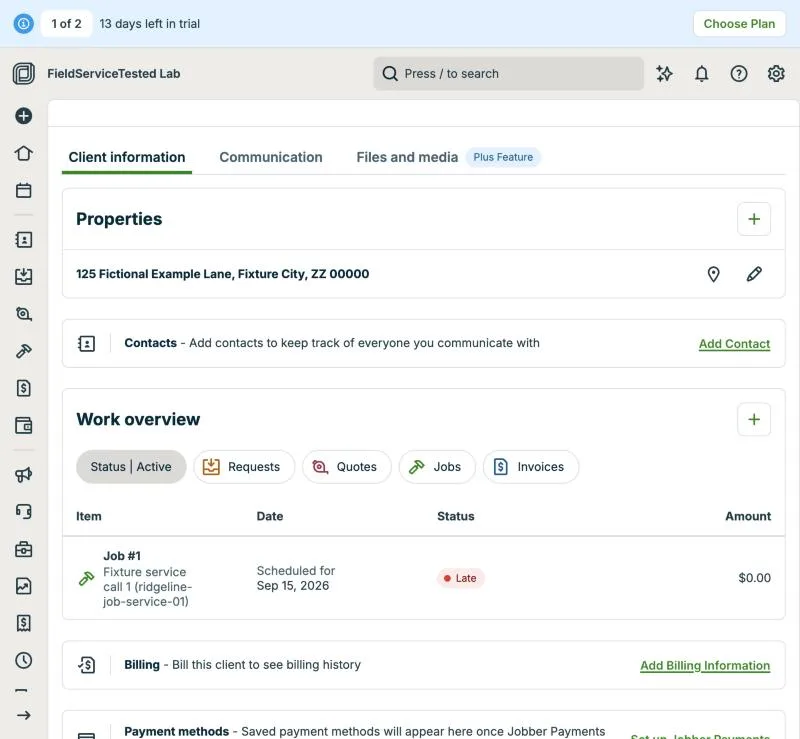
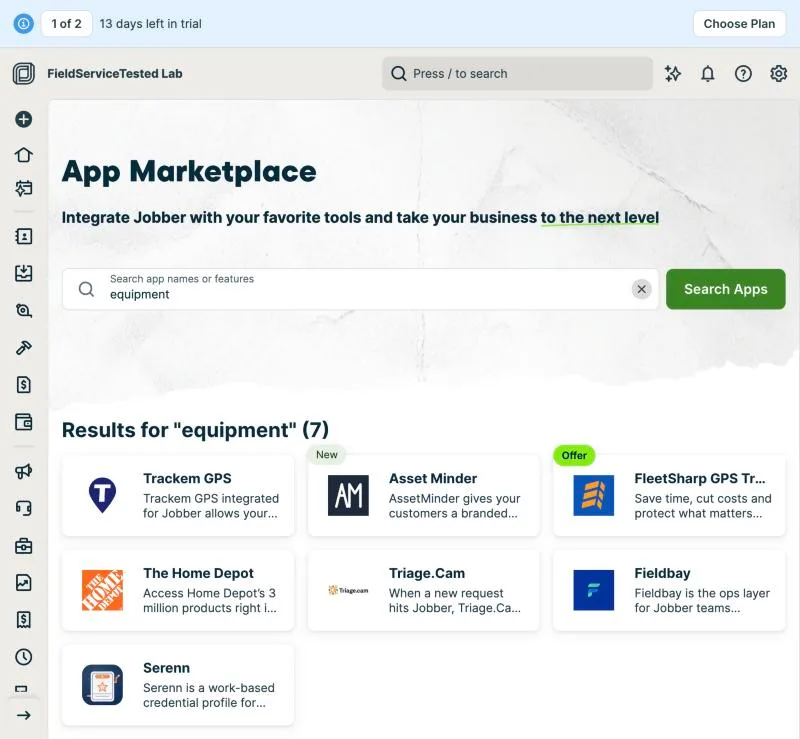
Jobber has no equipment or asset record: there is nowhere to load ridgeline-equipment-39 with make, model, serial and install date, so no per-unit history exists. Its glossary lists Property ('a client's address where work is performed') and Custom Fields (on properties, clients, quotes, jobs, invoices, team members) but no equipment entity; the in-app App Marketplace search for 'equipment' returns third-party apps, including Asset Minder, which advertises 'the full service history of every asset you maintain', confirming the gap is filled by add-ons. Location-level history does exist: the client page's Work overview lists Job #1 (Fixture service call 1) for the 125 Fictional Example Lane property, and the property filter narrows it per address. Workaround available but not executed as a pass: property custom fields can hold one unit's identifiers, and job titles or line items can name the unit; neither yields a history per unit without manual convention.
TestedT-04Execution exe-jobber-t-04-20260928-1 · Protocol 1.0.0 · MacBook Air M3 24 GB · macOS Tahoe 26.6.2 · Claude desktop built-in browser (Chromium) · Home fibre, Cádiz, Spain
Kickserv
Not tested: Kickserv's terms of service do not allow use of the service for benchmarking or competitive purposes, so we do not publish hands-on test results for it. What this page shows comes from public sources and is marked as documented, not tested.
Review: KickservServiceM8
partial · Premium Plus
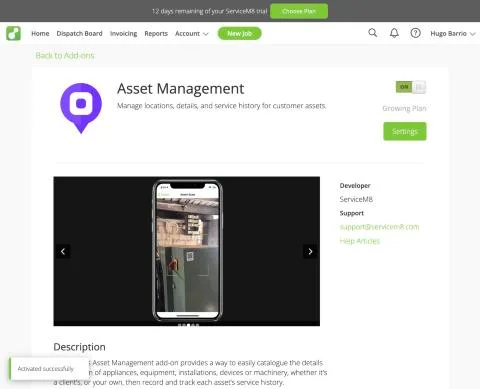
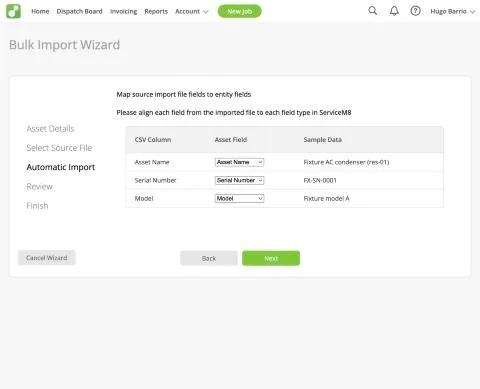
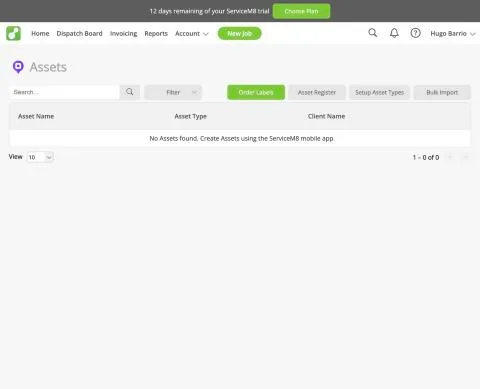
Equipment tracking is the 'Asset Management' add-on (Add-on Directory label: Growing Plan); switched on in the trial ('Activated successfully'). Setup: Asset Types (name, badge, custom fields) - created 'AC condenser' with Serial Number and Model. The Assets list on the web says 'No Assets found. Create Assets using the ServiceM8 mobile app'; the web only offers Bulk Import, one client and one asset type at a time, and warns that each imported asset still needs a ServiceM8 QR code label applied and the setup completed on site before forms (inspection/service) can be recorded against it. Imported one asset for Fixture residential customer 01 ('Fixture AC condenser (res-01)', serial FX-SN-0001, model 'Fixture model A'); the API shows it attached to the client with no location (lat/lng 0). Recording service history against the asset (scan label, attach job/form) is done in the mobile app and is pending for the mobile day (T-09/T-10, 5 Oct). Result partial for now: an equipment register with custom fields exists on the Growing plan, but creation and history are mobile/QR-label driven; per-asset history not yet observed.
TestedT-04Execution exe-servicem8-t-04-20260930-1 · Protocol 1.0.0 · MacBook Air M3 24 GB · macOS Tahoe 26.6.2 · Claude desktop built-in browser (Chromium) · Home fibre, Cádiz, Spain
partial · Premium Plus
Mobile follow-up to exe-servicem8-t-04-20260930-1. On the phone, Client > Client Assets for Fixture residential customer 01 lists the imported asset 'Fixture AC condenser (res-01)' with its type, serial FX-SN-0001 and model; its history is empty. 'Complete Asset Setup' opens the camera to scan a ServiceM8 QR label, which is required before inspection or service forms can be recorded against the asset; no label was available, so no per-asset history could be built. Result partial (final): an equipment register with custom fields exists on the Growing plan add-on, but per-unit history depends on physical QR labels and on-site setup.
TestedT-04Execution exe-servicem8-t-04-20261002-1 · Protocol 1.0.0 · iPhone 13 mini (MLJC3VC/A) · iOS 26.7 · Native iOS app (screen recorded with iOS screen capture) · Home Wi-Fi, Cádiz, Spain; offline segment in airplane mode (Wi-Fi and mobile data off)
ServiceTitan
Not tested: ServiceTitan has no self-serve trial. Its pricing page asks visitors to request pricing or book a demo with sales, and we do not open test accounts through sales calls. What this page shows comes from public sources and is marked as documented, not tested.
Review: ServiceTitanWorkiz
Not tested: Workiz advertises a 7-day free trial, but when we signed up on September 28, 2026 its onboarding asked for a phone number with a fixed +1 prefix, so we could not finish setup from our lab in Spain. The assistant on its website could not confirm availability outside the US and Canada and pointed us to a sales demo. We have not run our tasks on it. What this page shows comes from public sources and is marked as documented, not tested.
Review: WorkizEvidence files
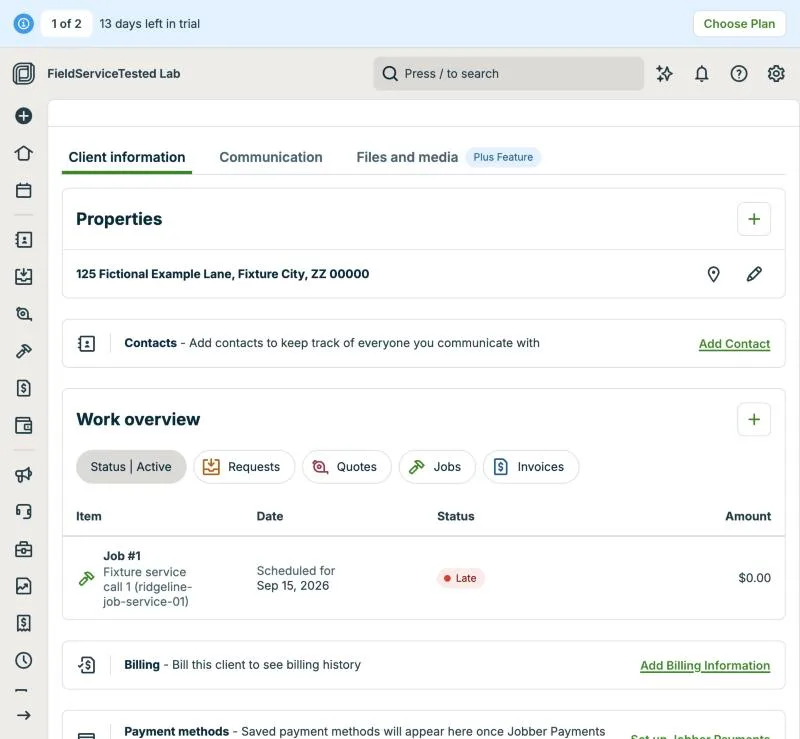
Jobber, T-04 (equipment history: see every visit for one rooftop unit): location history. Own capture from the test account, fictional Ridgeline fixture data.
- Task
- T-04 — Equipment history: see every visit for one rooftop unit
- Plan
- Grow
- Device
- MacBook Air M3 24 GB
- App version
- Jobber web app, 2026-09-28 (14-day trial, day 2)
- Captured
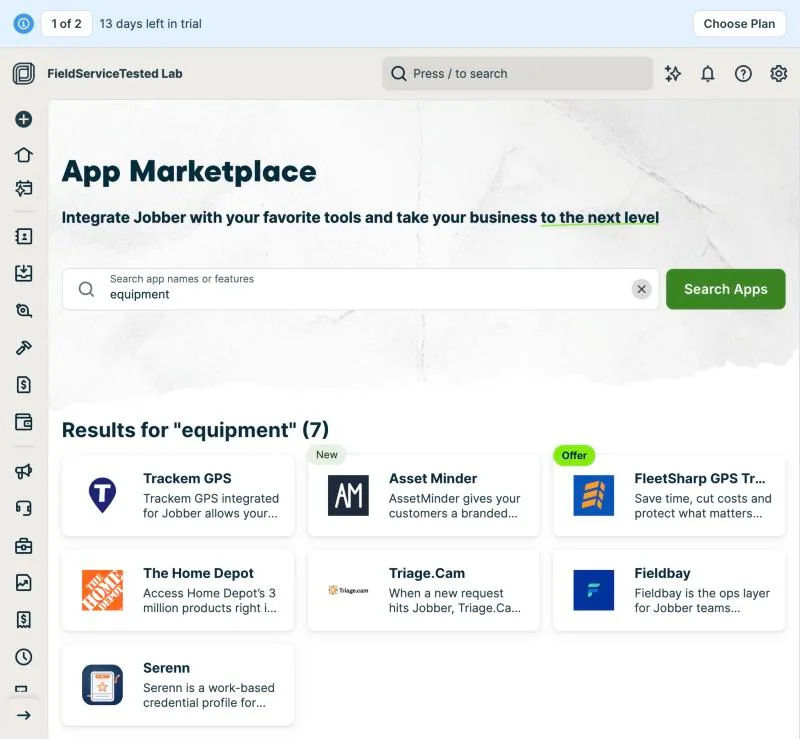
Jobber, T-04 (equipment history: see every visit for one rooftop unit): marketplace. Own capture from the test account, fictional Ridgeline fixture data.
- Task
- T-04 — Equipment history: see every visit for one rooftop unit
- Plan
- Grow
- Device
- MacBook Air M3 24 GB
- App version
- Jobber web app, 2026-09-28 (14-day trial, day 2)
- Captured
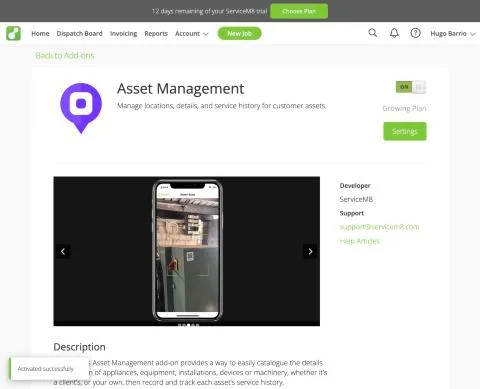
ServiceM8, T-04 (equipment history: see every visit for one rooftop unit): addon activated. Own capture from the test account, fictional Ridgeline fixture data.
- Task
- T-04 — Equipment history: see every visit for one rooftop unit
- Plan
- Premium Plus
- Device
- MacBook Air M3 24 GB
- App version
- ServiceM8 web app (go.servicem8.com), 2026-09-29, trial day 2; region English (United States)
- Captured
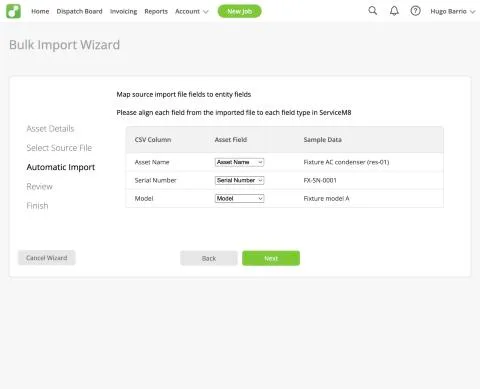
ServiceM8, T-04 (equipment history: see every visit for one rooftop unit): asset import mapping. Own capture from the test account, fictional Ridgeline fixture data.
- Task
- T-04 — Equipment history: see every visit for one rooftop unit
- Plan
- Premium Plus
- Device
- MacBook Air M3 24 GB
- App version
- ServiceM8 web app (go.servicem8.com), 2026-09-29, trial day 2; region English (United States)
- Captured
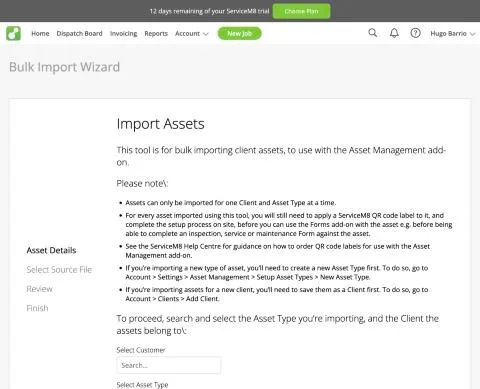
ServiceM8, T-04 (equipment history: see every visit for one rooftop unit): asset import rules. Own capture from the test account, fictional Ridgeline fixture data.
- Task
- T-04 — Equipment history: see every visit for one rooftop unit
- Plan
- Premium Plus
- Device
- MacBook Air M3 24 GB
- App version
- ServiceM8 web app (go.servicem8.com), 2026-09-29, trial day 2; region English (United States)
- Captured
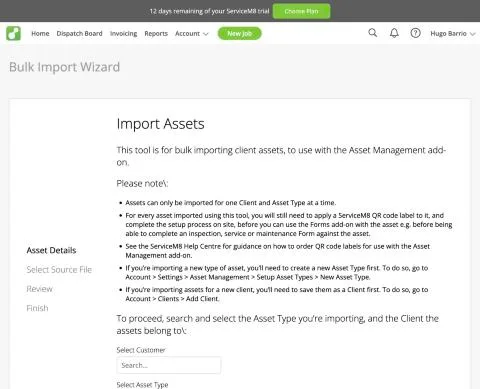
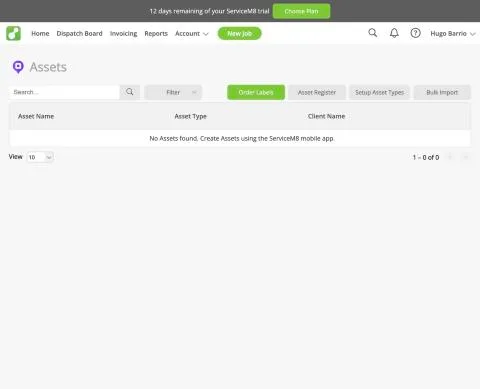
ServiceM8, T-04 (equipment history: see every visit for one rooftop unit): assets mobile only. Own capture from the test account, fictional Ridgeline fixture data.
- Task
- T-04 — Equipment history: see every visit for one rooftop unit
- Plan
- Premium Plus
- Device
- MacBook Air M3 24 GB
- App version
- ServiceM8 web app (go.servicem8.com), 2026-09-29, trial day 2; region English (United States)
- Captured
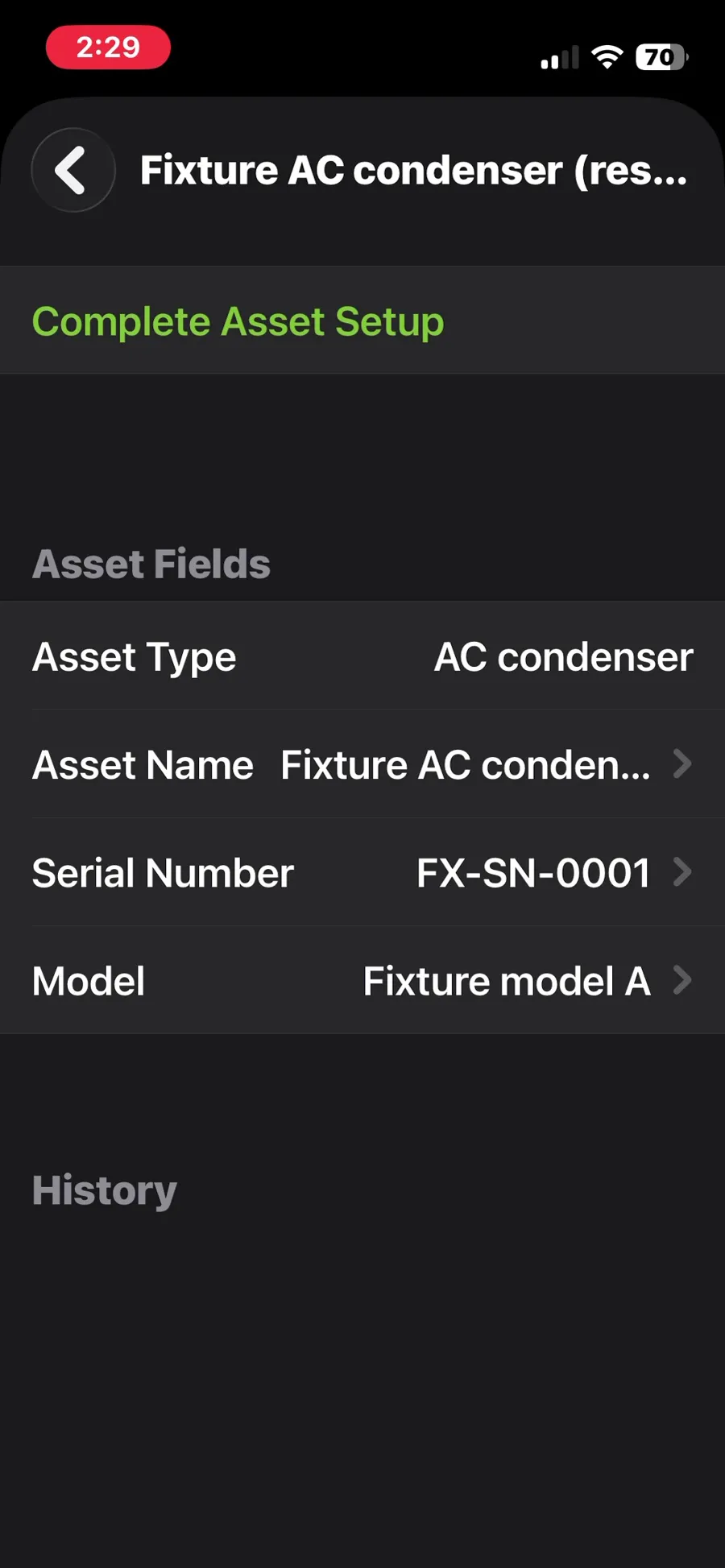
ServiceM8, T-04 (equipment history: see every visit for one rooftop unit): asset on the phone with an empty history. Own capture from the test account, fictional Ridgeline fixture data.
- Task
- T-04 — Equipment history: see every visit for one rooftop unit
- Plan
- Premium Plus
- Device
- iPhone 13 mini (MLJC3VC/A)
- App version
- ServiceM8 iOS app (App Store, installed for the test), 2026-10-02, trial; region English (United States)
- Captured
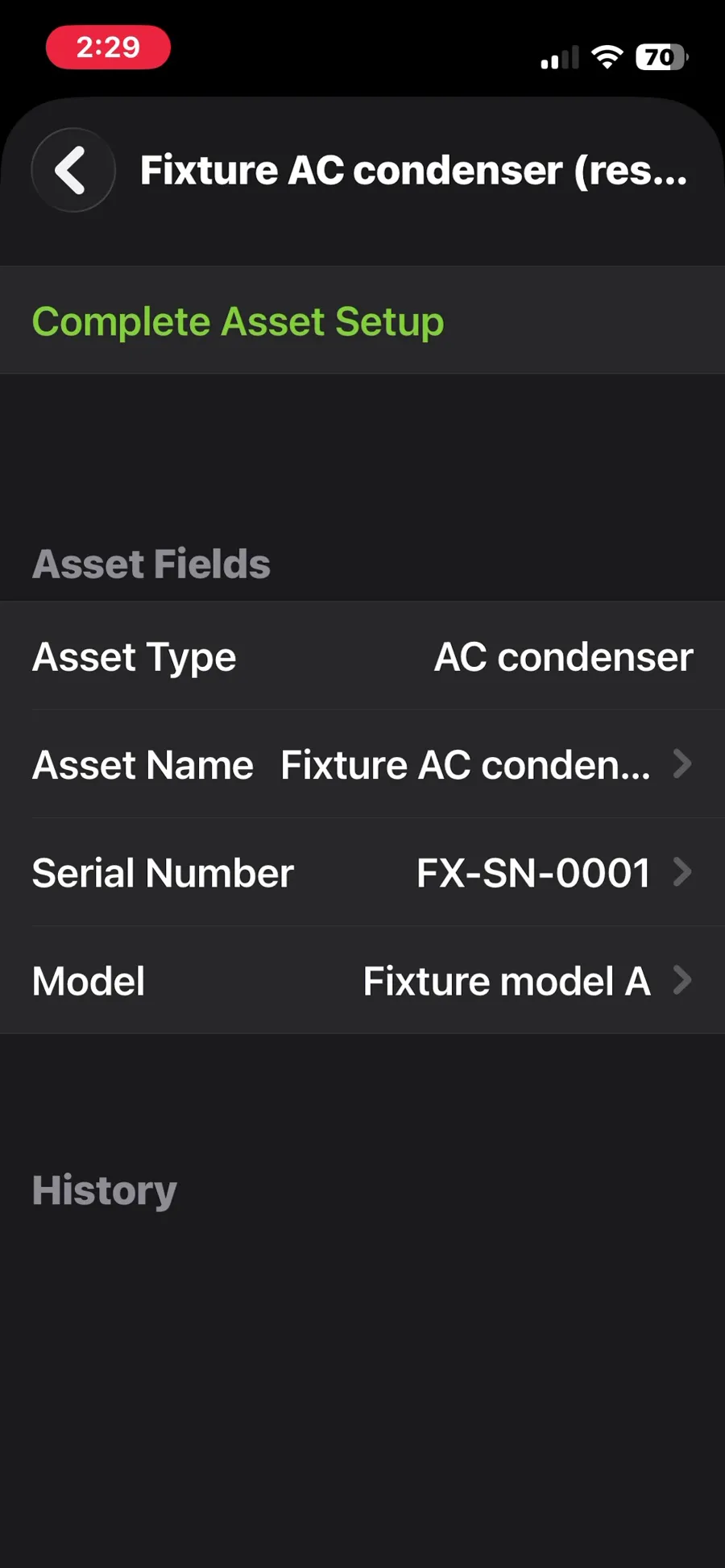
Retests
Housecall Pro
No retest recorded.
Jobber
No retest recorded.
Kickserv
No retest recorded.
ServiceM8
- · partial · Mobile follow-up to exe-servicem8-t-04-20260930-1. On the phone, Client > Client Assets for Fixture residential customer 01 lists the imported asset 'Fixture AC condenser (res-01)' with its type, serial FX-SN-0001 and model; its history is empty. 'Complete Asset Setup' opens the camera to scan a ServiceM8 QR label, which is required before inspection or service forms can be recorded against the asset; no label was available, so no per-asset history could be built. Result partial (final): an equipment register with custom fields exists on the Growing plan add-on, but per-unit history depends on physical QR labels and on-site setup.
ServiceTitan
No retest recorded.
Workiz
No retest recorded.