T-09: On a phone: open the job, see equipment history, add photos, notes and a checklist, capture a signature; repeat offline
Task definition
T-09 · On a phone: open the job, see equipment history, add photos, notes and a checklist, capture a signature; repeat offline
Version 1.0.0 · Operator role: field
Pass criteria: Everything syncs after reconnecting, with no data loss
- On the test phone, sign in as ridgeline-person-priya and open ridgeline-job-service-03 at ridgeline-location-01 while online. Open ridgeline-equipment-01 history and record which prior visit is visible.
- On ridgeline-job-service-03, attach a test image labeled with that job id, enter the note "online check", save a checklist containing "fixture record reviewed", and capture a test signature. Reopen the job and verify all four entries.
- Disconnect the phone from both Wi-Fi and mobile data, then reopen ridgeline-job-service-03 and ridgeline-equipment-01 history. Record which content can be accessed without a connection.
- While offline, add a second job-labeled test image, the note "offline check", another "fixture record reviewed" checklist entry and a test signature to ridgeline-job-service-03. Record each save result and any unavailable action.
- Reconnect the phone and wait for the product's reported synchronization to finish, recording elapsed time and status. Reopen ridgeline-job-service-03 in the phone and office sessions.
- Compare every online/offline image, note, checklist and signature on ridgeline-job-service-03 in both sessions. Capture a recording that shows the connection changes and any missing, duplicated or unsynchronized data.
Fixture used
Ridgeline Comfort Heating & Air · Version 1.0.0
ridgeline-equipment· equipment · 1.0.0ridgeline-jobs· jobs · 1.0.0ridgeline-locations· locations · 1.0.0ridgeline-operation· operation · 1.0.0ridgeline-people· people · 1.0.0
Results by product
Pinned: Jobber · ServiceM8. All tasks are shown on desktop; narrow screens start with differences. These selected results are available without JavaScript.
| Task | Housecall Pro | Jobber | Kickserv | ServiceM8 | ServiceTitan | Workiz |
|---|---|---|---|---|---|---|
Field visit, offline | Housecall Pro Not tested UnverifiedT-09 | Jobber Pass TestedT-09 | Kickserv Not tested UnverifiedT-09 | ServiceM8 Partial TestedT-09 | ServiceTitan Not tested UnverifiedT-09 | Workiz Not tested UnverifiedT-09 |
- Price checked
- Not verified
- Last tested
- Last edited
Housecall Pro
Not tested: Housecall Pro advertises a 14-day free trial, but its terms say the service is offered to users who reside in the US or Canada, and when we signed up on September 28, 2026 the onboarding form did not accept our Spanish phone number. Our lab is in Spain, so we have not run our tasks on it. What this page shows comes from public sources and is marked as documented, not tested.
Review: Housecall ProJobber
pass · Grow
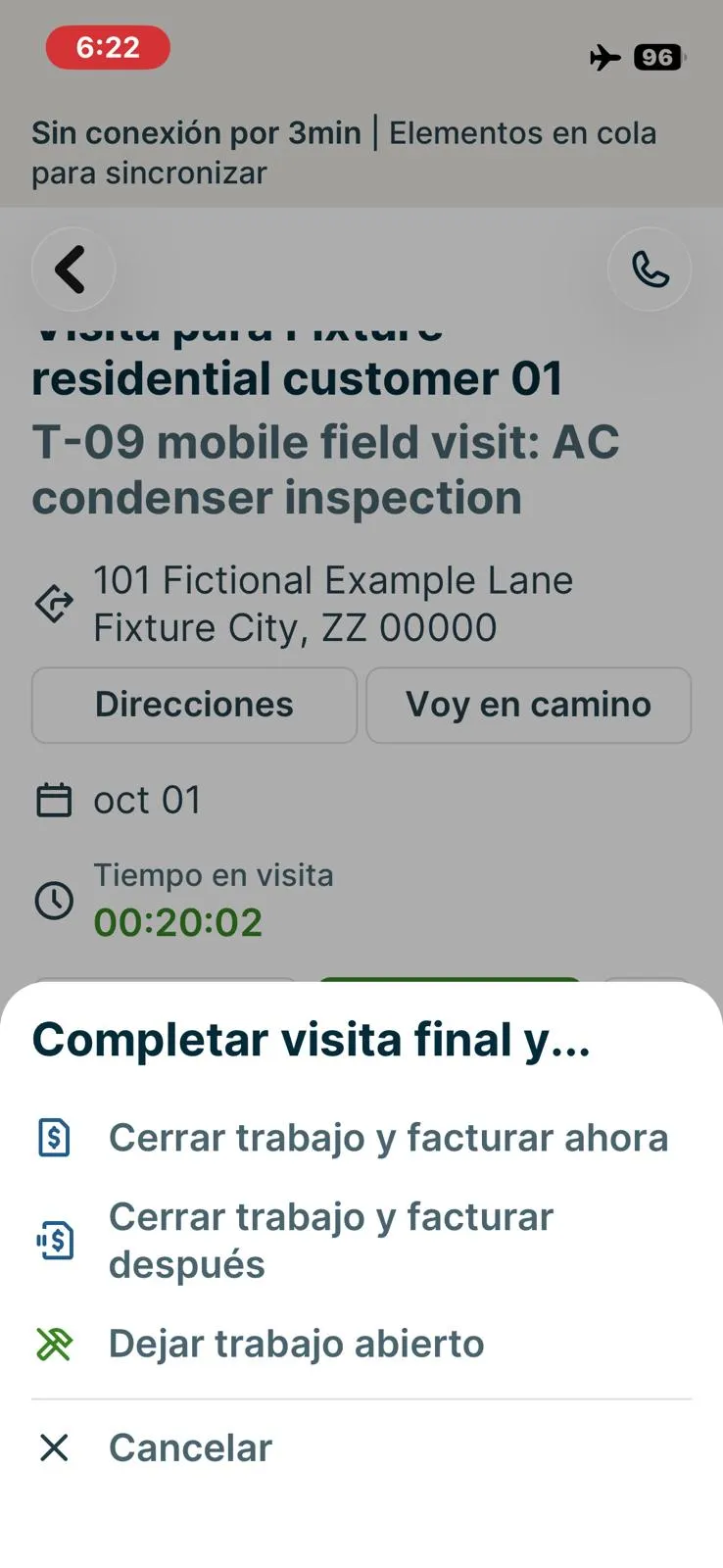
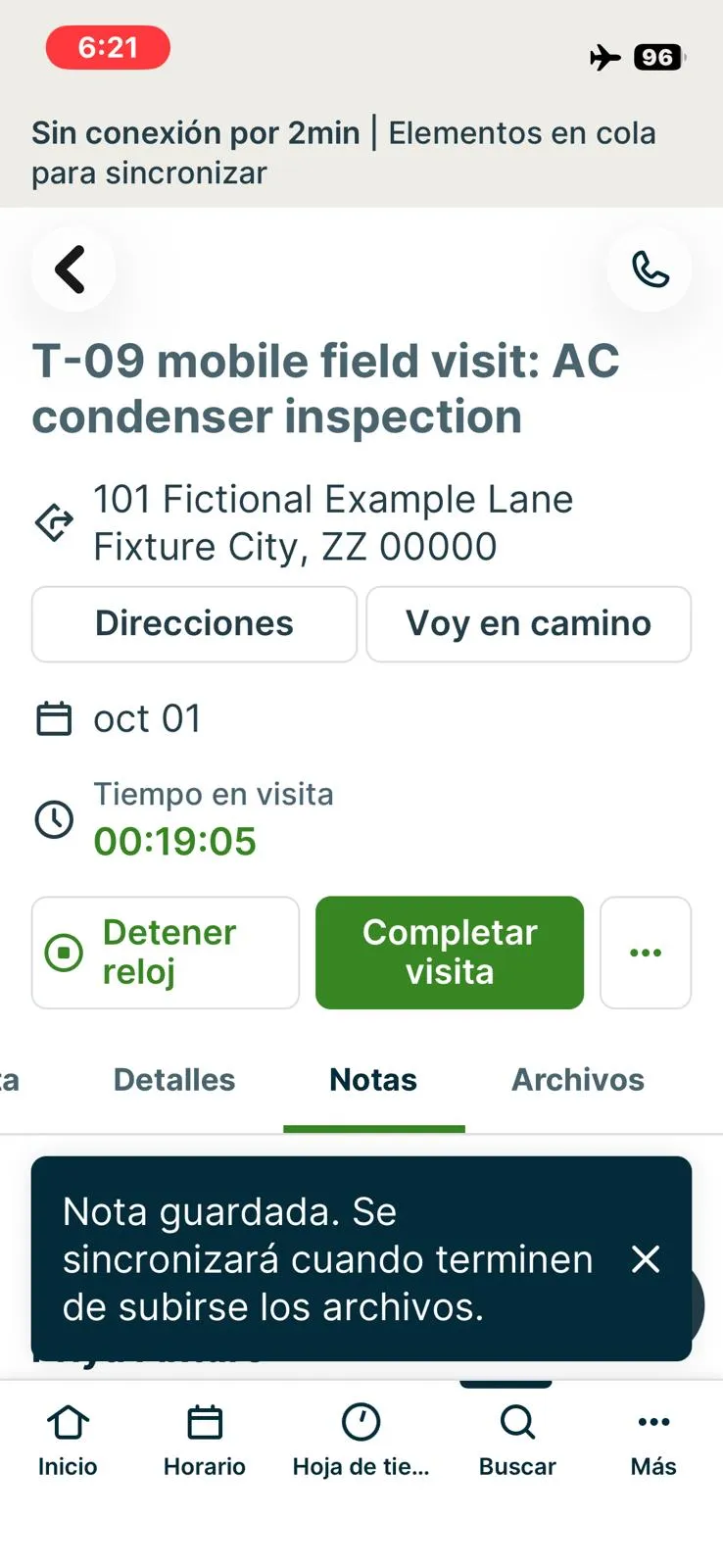
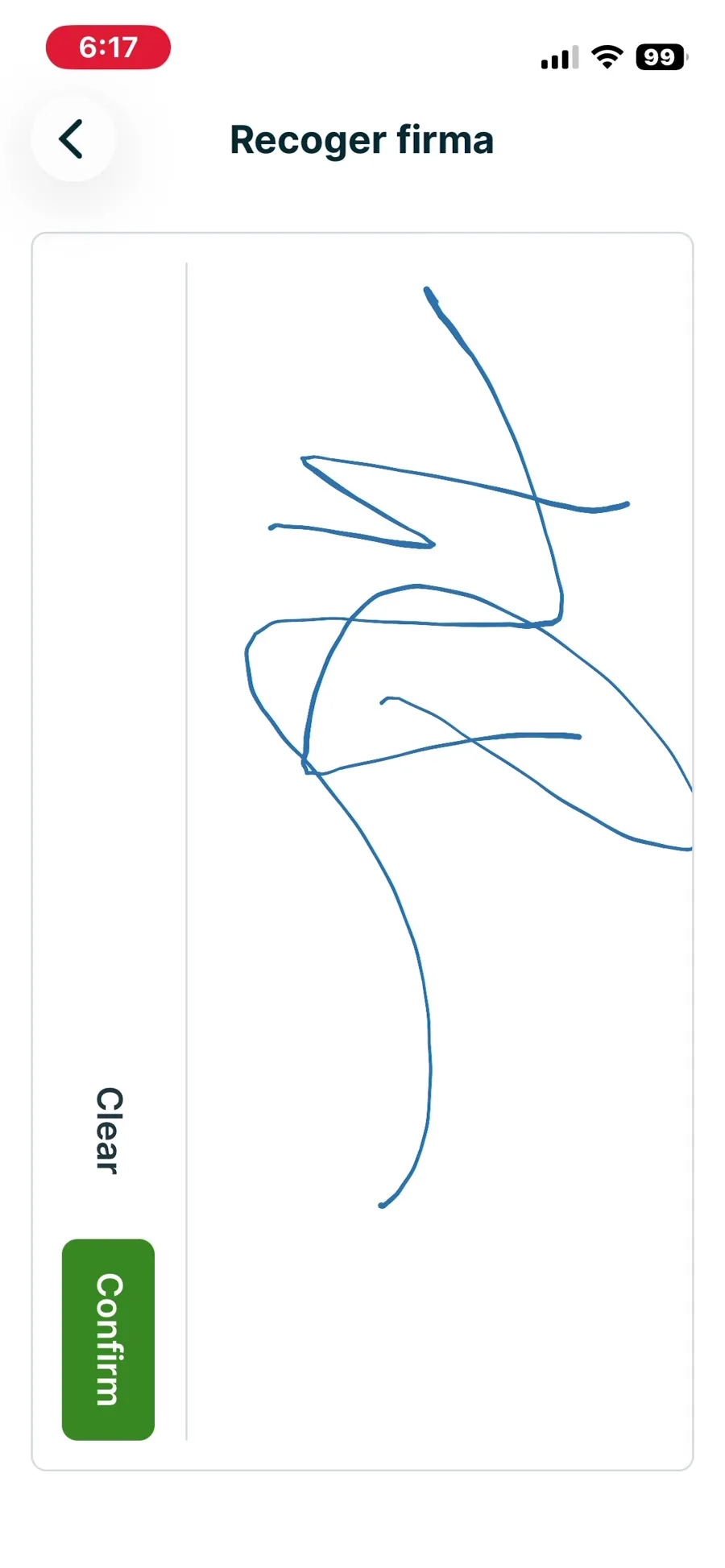
Technician Priya (fixture employee) on the phone, Job #13 'T-09 mobile field visit: AC condenser inspection' for Fixture residential customer 01 (the fixture service job for location 01 in this account). Sign-in: an App Tracking Transparency prompt appeared; declining it returned the session to the login screen, accepting it continued. Notifications skipped, location permission not granted; the home screen shows a map centred on an approximate area without location permission (not used in evidence). Searching '13' or '#13' in the app's search does not find job #13 (only customer 13 and its address). Equipment history: Jobber has no equipment record (see T-04, not-possible), so step 1 cannot be done; the visit shows the property and job history only. Online: started the visit timer, added the note 'Condenser inspected, no leaks found' with a photo (6:08), completed the checklist 'HVAC visit checklist (fixture)' (2/2 items, created on the web and attached to the visit) and captured a signature in it (6:17); all visible on reopening and on the web. Offline (airplane mode, 6:19-6:25): the app stayed usable and showed a banner 'Offline for N min | Items queued to sync'; added the note 'offline note: capacitor checked' with a second photo, labelled 'Waiting to sync' with the toast 'Note saved. It will sync when the files finish uploading'. Completing the visit offline offered close job and invoice now / close job and invoice later / leave job open / cancel; chose leave job open. The office web session showed none of the offline items while the phone was offline. On reconnecting, the app synced by itself within about a minute, without restarting: the web showed the offline note, its photo, the visit marked Completed and a time entry 6:02-6:24 (0h 21m). Timestamps: the offline note shows its creation time on the phone (6:21) but the upload time on the web (6:26); the photo file name keeps the capture time (~6:21); the time entry keeps the real end time. No missing or duplicated data. Not attempted offline: a second checklist entry and a second signature (the checklist and signature were completed online). Result pass against the criterion (everything synced after reconnecting, no data loss), with notes: no equipment history, search by job number fails, office sees upload time for offline notes.
TestedT-09Execution exe-jobber-t-09-20261005-1 · Protocol 1.0.0 · iPhone 13 mini (MLJC3VC/A) · iOS 26.7 · Native iOS app (screen recorded with iOS screen capture) · Home Wi-Fi, Cádiz, Spain; offline segment in airplane mode (Wi-Fi and mobile data off)
Kickserv
Not tested: Kickserv's terms of service do not allow use of the service for benchmarking or competitive purposes, so we do not publish hands-on test results for it. What this page shows comes from public sources and is marked as documented, not tested.
Review: KickservServiceM8
partial · Premium Plus
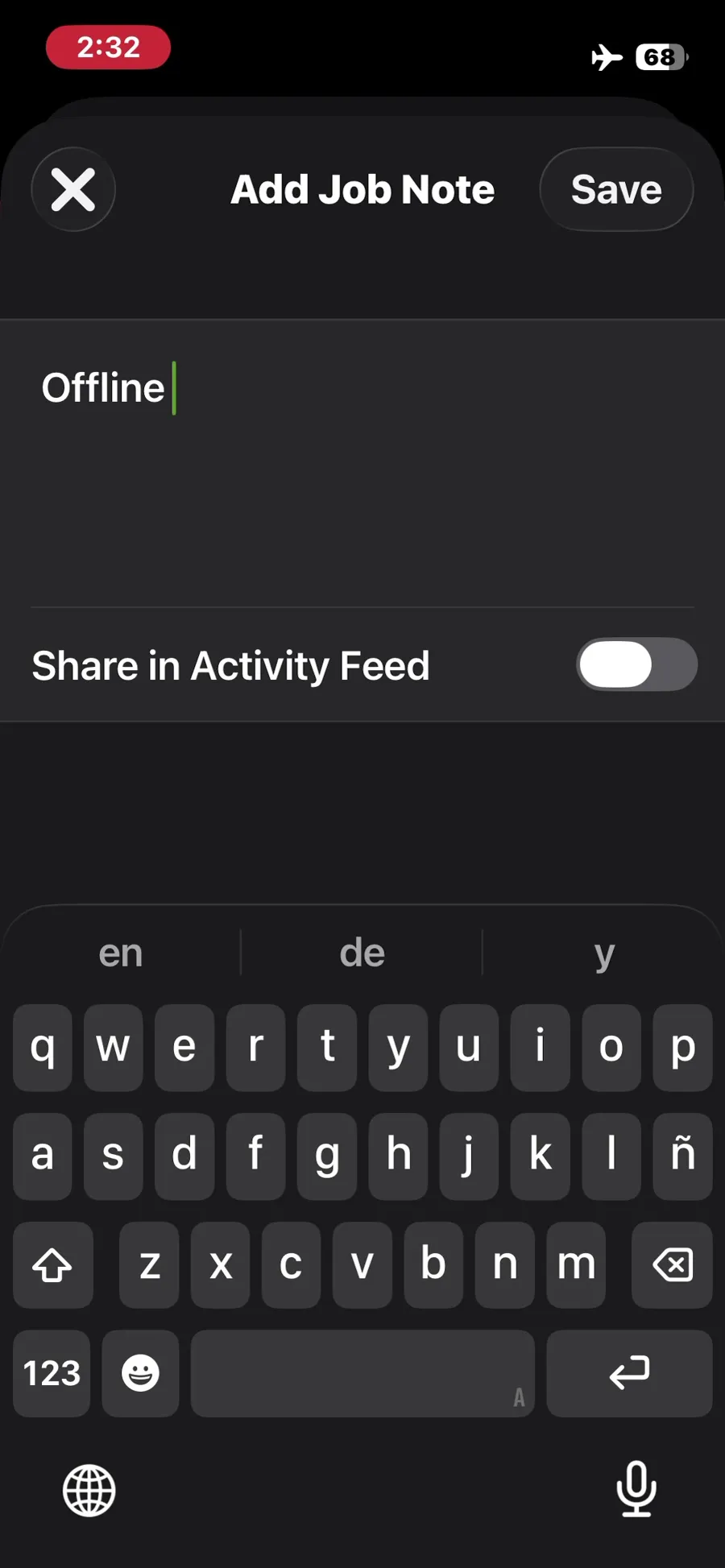
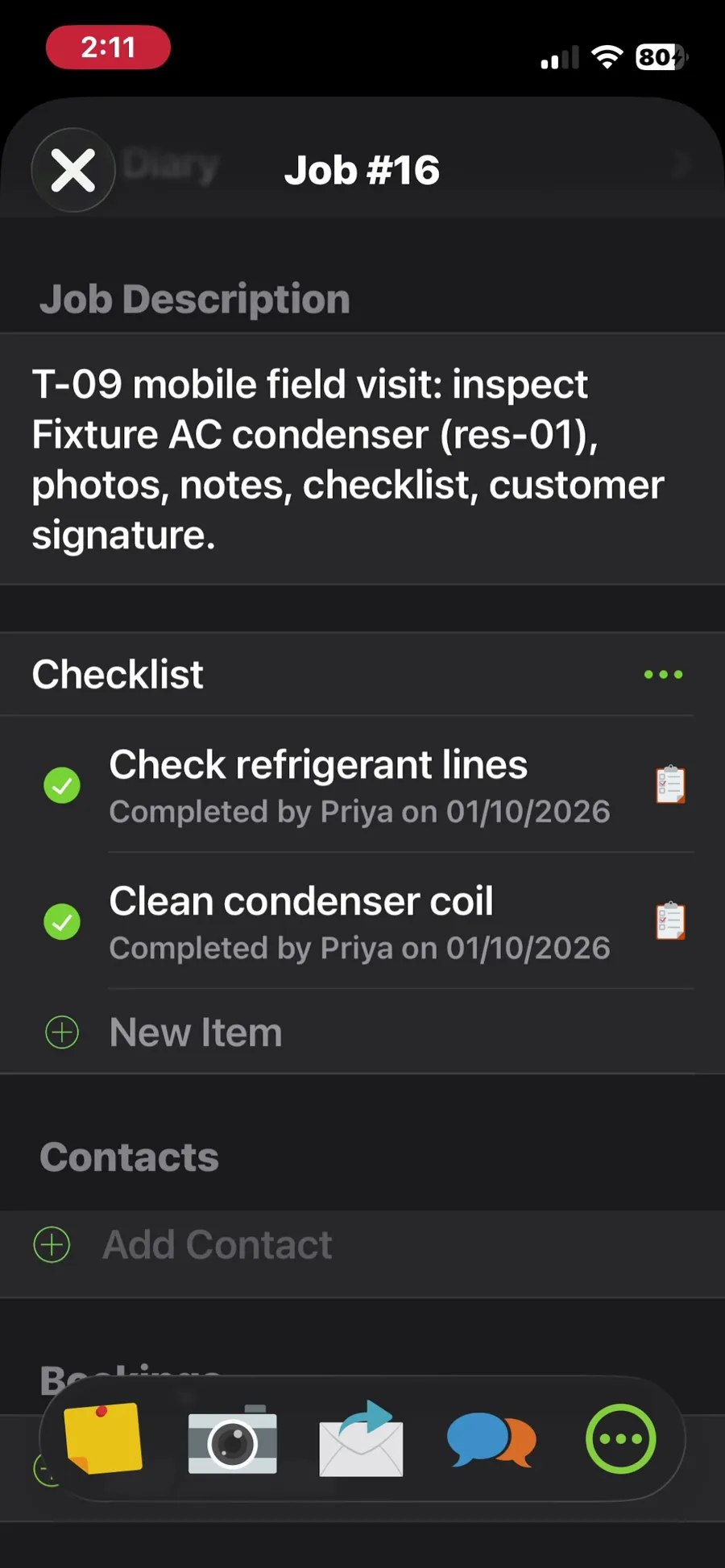
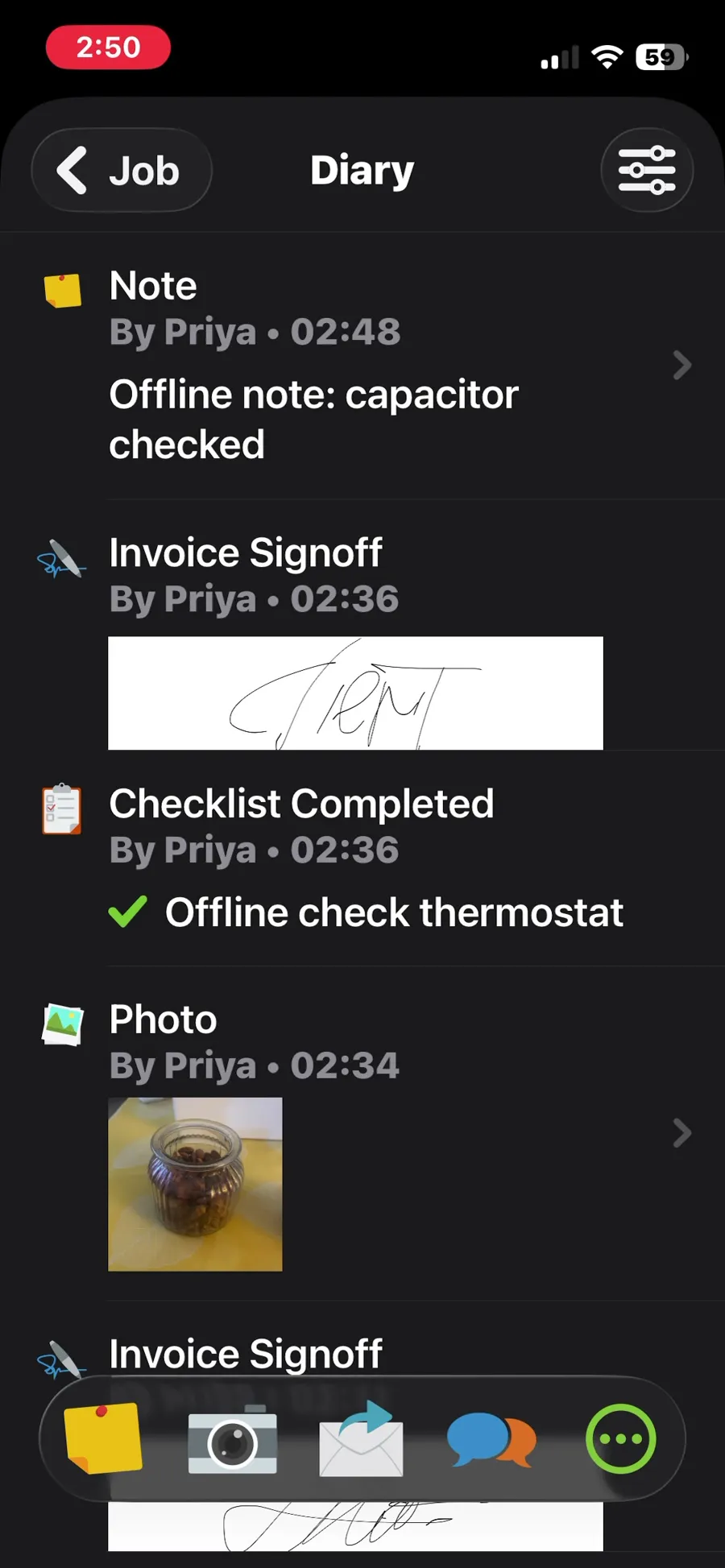
Technician Priya (fixture employee, signed in with a routed lab mailbox) on the phone, Job #16 for Fixture residential customer 01. Online: check-in, a checklist with two items, a note, a photo and a client signature (Client Signoff, stored as 'Invoice Signoff'); all visible on reopening and through the office API. Equipment history: the asset imported in T-04 is visible under Client > Client Assets with type, serial and model, but its history is empty (no visits recorded against it without the QR label setup). Offline (airplane mode): the app stayed usable; added a note, a photo, a checklist item 'Offline check thermostat' and a second signoff, each saved on the phone without errors. On reconnecting, nothing synchronised automatically for about 10 minutes; the offline note and checklist item did not even appear in the phone's own job diary. After force-closing and reopening the app, everything uploaded, with no data loss or duplicates. Timestamps: the offline note carries its upload time (19:48 account time), while the photo and signoff keep their original capture times. Result partial: no data was lost, but synchronisation needed a manual app restart, so a technician who waits for the app to sync would see offline work missing; equipment history is empty.
TestedT-09Execution exe-servicem8-t-09-20261002-1 · Protocol 1.0.0 · iPhone 13 mini (MLJC3VC/A) · iOS 26.7 · Native iOS app (screen recorded with iOS screen capture) · Home Wi-Fi, Cádiz, Spain; offline segment in airplane mode (Wi-Fi and mobile data off)
ServiceTitan
Not tested: ServiceTitan has no self-serve trial. Its pricing page asks visitors to request pricing or book a demo with sales, and we do not open test accounts through sales calls. What this page shows comes from public sources and is marked as documented, not tested.
Review: ServiceTitanWorkiz
Not tested: Workiz advertises a 7-day free trial, but when we signed up on September 28, 2026 its onboarding asked for a phone number with a fixed +1 prefix, so we could not finish setup from our lab in Spain. The assistant on its website could not confirm availability outside the US and Canada and pointed us to a sales demo. We have not run our tasks on it. What this page shows comes from public sources and is marked as documented, not tested.
Review: WorkizEvidence files
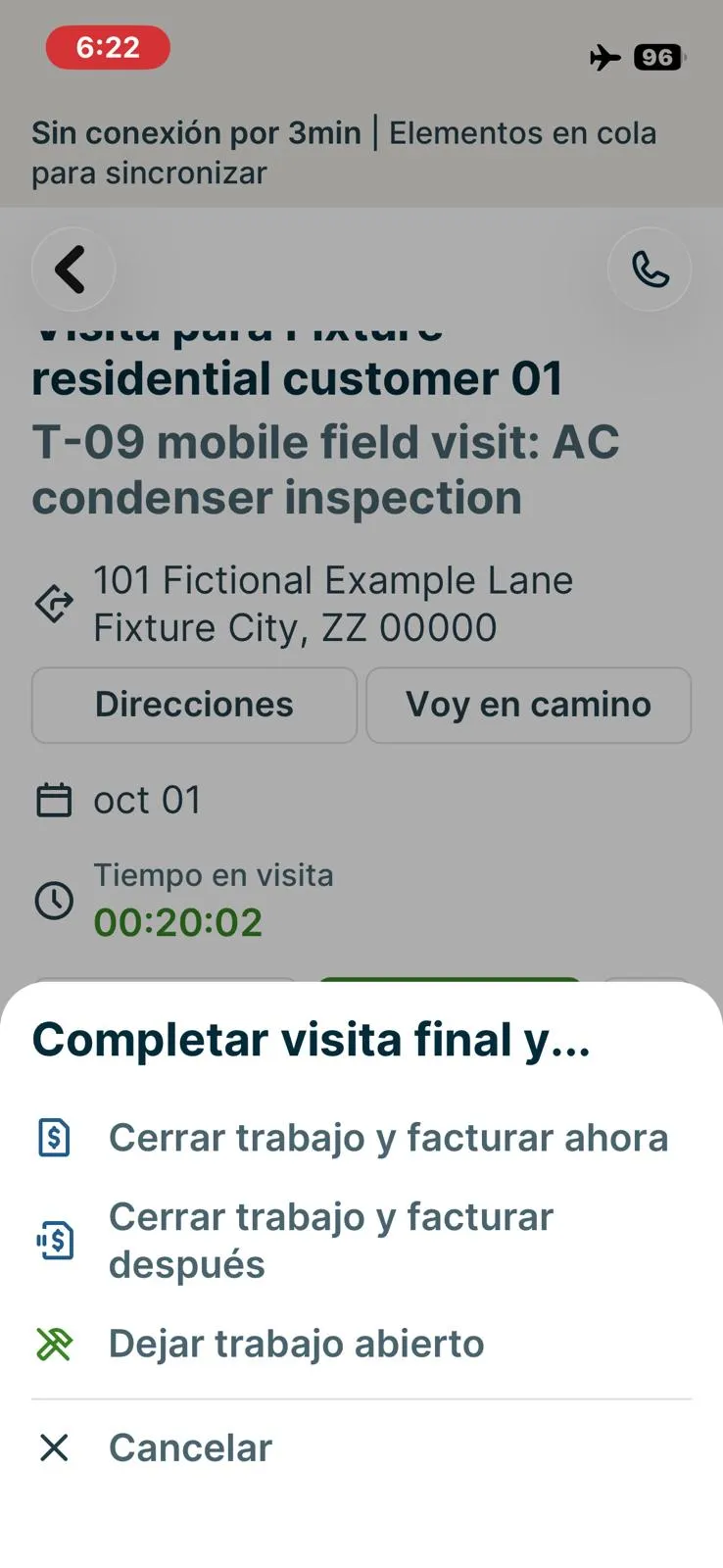
Jobber, T-09 (on a phone: open the job, see equipment history, add photos, notes and a checklist, capture a signature; repeat offline): completing the visit offline. Own capture from the test account, fictional Ridgeline fixture data.
- Task
- T-09 — On a phone: open the job, see equipment history, add photos, notes and a checklist, capture a signature; repeat offline
- Plan
- Grow
- Device
- iPhone 13 mini (MLJC3VC/A)
- App version
- Jobber iOS app (App Store, installed for the test), 2026-10-05, trial day 9
- Captured
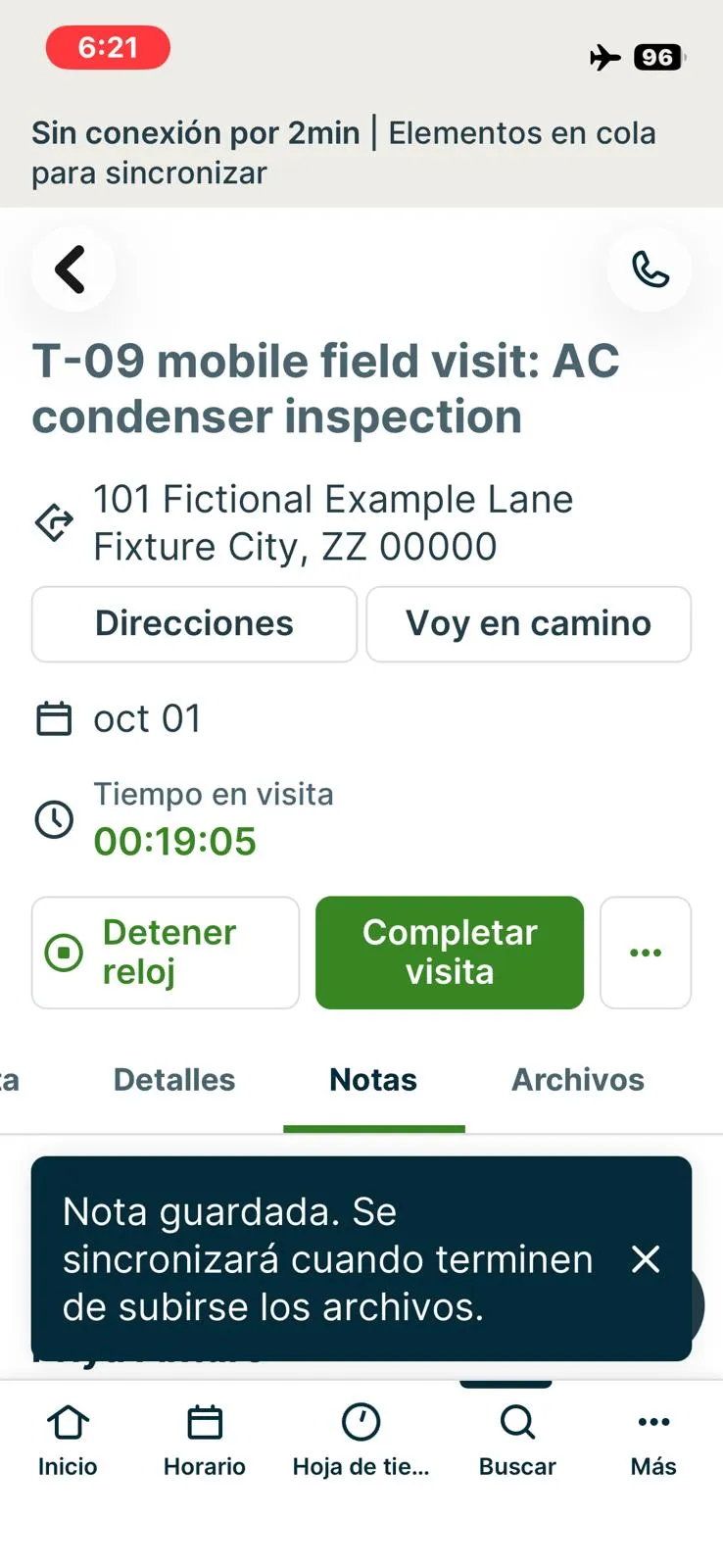
Jobber, T-09 (on a phone: open the job, see equipment history, add photos, notes and a checklist, capture a signature; repeat offline): offline banner with items queued to sync and the note saved. Own capture from the test account, fictional Ridgeline fixture data.
- Task
- T-09 — On a phone: open the job, see equipment history, add photos, notes and a checklist, capture a signature; repeat offline
- Plan
- Grow
- Device
- iPhone 13 mini (MLJC3VC/A)
- App version
- Jobber iOS app (App Store, installed for the test), 2026-10-05, trial day 9
- Captured
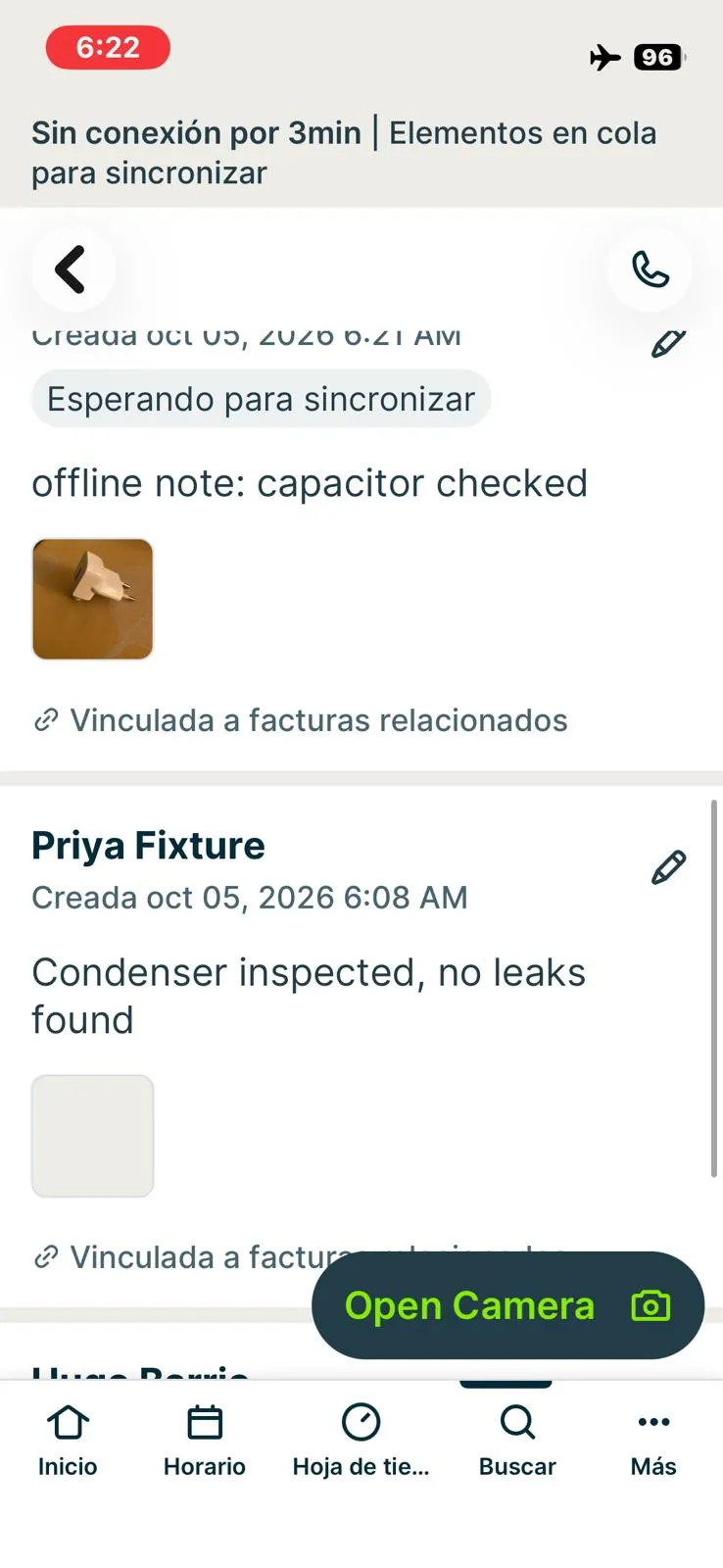
Jobber, T-09 (on a phone: open the job, see equipment history, add photos, notes and a checklist, capture a signature; repeat offline): offline note and photo waiting to sync. Own capture from the test account, fictional Ridgeline fixture data.
- Task
- T-09 — On a phone: open the job, see equipment history, add photos, notes and a checklist, capture a signature; repeat offline
- Plan
- Grow
- Device
- iPhone 13 mini (MLJC3VC/A)
- App version
- Jobber iOS app (App Store, installed for the test), 2026-10-05, trial day 9
- Captured
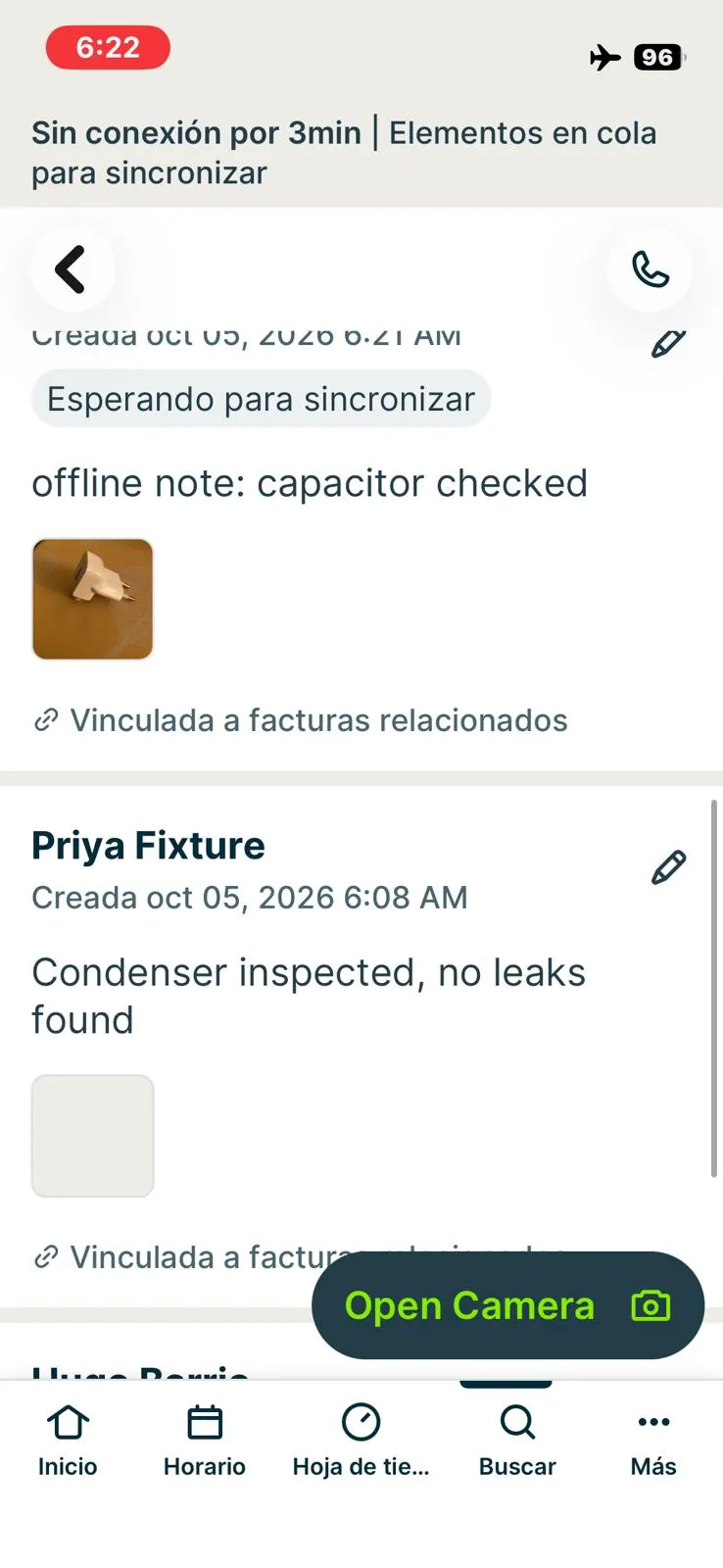
Jobber, T-09 (on a phone: open the job, see equipment history, add photos, notes and a checklist, capture a signature; repeat offline): searching #13 does not return job #13. Own capture from the test account, fictional Ridgeline fixture data.
- Task
- T-09 — On a phone: open the job, see equipment history, add photos, notes and a checklist, capture a signature; repeat offline
- Plan
- Grow
- Device
- iPhone 13 mini (MLJC3VC/A)
- App version
- Jobber iOS app (App Store, installed for the test), 2026-10-05, trial day 9
- Captured
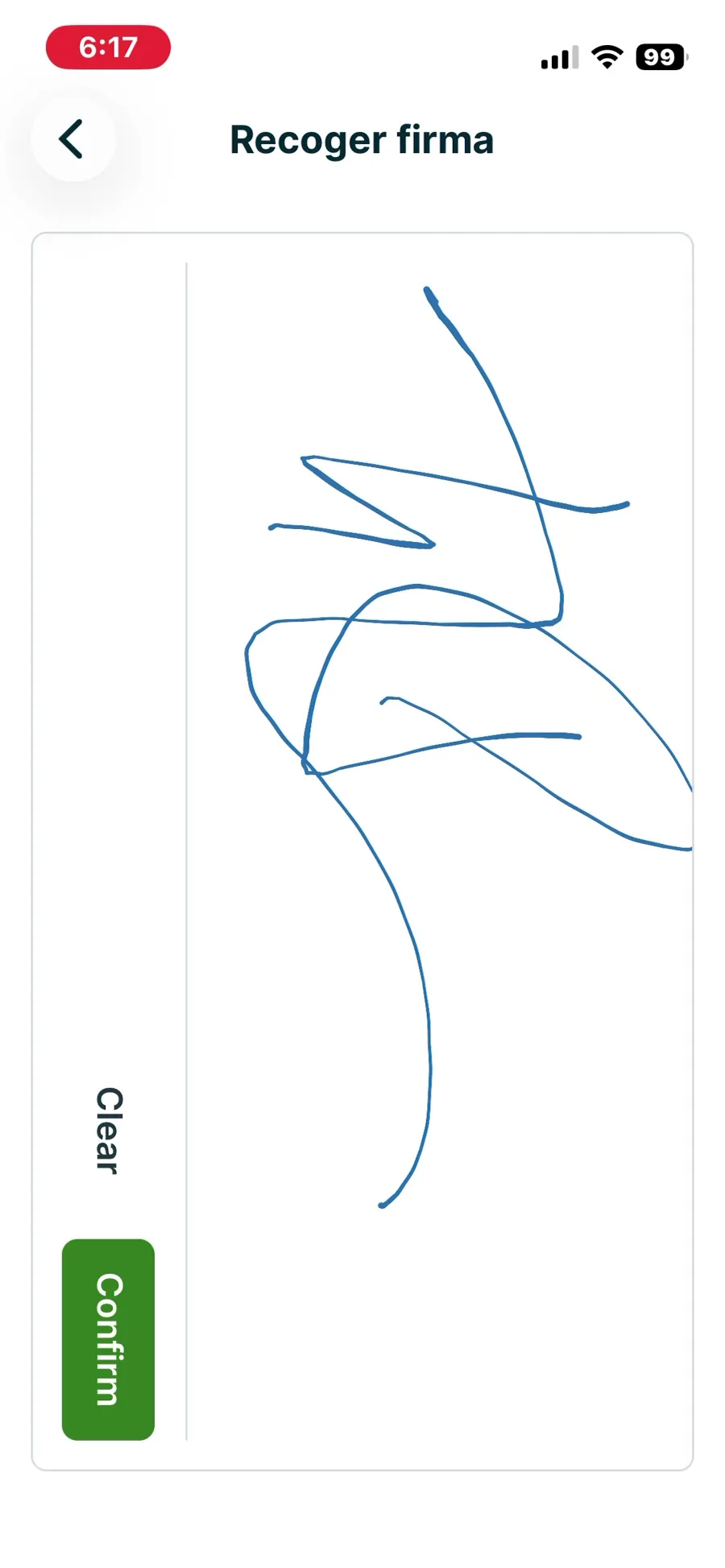
Jobber, T-09 (on a phone: open the job, see equipment history, add photos, notes and a checklist, capture a signature; repeat offline): signature captured in the visit checklist, online. Own capture from the test account, fictional Ridgeline fixture data.
- Task
- T-09 — On a phone: open the job, see equipment history, add photos, notes and a checklist, capture a signature; repeat offline
- Plan
- Grow
- Device
- iPhone 13 mini (MLJC3VC/A)
- App version
- Jobber iOS app (App Store, installed for the test), 2026-10-05, trial day 9
- Captured
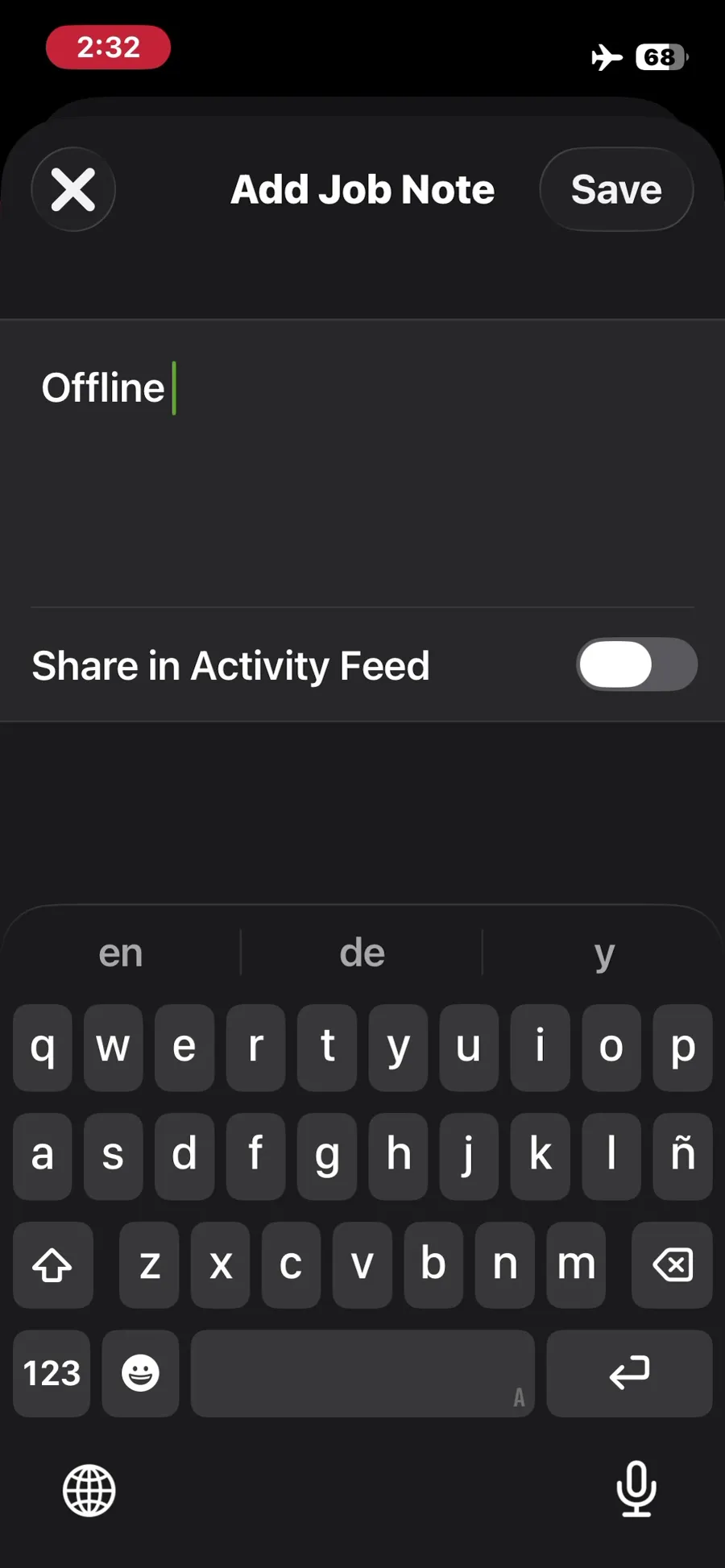
ServiceM8, T-09 (on a phone: open the job, see equipment history, add photos, notes and a checklist, capture a signature; repeat offline): note added in airplane mode. Own capture from the test account, fictional Ridgeline fixture data.
- Task
- T-09 — On a phone: open the job, see equipment history, add photos, notes and a checklist, capture a signature; repeat offline
- Plan
- Premium Plus
- Device
- iPhone 13 mini (MLJC3VC/A)
- App version
- ServiceM8 iOS app (App Store, installed for the test), 2026-10-02, trial; region English (United States)
- Captured
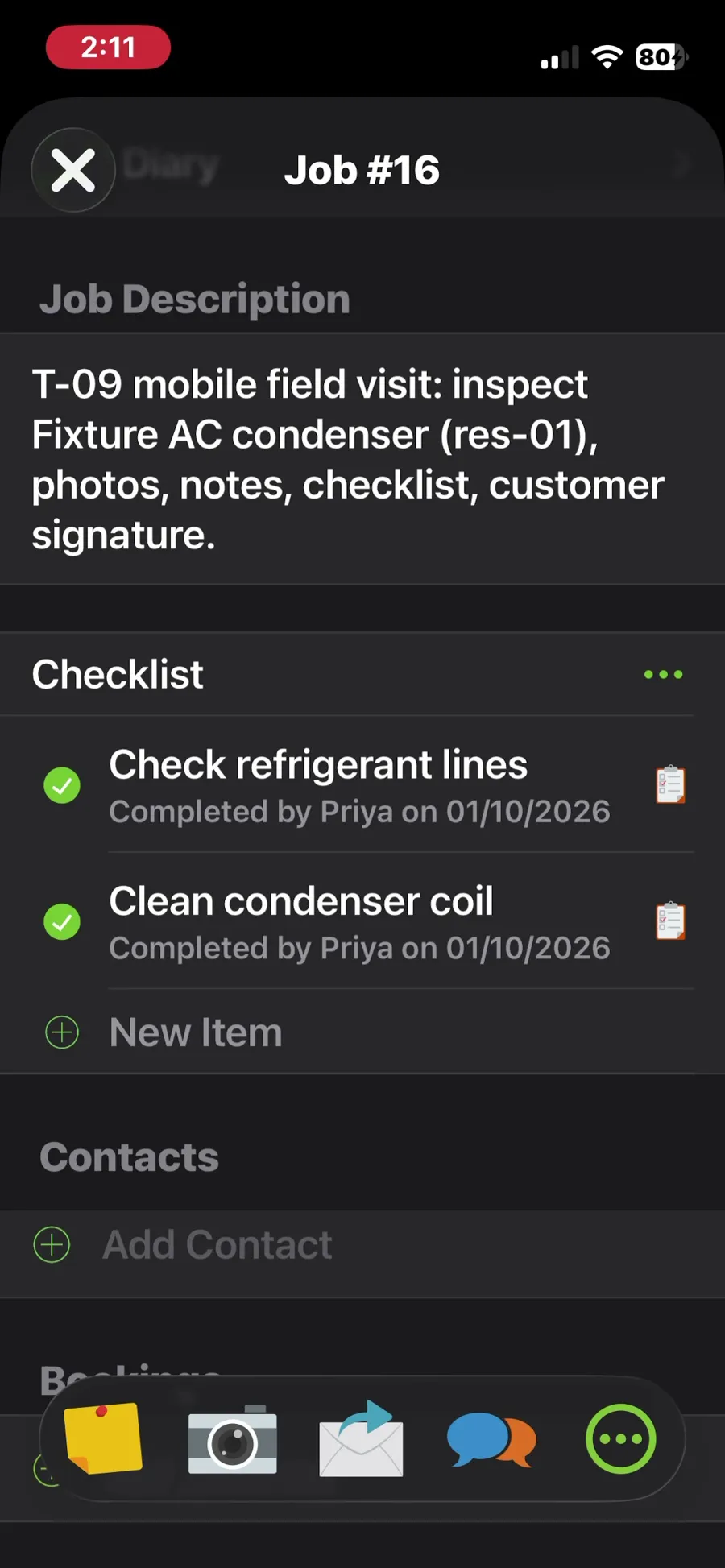
ServiceM8, T-09 (on a phone: open the job, see equipment history, add photos, notes and a checklist, capture a signature; repeat offline): checklist completed online. Own capture from the test account, fictional Ridgeline fixture data.
- Task
- T-09 — On a phone: open the job, see equipment history, add photos, notes and a checklist, capture a signature; repeat offline
- Plan
- Premium Plus
- Device
- iPhone 13 mini (MLJC3VC/A)
- App version
- ServiceM8 iOS app (App Store, installed for the test), 2026-10-02, trial; region English (United States)
- Captured
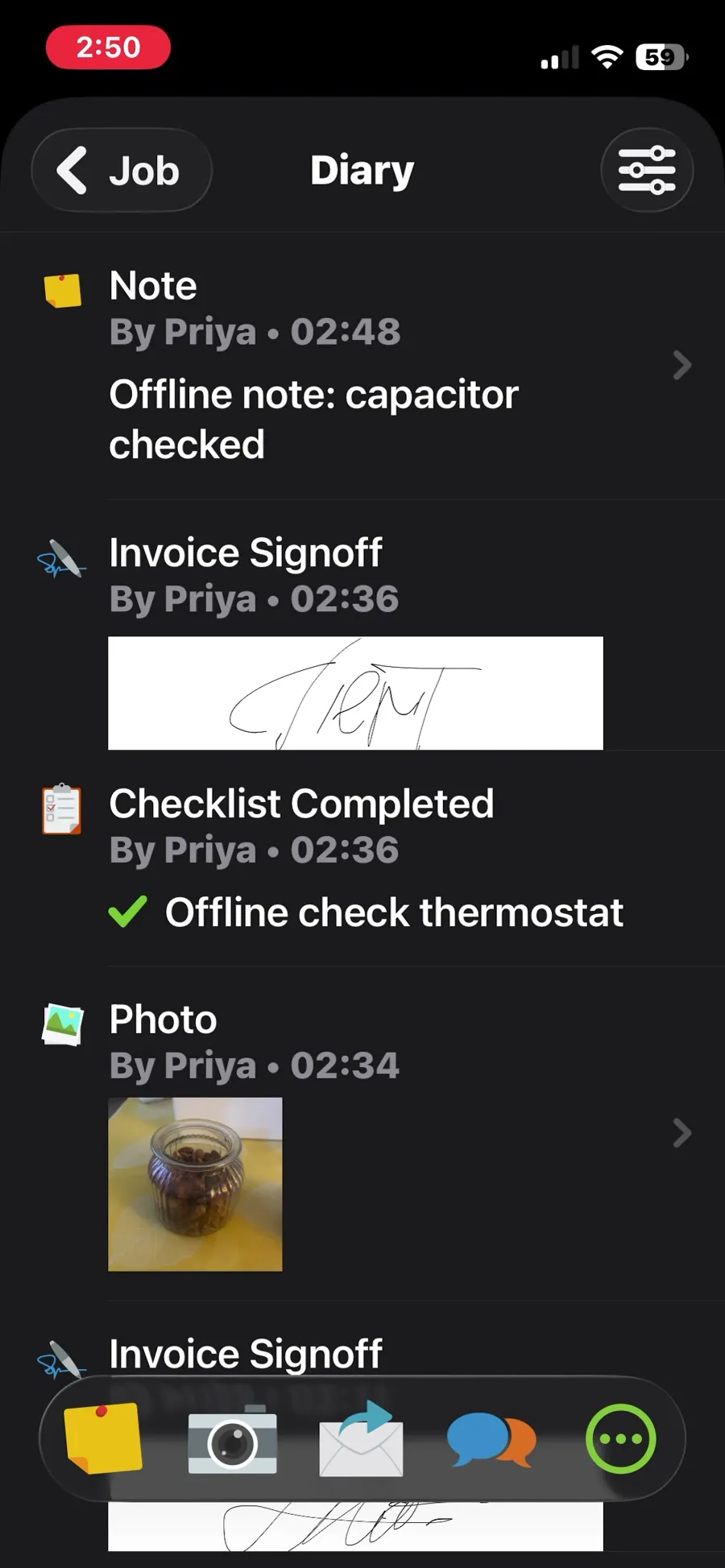
ServiceM8, T-09 (on a phone: open the job, see equipment history, add photos, notes and a checklist, capture a signature; repeat offline): job diary after reopening the app, with the offline note, checklist item, photo and signoff. Own capture from the test account, fictional Ridgeline fixture data.
- Task
- T-09 — On a phone: open the job, see equipment history, add photos, notes and a checklist, capture a signature; repeat offline
- Plan
- Premium Plus
- Device
- iPhone 13 mini (MLJC3VC/A)
- App version
- ServiceM8 iOS app (App Store, installed for the test), 2026-10-02, trial; region English (United States)
- Captured
Retests
Housecall Pro
No retest recorded.
Jobber
No retest recorded.
Kickserv
No retest recorded.
ServiceM8
No retest recorded.
ServiceTitan
No retest recorded.
Workiz
No retest recorded.